
How to use the AI integration assistant
Partnero offers an AI assistant to simplify and streamline the integration process. Here's how it works:
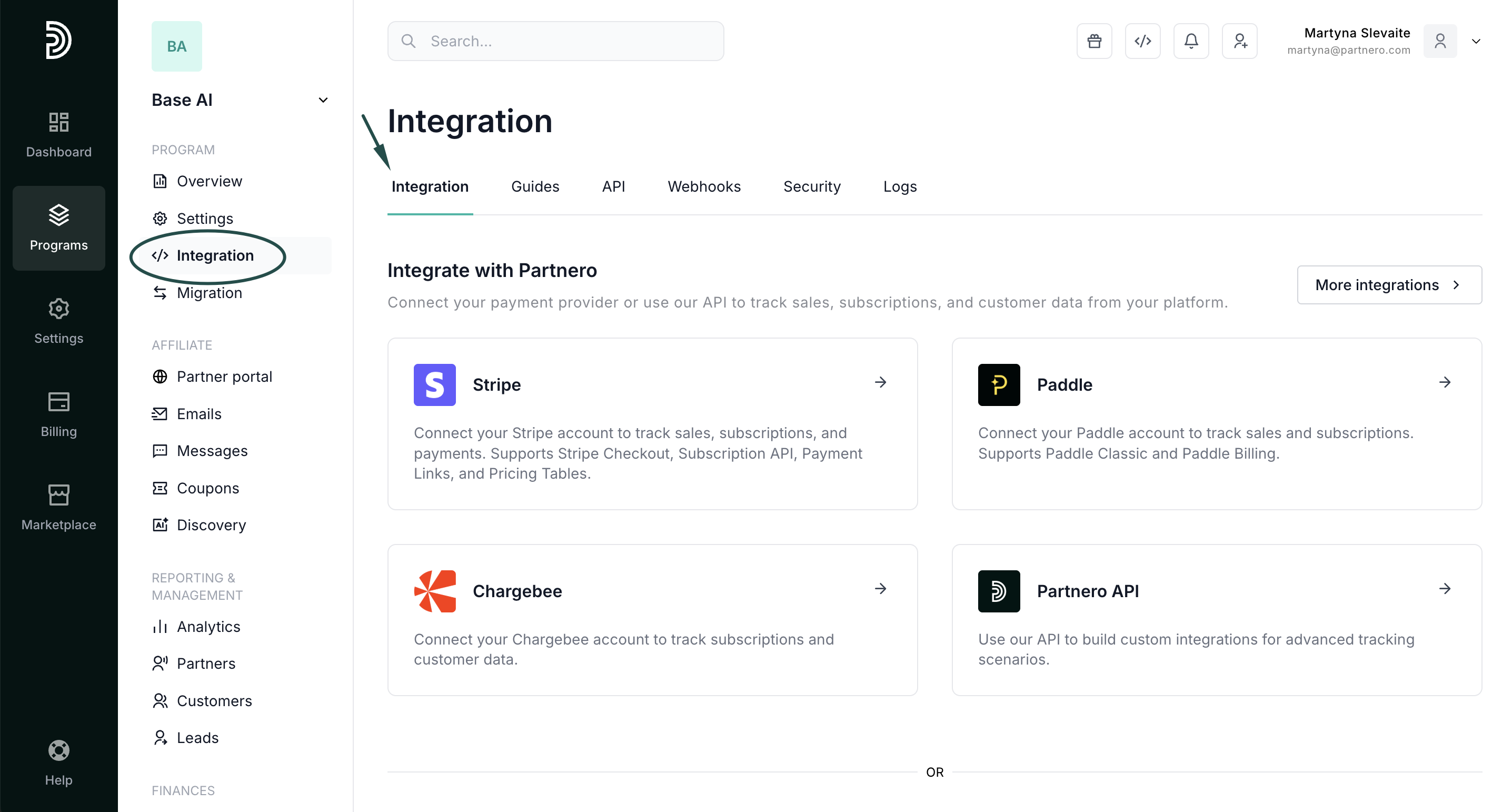
- Open your program and navigate to Integrations:
- In the Integration tab, scroll down to the AI integration assistant. Enter your website URL and select the payment gateway you're using. Alternatively, you can skip the selection and describe your setup manually. AI will analyze the provided information and provide step-by-step instructions to integrate Partnero into your tech stack.
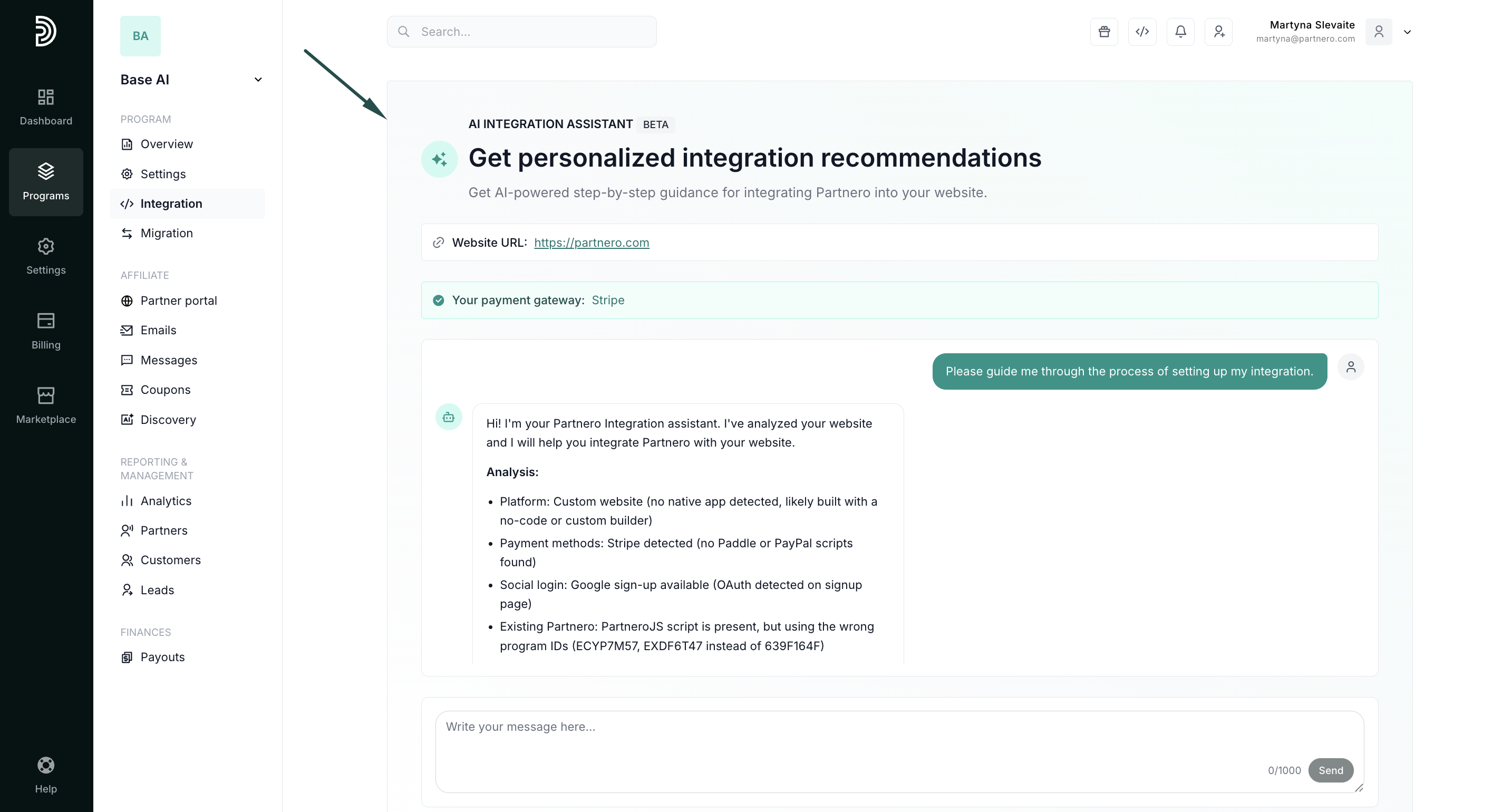
- Follow the outlined steps to integrate.
Important: AI can make mistakes, so always review the information and test your integration. If you have any questions, please don't hesitate to contact our customer support team at hello@partnero.com.