
Migrate from Rewardful
Partnero provides a built-in option to automatically import your existing program data from Rewardful, making it easy to switch platforms without losing history.
What gets migrated?
During the migration, Partnero will import all available data from your Rewardful account, including:
- Partner details (name, email, and other available profile information)
- Customer information
- Clicks, signups, and transactions
- Revenue and reward data
The exact data imported may vary depending on what’s accessible in your Rewardful account.
How to start the migration
To start the migration process:
- Create a new affiliate program on Partnero, if you haven't yet.
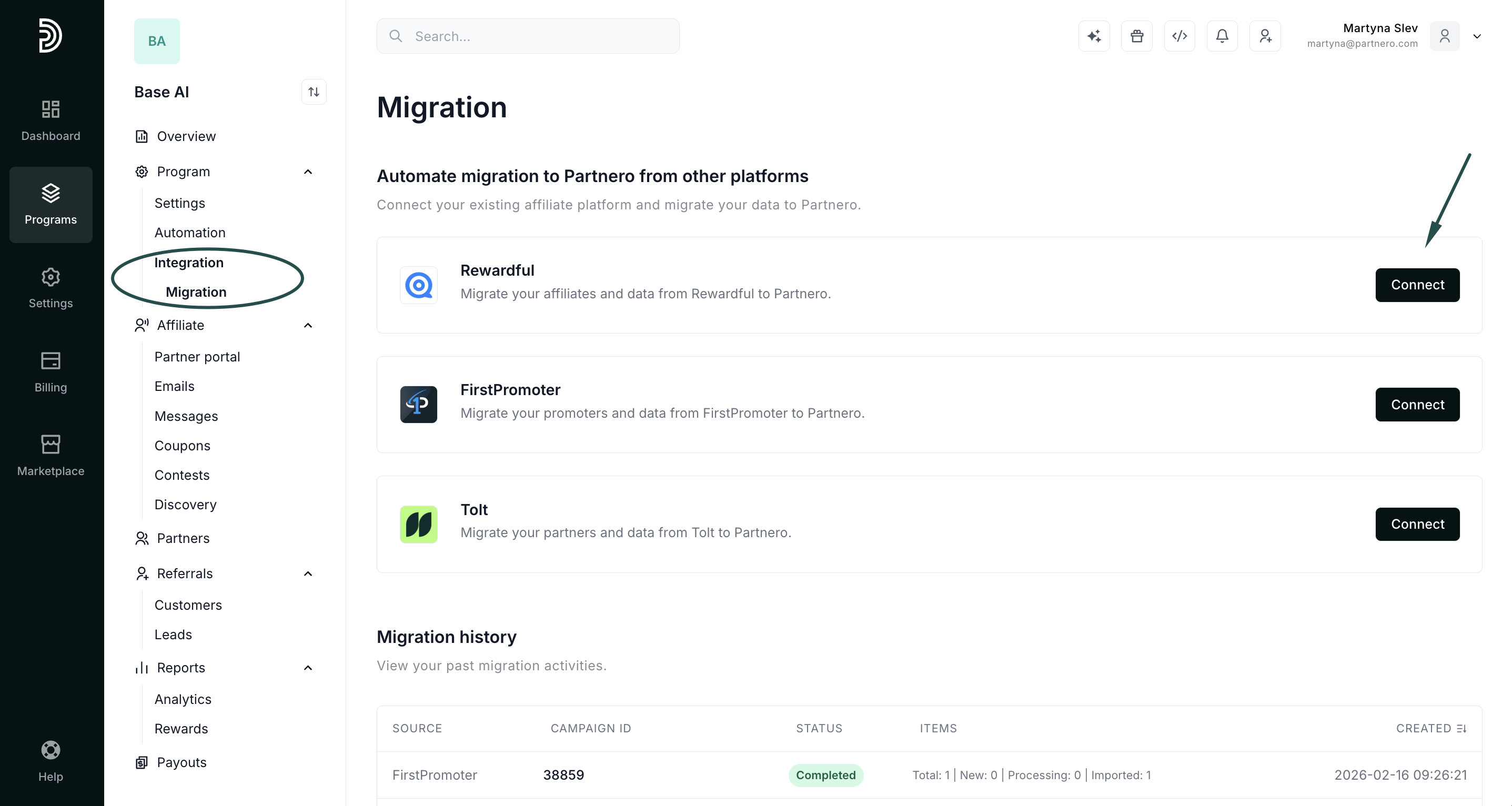
- Open the program, click Integration to expand the menu, then select Migration.
- Click Connect next to Rewardful:
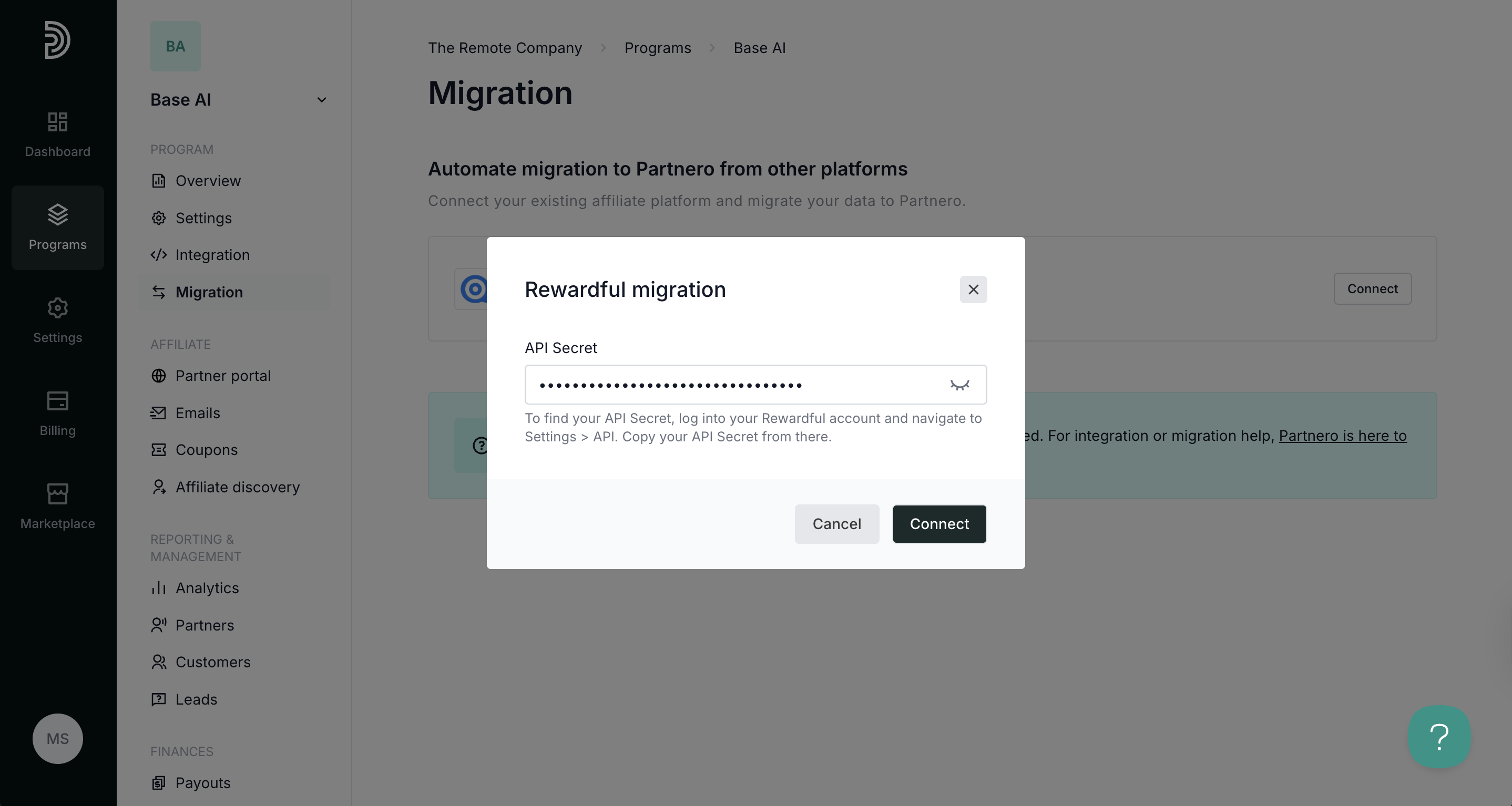
- When prompted, enter your Rewardful API Secret.
- You can find it by navigating to Rewardful → Company Settings → API Credentials.
- Copy the API Secret and paste it into Partnero
Click Connect.
- You can find it by navigating to Rewardful → Company Settings → API Credentials.
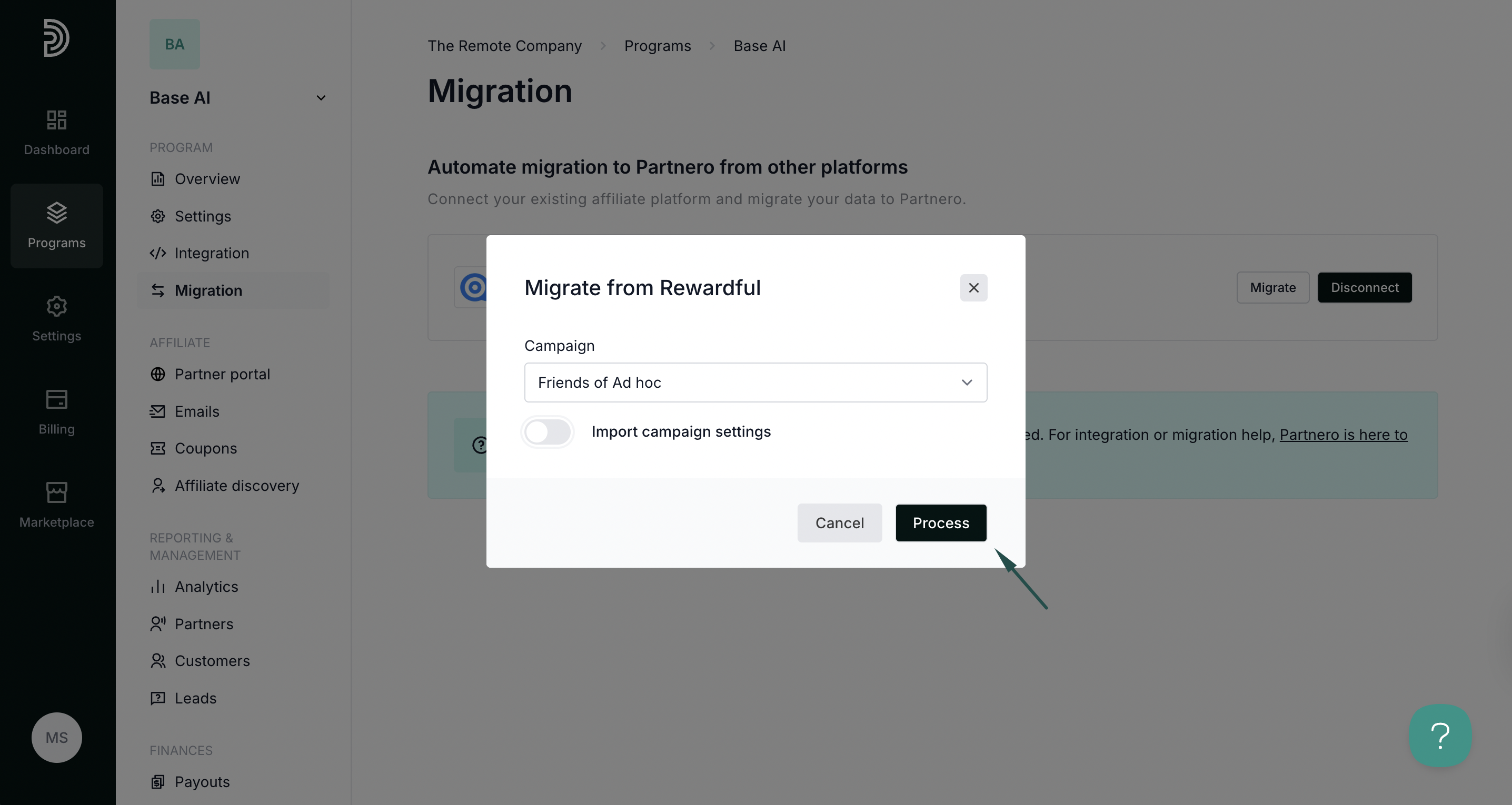
- Once connected, the option to Migrate will be available:
- Click Migrate. Select the campaign you'd like to import. You can also opt to import campaign settings (optional). Click Process.
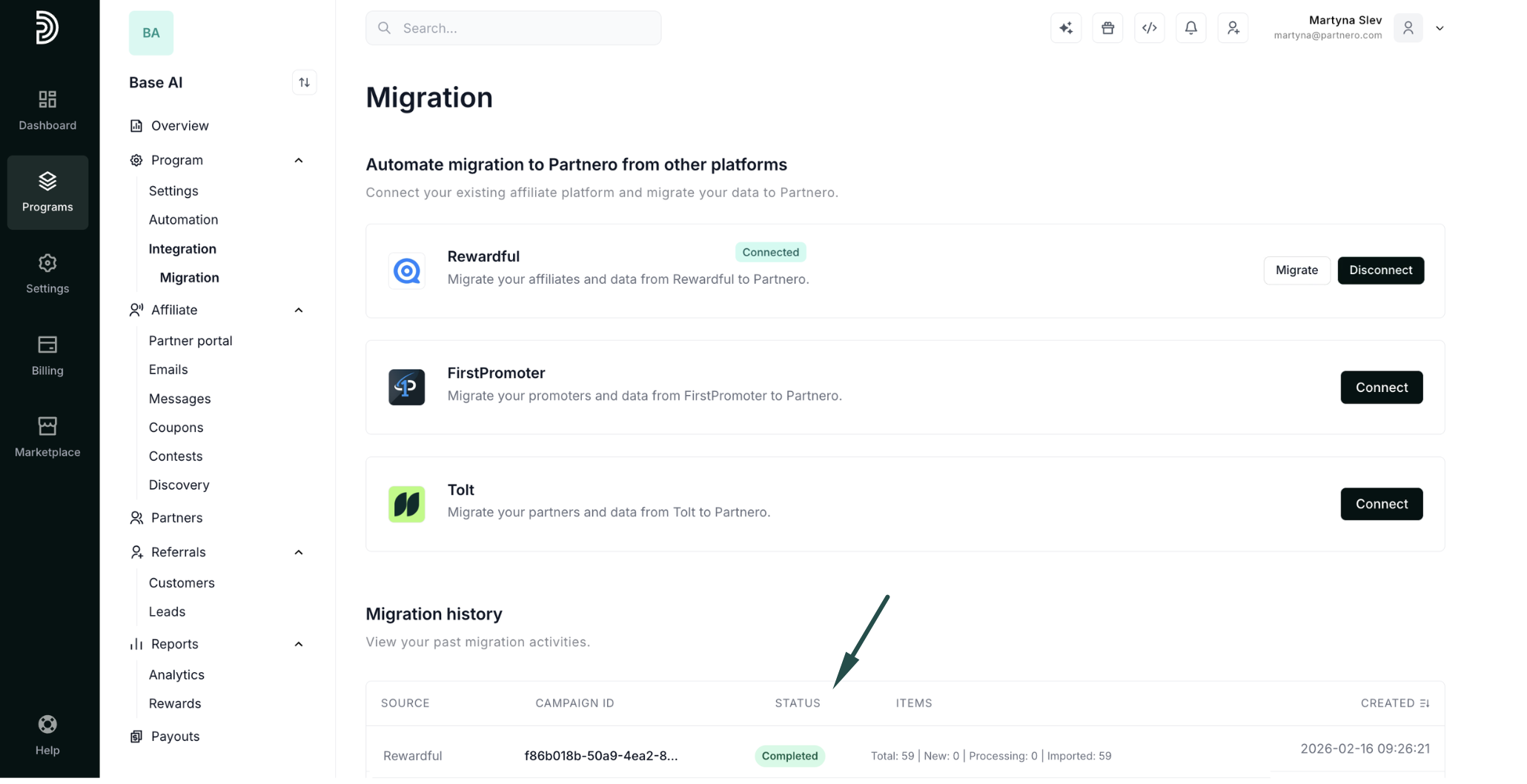
- You’ll see a status indicator showing the migration process.
💡 Important: Rewardful applies rate limits that control how much data can be transferred in a given time period. Depending on your program size, the migration may take some time. You can return to this page at any moment to check the status. - Once the process is finished, the status will change to Completed.
That's it - the data migration is now complete. You can now view your imported data under your Partner and Customer lists.