
Display commission structure in the partner dashboard
You can choose to display your commission structure in the Partner Portal dashboard so partners can clearly see how commissions are calculated.
There are two ways to show commission information, depending on the level of detail you want to provide.
Option 1: Enable commission display in portal settings
Enabling this option shows the main program-level commission in the partner dashboard: 
To achieve this:
- Go to Partner Portal → Settings tab:
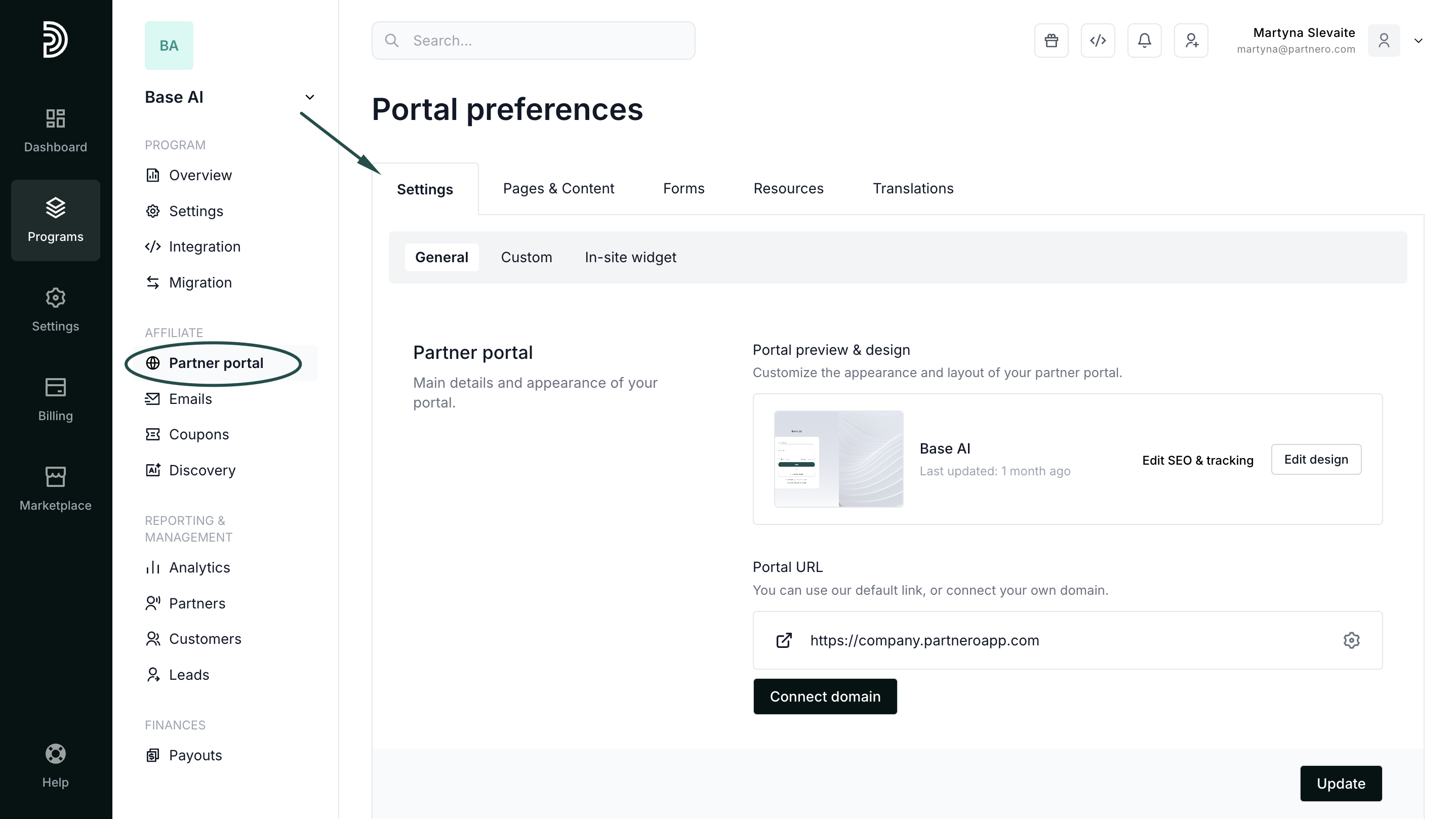
- Scroll down to the Partner permissions section, and toggle Show current commission on dashboard:
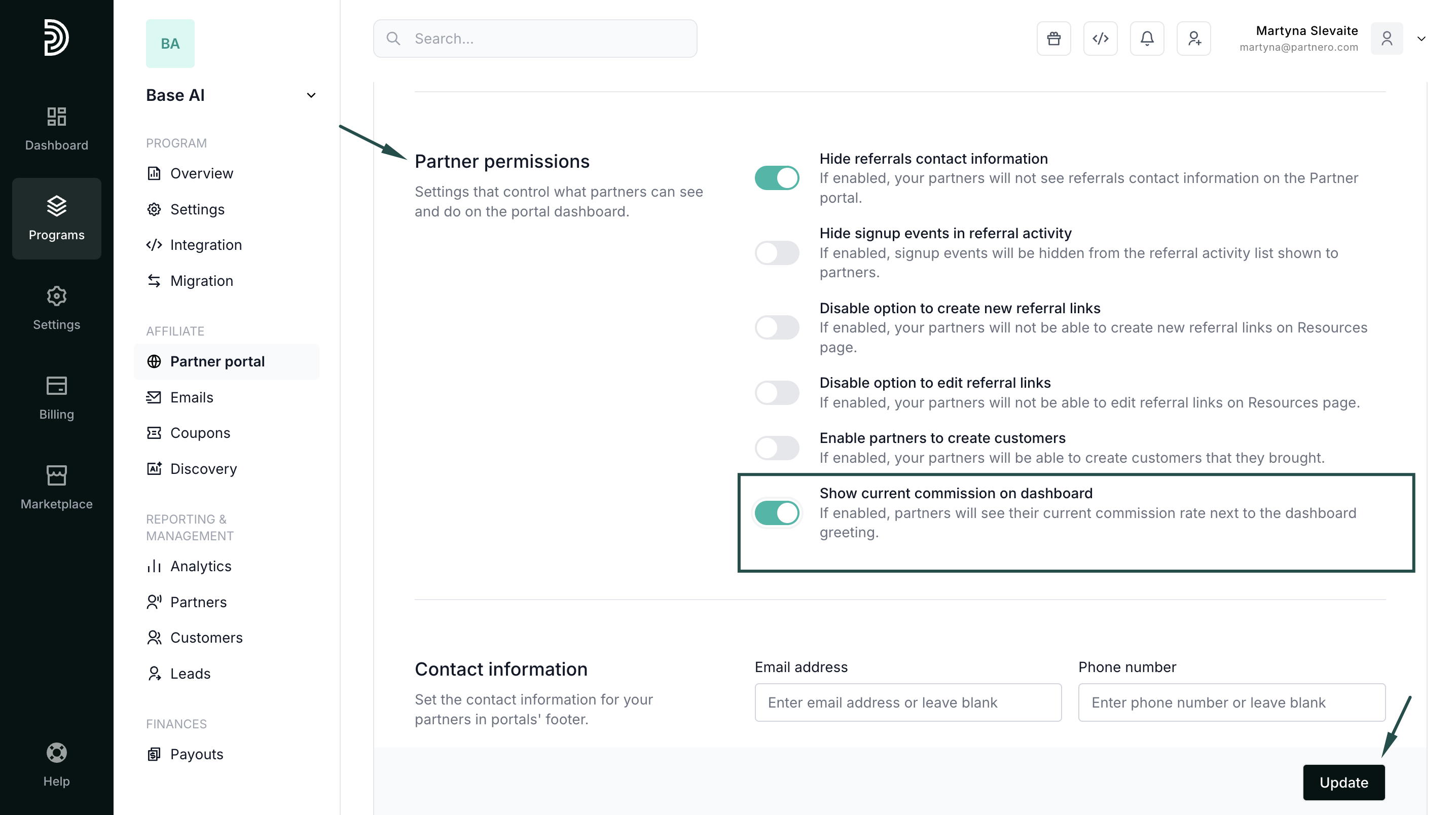
- Click Update to save changes.
Option 2: Add a Commission Structure block to the dashboard
For more detailed information, you can add a Commission Structure block directly to the partner dashboard.
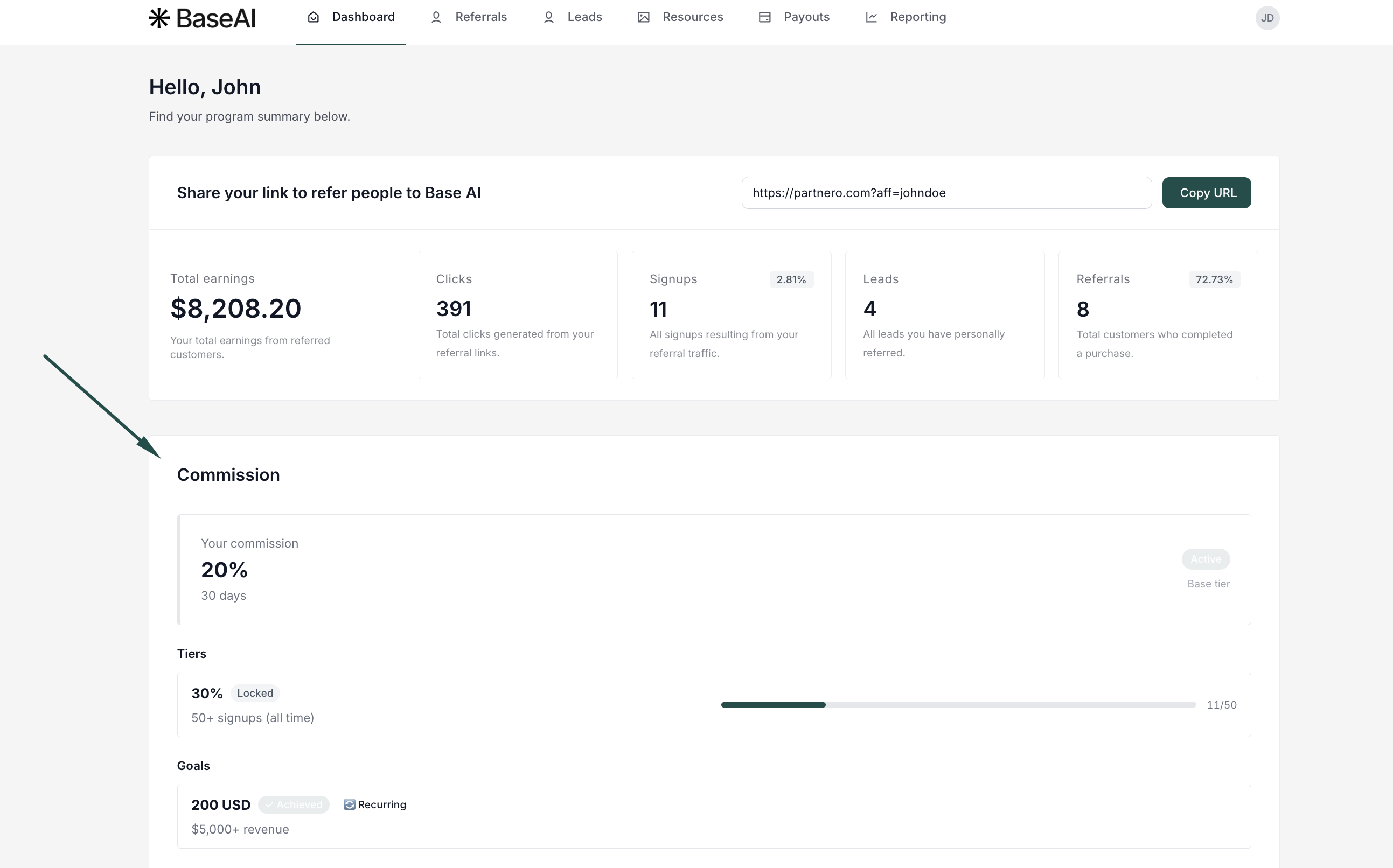
This option provides partners with a more complete view of how commissions work and how their performance affects earnings. This block displays:
- The main commission
- Commission tiers
- Goals and thresholds
- Progress toward the next tier or goal
To achieve this for your program:
- Go to Partner portal → Pages & Content tab. Navigate to the Partner dashboard page and click to Add resource. Select Commission structure:
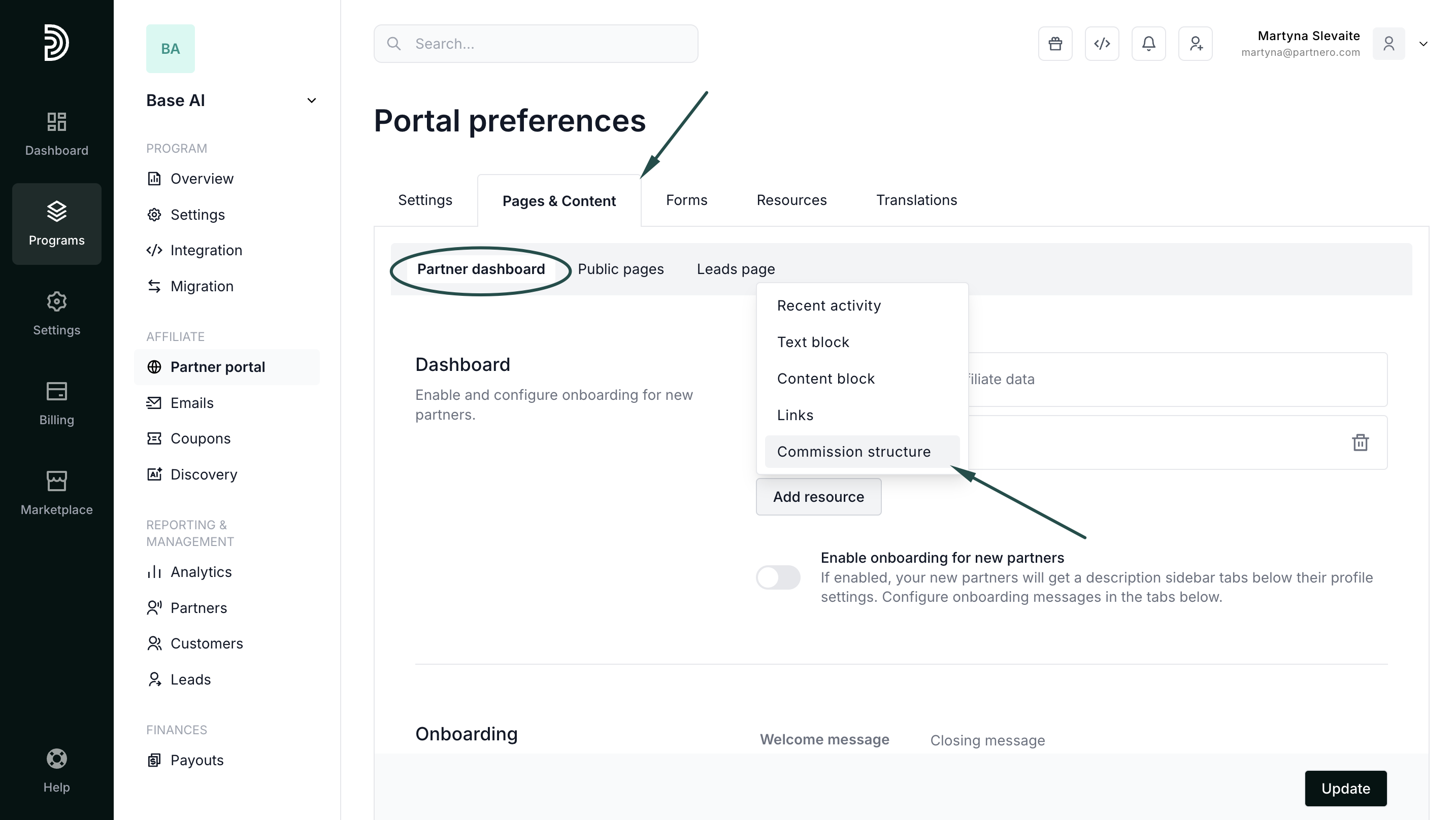
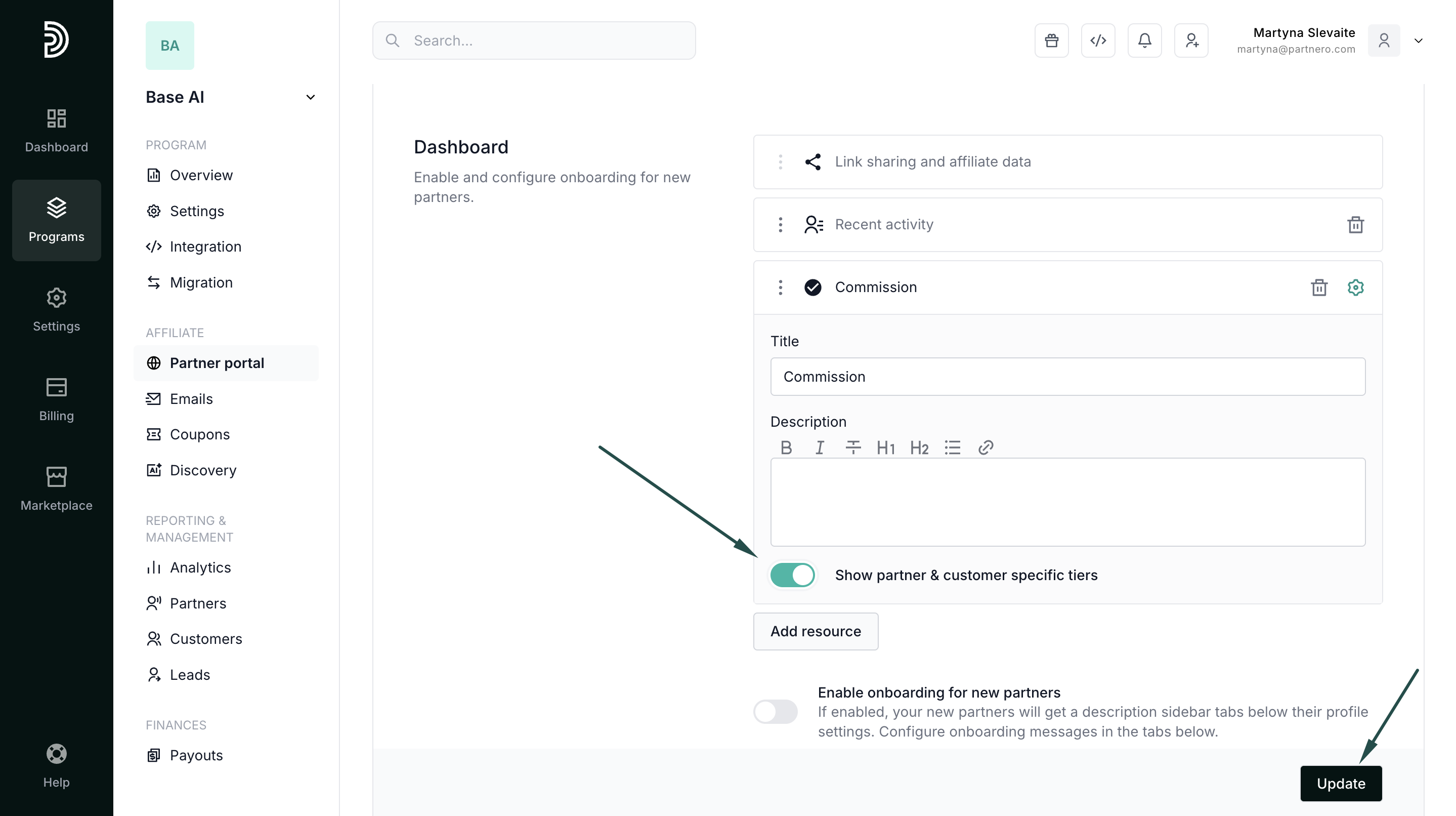
- Toggle to Show partner & customer-specific tiers. If you'd like, edit the title and add a description (optional; the example shown has no description):
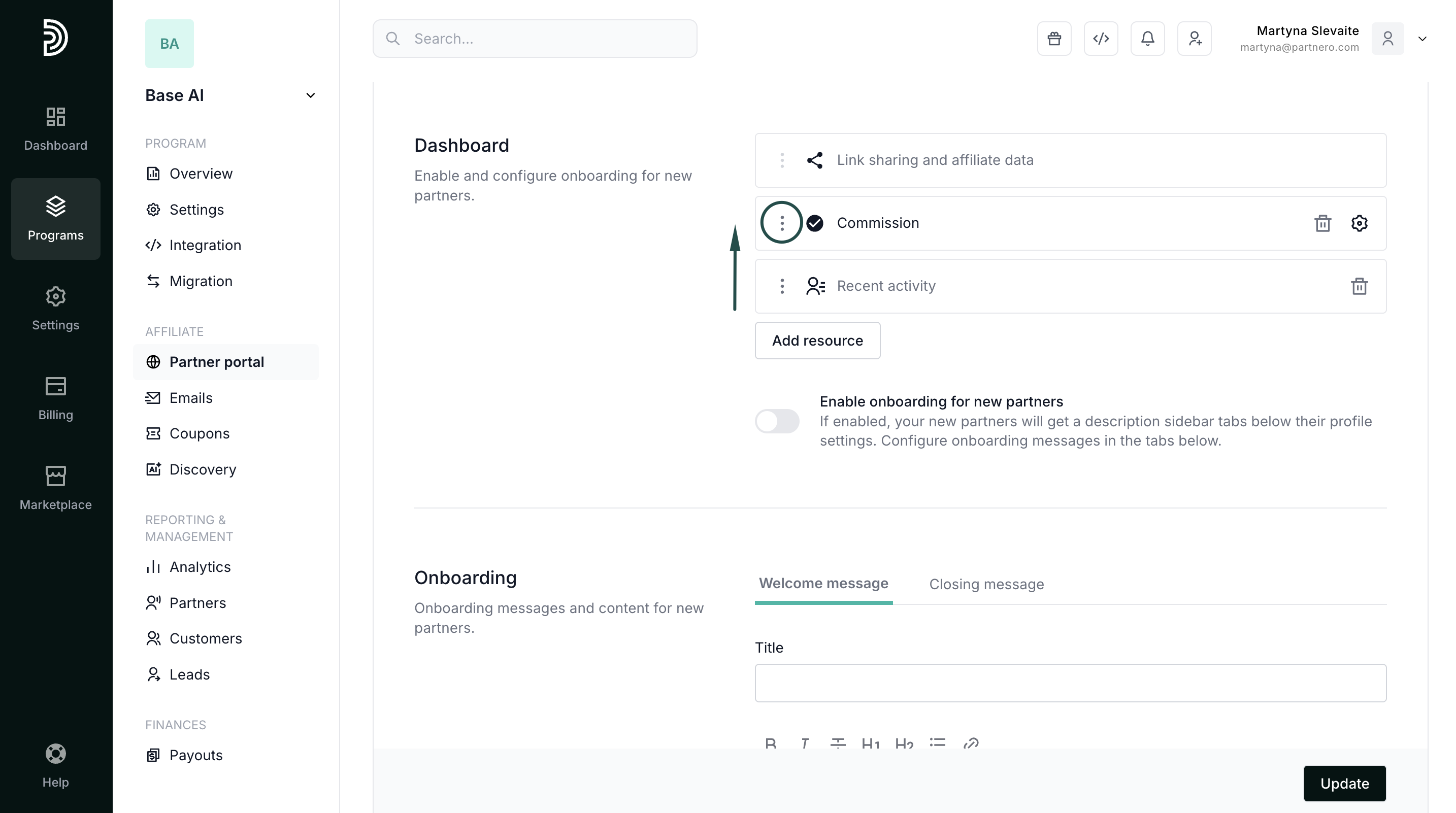
- Click the gear icon to collapse the modal, then use the three-dot menu on the new row to drag it into the second position in the layout:
- Click Update to save the changes.