
Create and manage Contests
Motivate your partners and drive engagement with Contests. Create competitive leaderboards with prizes that appear directly in the Partner Portal, giving your affiliates a clear goal and friendly competition to boost their performance.
Why run a contest?
- Boost activity: A prize-driven leaderboard encourages partners to share more and work harder during the contest period.
- Reward top performers: Offer prizes like cash bonuses, gift cards, free subscriptions, or exclusive perks without changing your commission structure.
- Increase engagement: Partners can track their rankings in real time, creating excitement and motivation to climb the leaderboard.
- Recurring competitions: Run daily, weekly, or monthly contests that automatically reset to keep momentum going.
How to create a contest
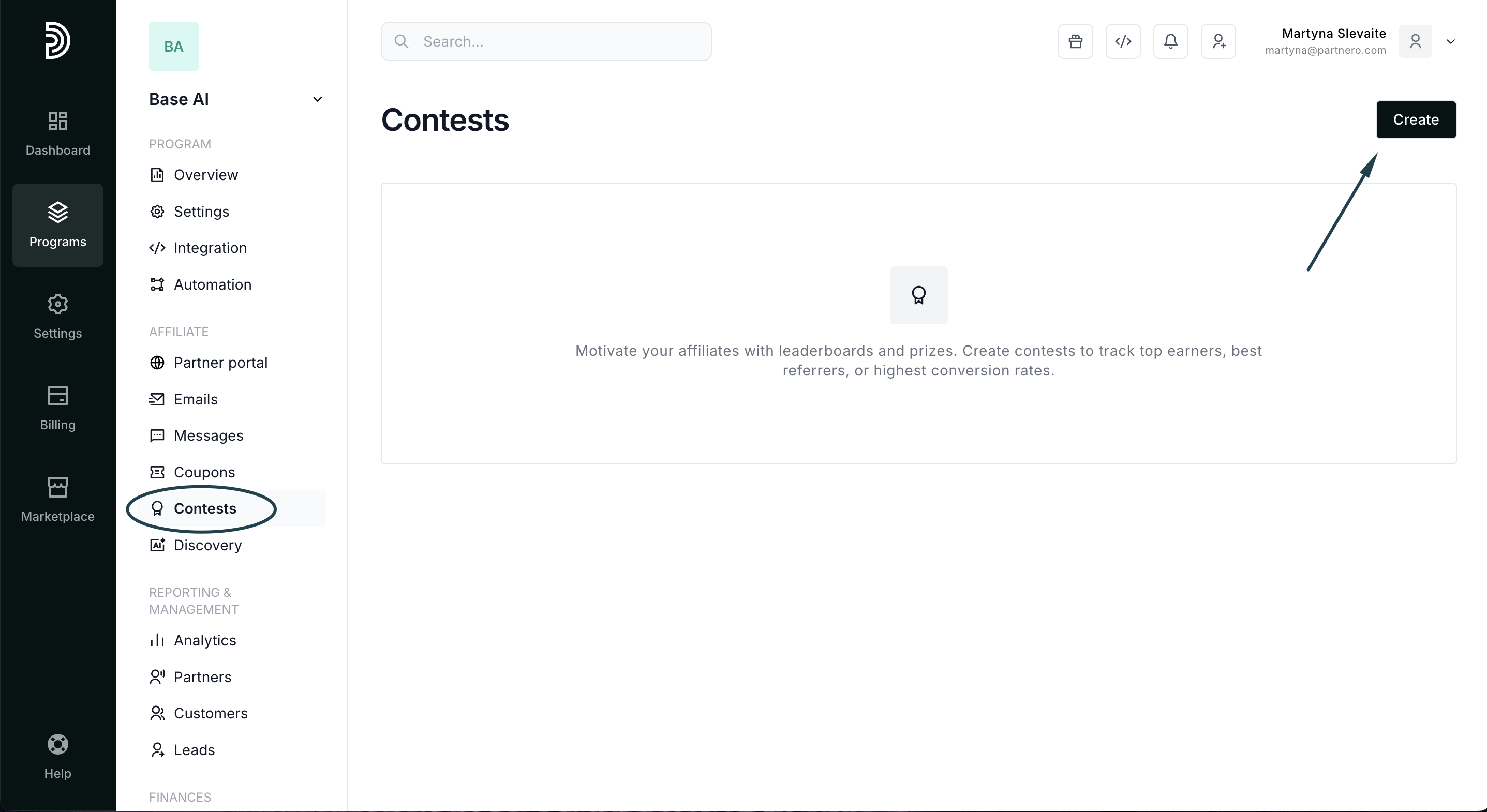
- Navigate to Contests in your program menu and click Create:
- Enter a Contest name and add a Description explaining the rules and prizes.
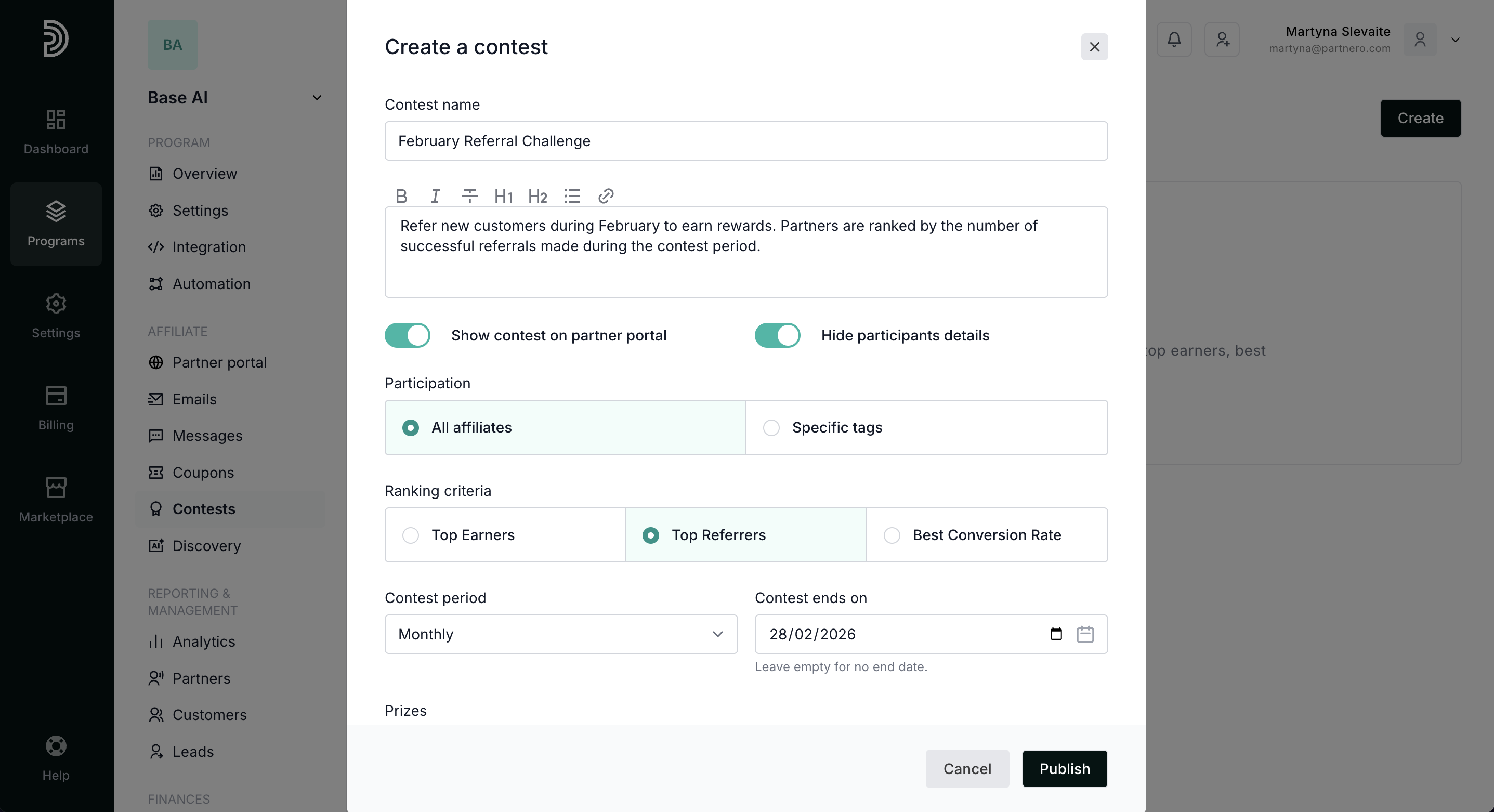
- Configure visibility settings:
- Show contest on partner portal: Display the leaderboard in the Partner Portal.
- Hide participants details: Mask partner information on the public leaderboard.
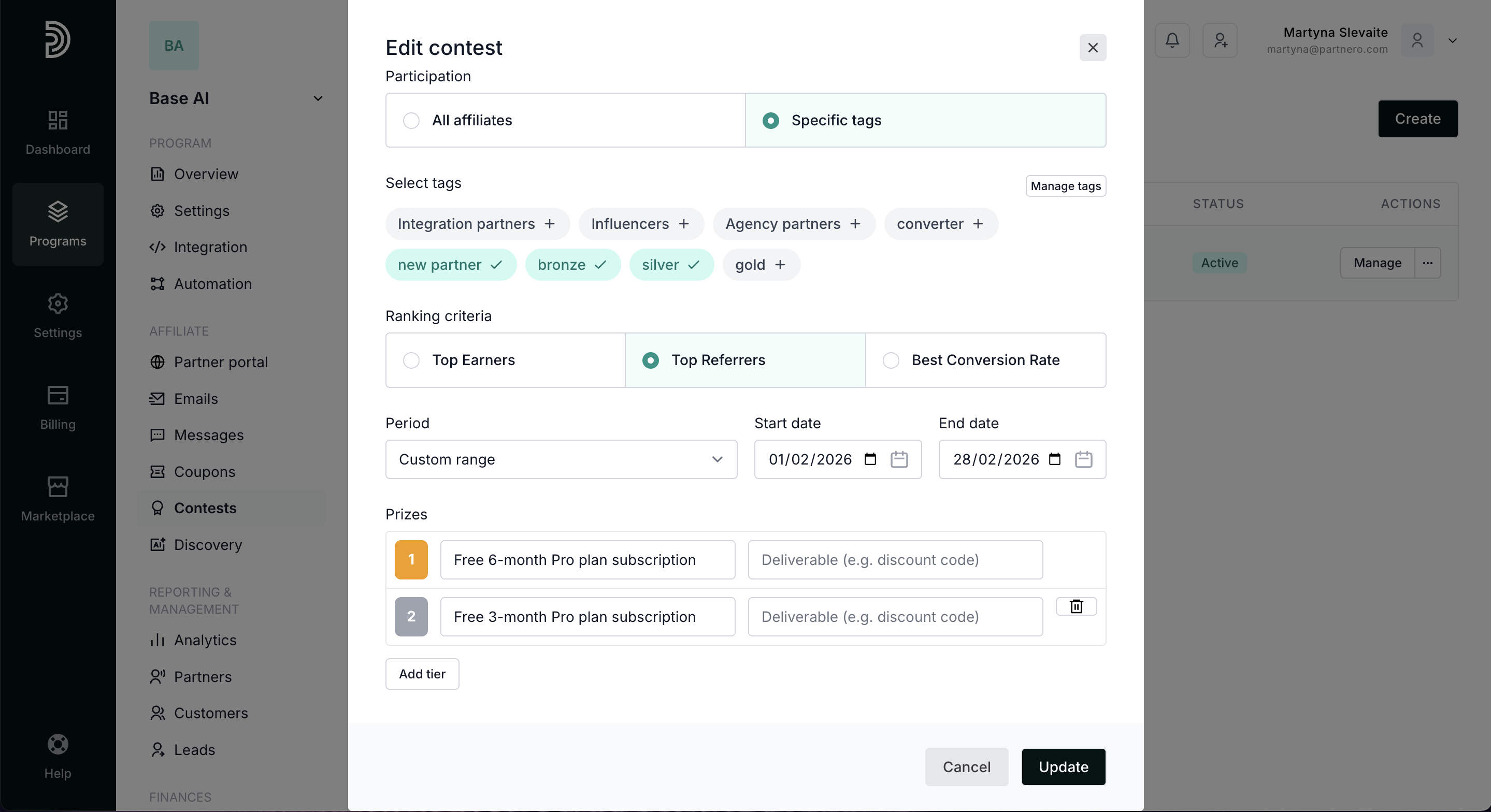
- Set Participation: Include all partners or limit to partners with specific tags.
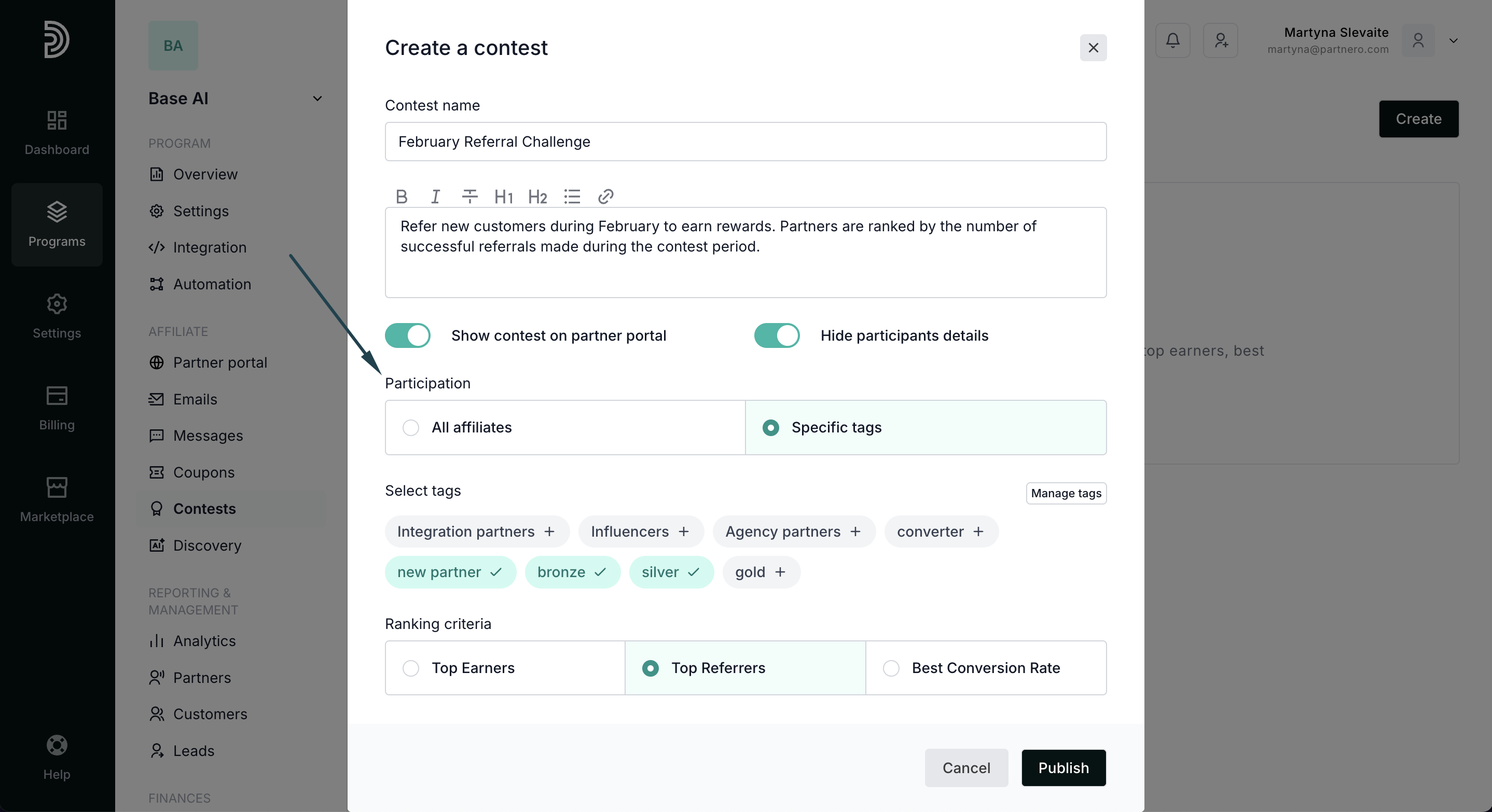
- Choose your Ranking criteria:
- Top Earners: Rank by total revenue generated.
- Top Referrers: Rank by number of successful referrals.
- Best Conversion Rate: Rank by referral-to-customer conversion percentage.
- Select the Contest period: Daily, Weekly, Monthly, Forever, or Custom Range:
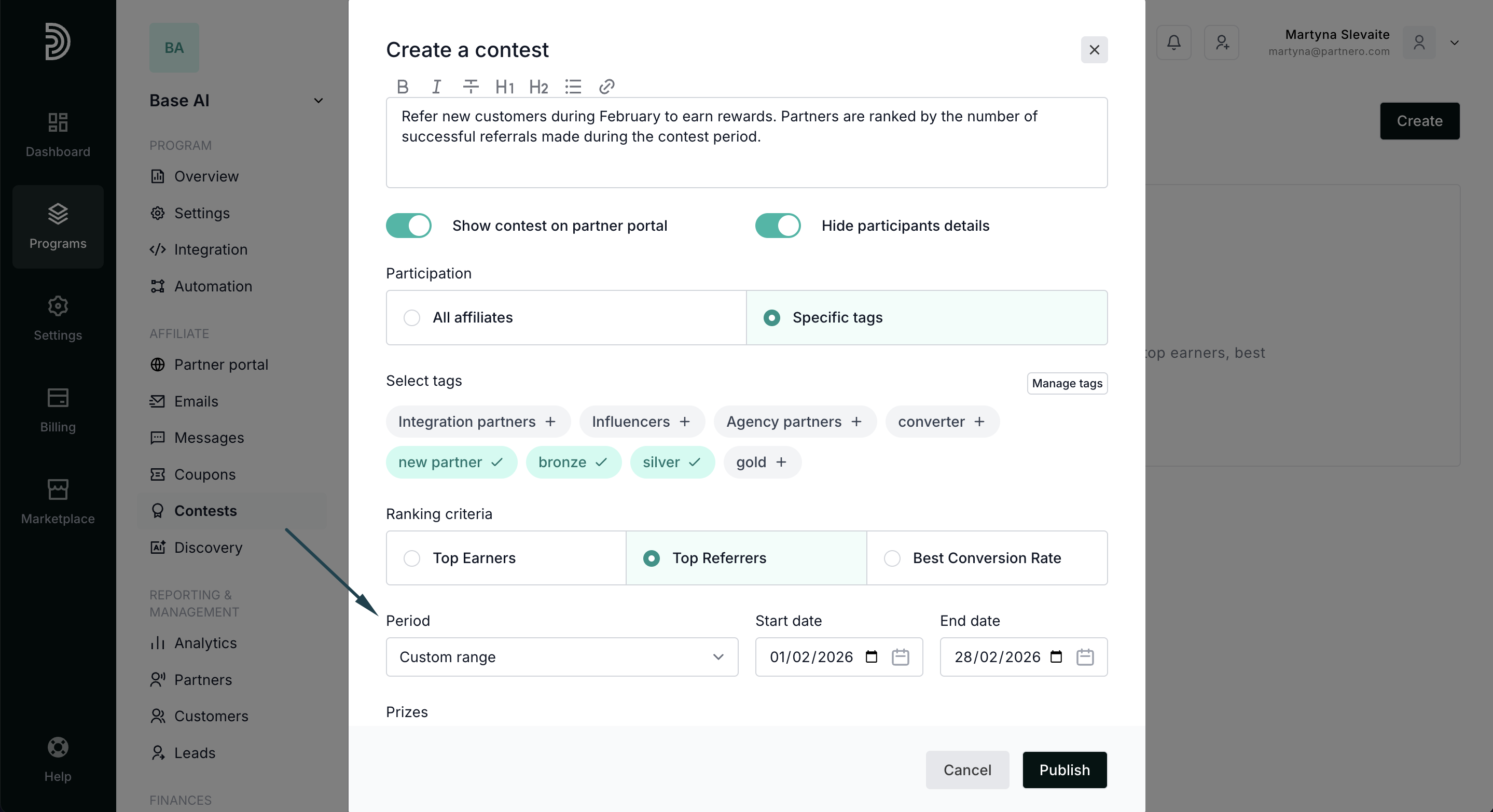
- If you're setting up recurring contests (daily, weekly, monthly), you can optionally set an end date.
- Add Prizes for each position (1st, 2nd, 3rd, etc.). Click Add tier to include more winners.
- Click Publish to launch your contest!
Leaderboard & previous winners
Once active, the contest leaderboard appears in the Partner Portal where partners can:
- See their current ranking and compare with others
- View the prizes up for grabs
- Track previous winners from past contest periods (for recurring contests)
Contest winners are automatically notified via email when a contest period ends.

Quick tips
- Keep it exciting: Short contests (7–30 days) create urgency, but longer campaigns work too.
- Offer meaningful prizes: Choose rewards that genuinely motivate your partners.
- Announce it: Send a broadcast email to all partners when launching a new contest. Use partner messaging to contact affiliates in-app.
- Celebrate winners: Highlight top performers in follow-up communications to maintain momentum and inspire others.