
Disable payout requests
You can now disable payout requests to have more control over when partners can request their earnings.
- Program-wide setting: When enabled, all partners in the program will not be able to request payouts, even if they meet the minimum payout threshold
- Individual partner setting: Useful for temporarily blocking payouts for individual partners while investigating activity or during onboarding periods
How to disable payout requests
To disable payout requests for your program:
- Go to your Program → Settings and scroll down to Payout Settings.
- Toggle on Disable payout requests:
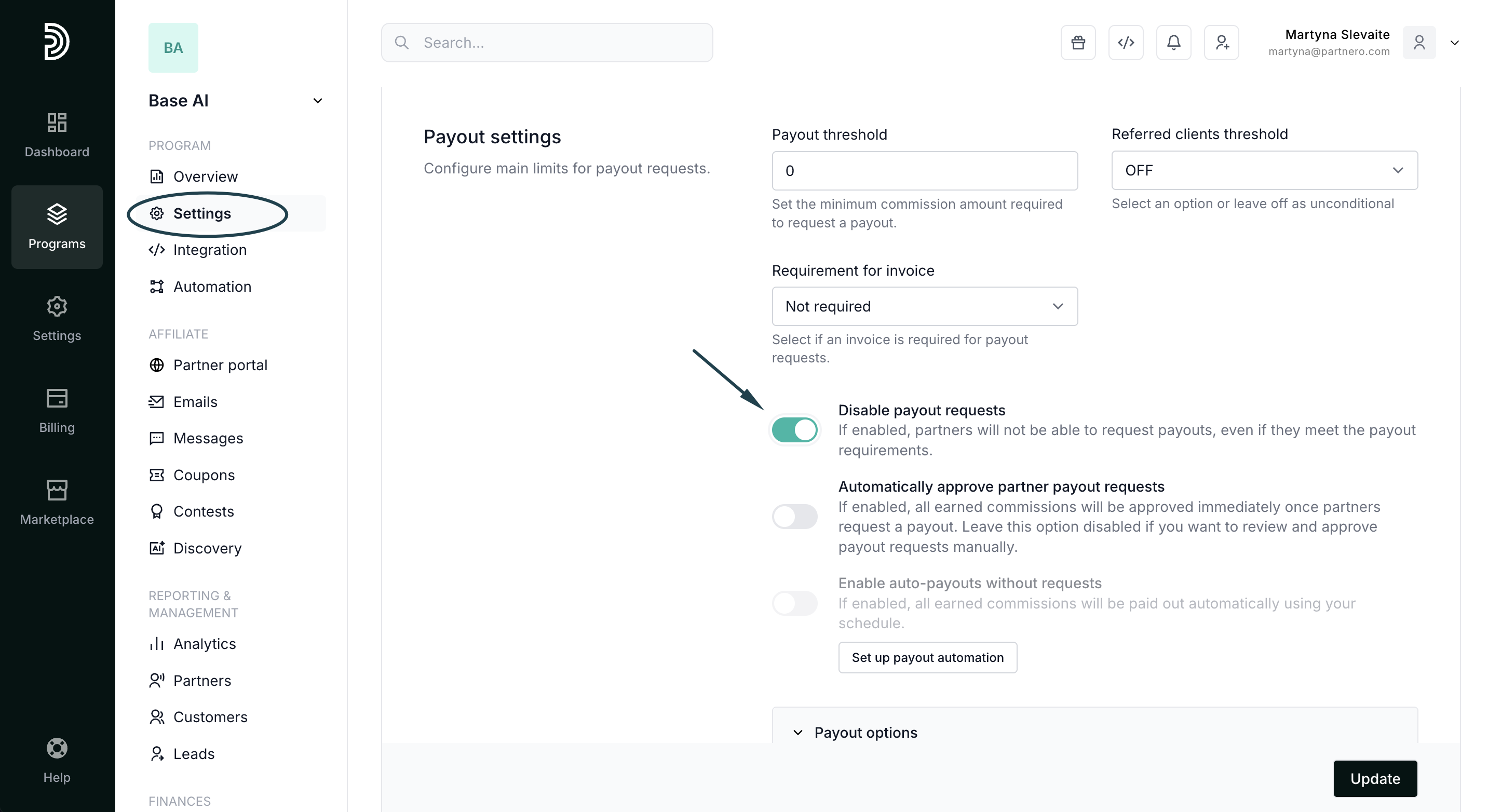
- Click Update to save changes.
To disable payout requests for a specific partner:
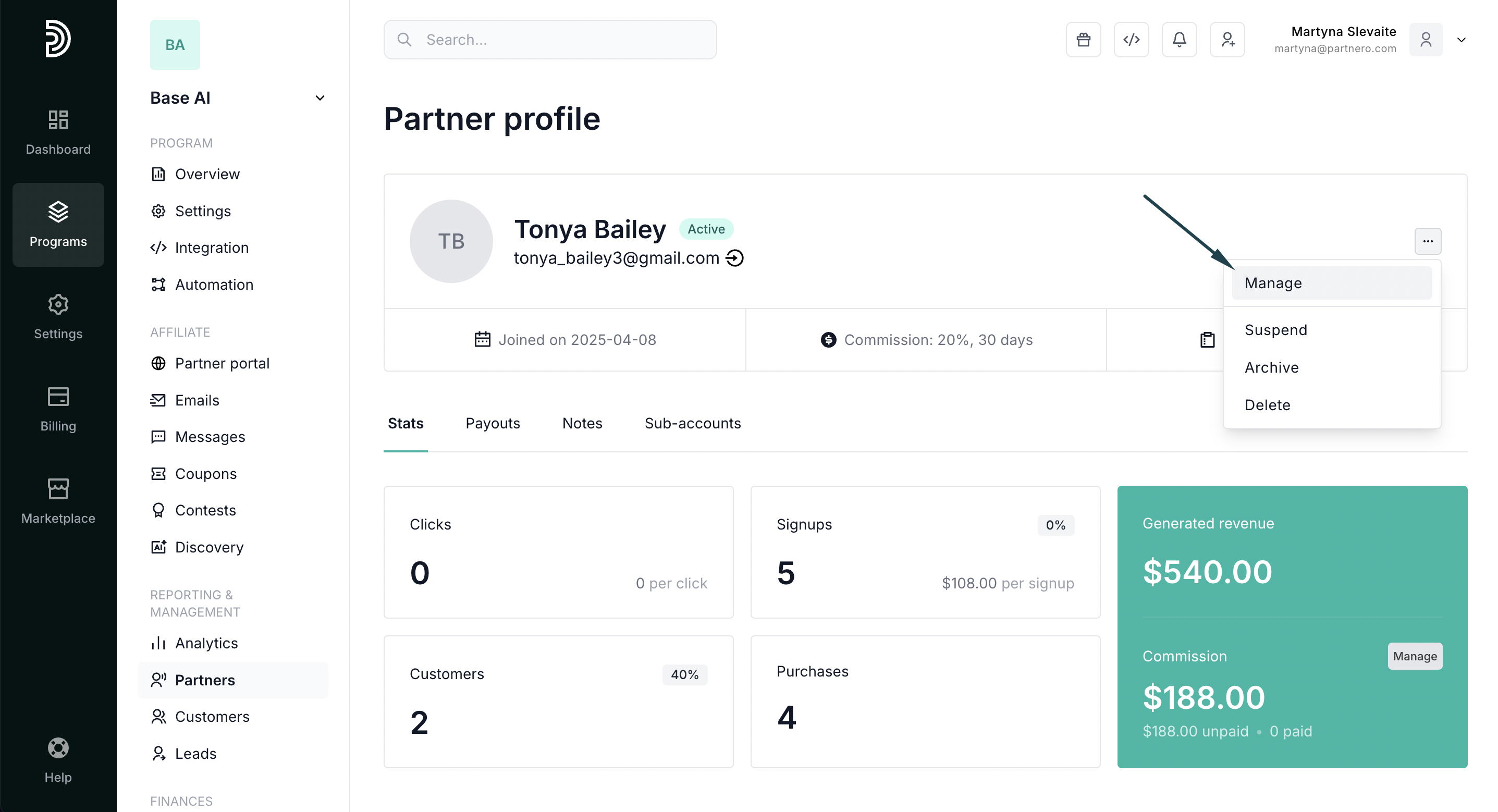
- Open any partner profile → Manage:
- In the Profile tab, toggle Disable payout requests for that specific partner:
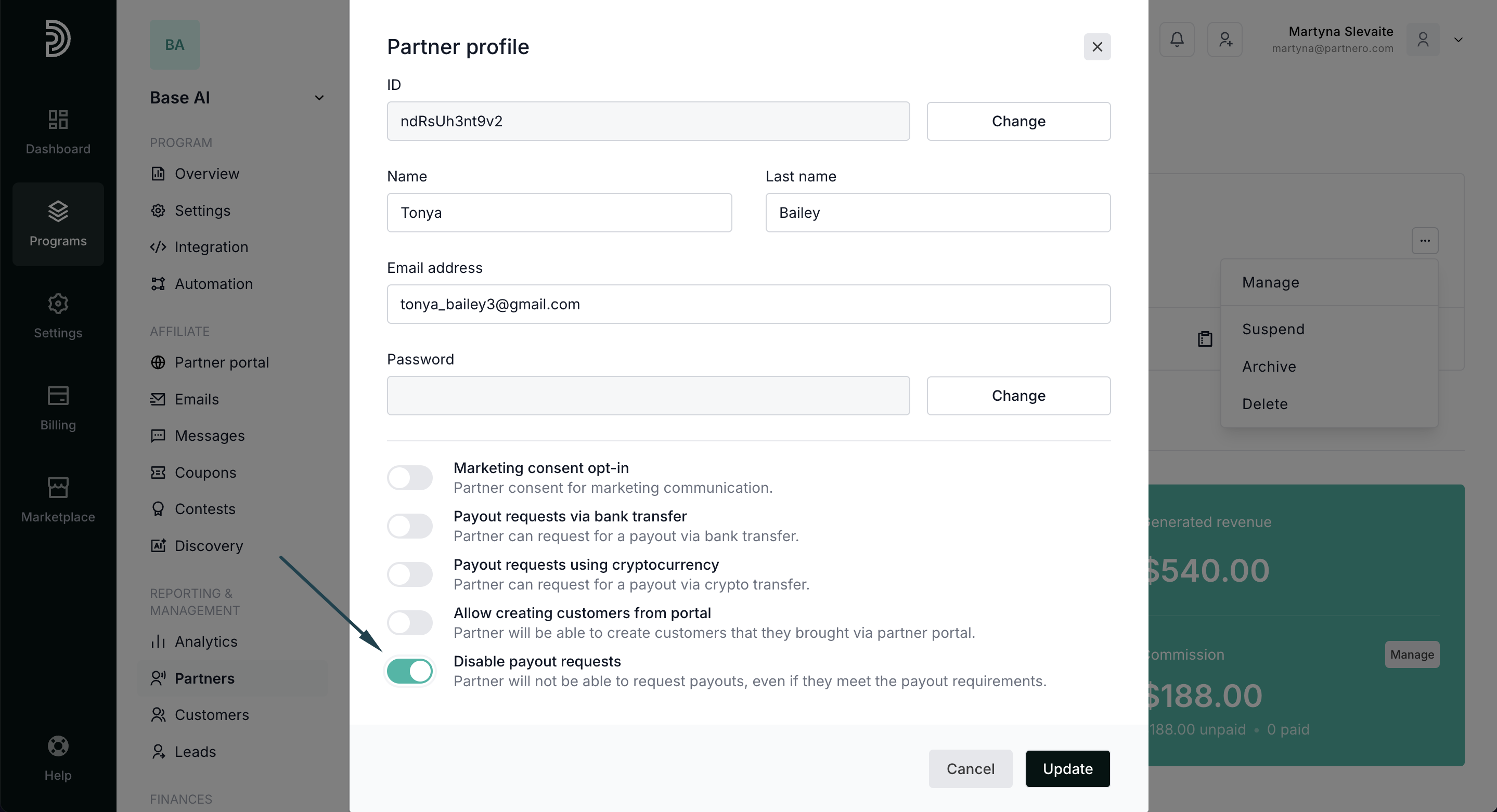
- Click Update to save changes.
Note: Disabling payout requests at the program level takes precedence over individual partner settings