Manage commissions from the partner profile
You can manage partner commissions directly in the partner profile. This includes marking commissions as paid or reviewing pending commissions.
Mark commissions as paid
If a partner has unpaid commissions, you'll see a Manage button next to Commission, where you can mark them as paid.
To mark commissions as paid from a partner profile:
- Find the partner and open their profile. Click Manage next to the Commission section (only visible if there are upaid commissions):
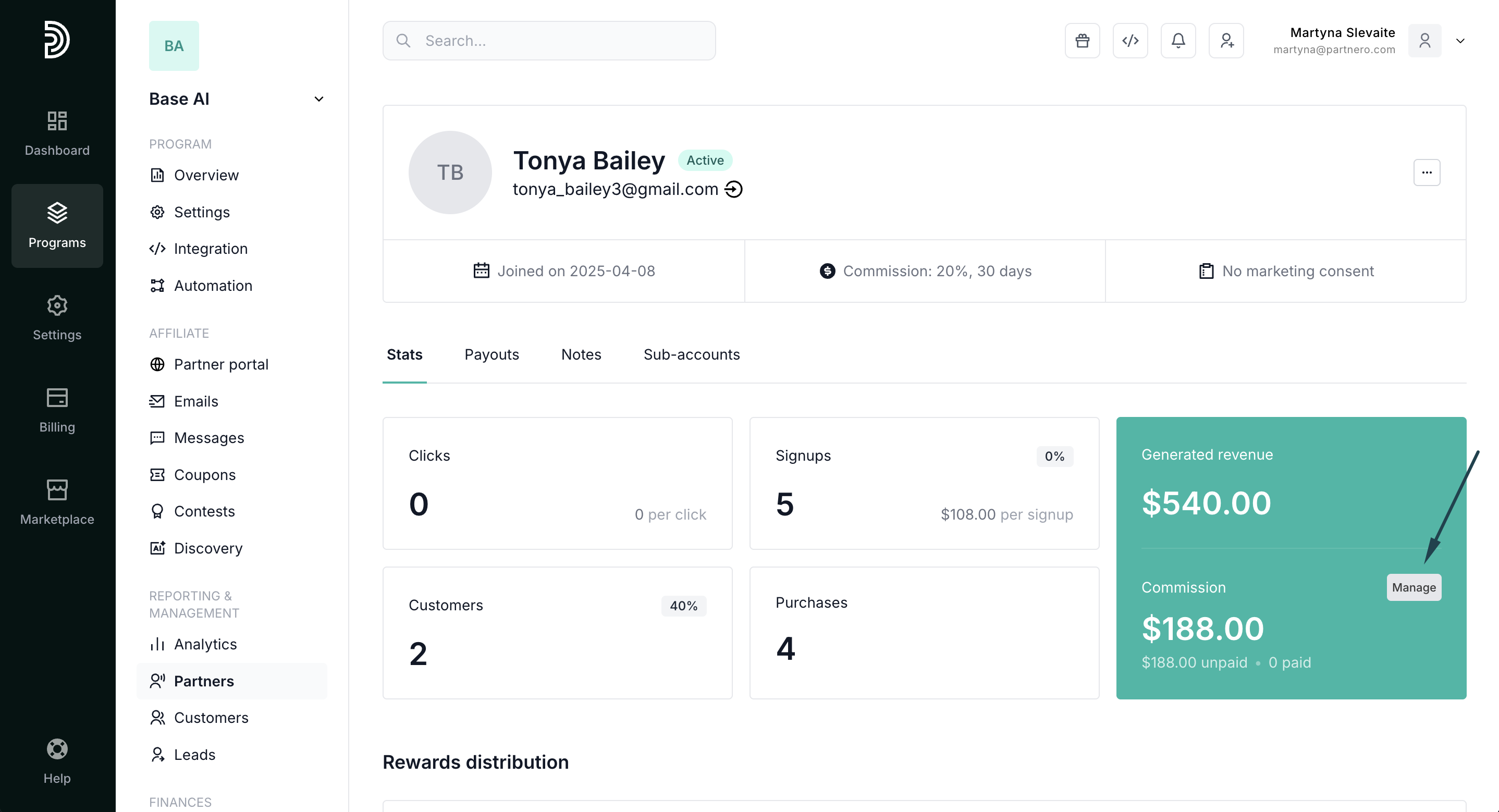
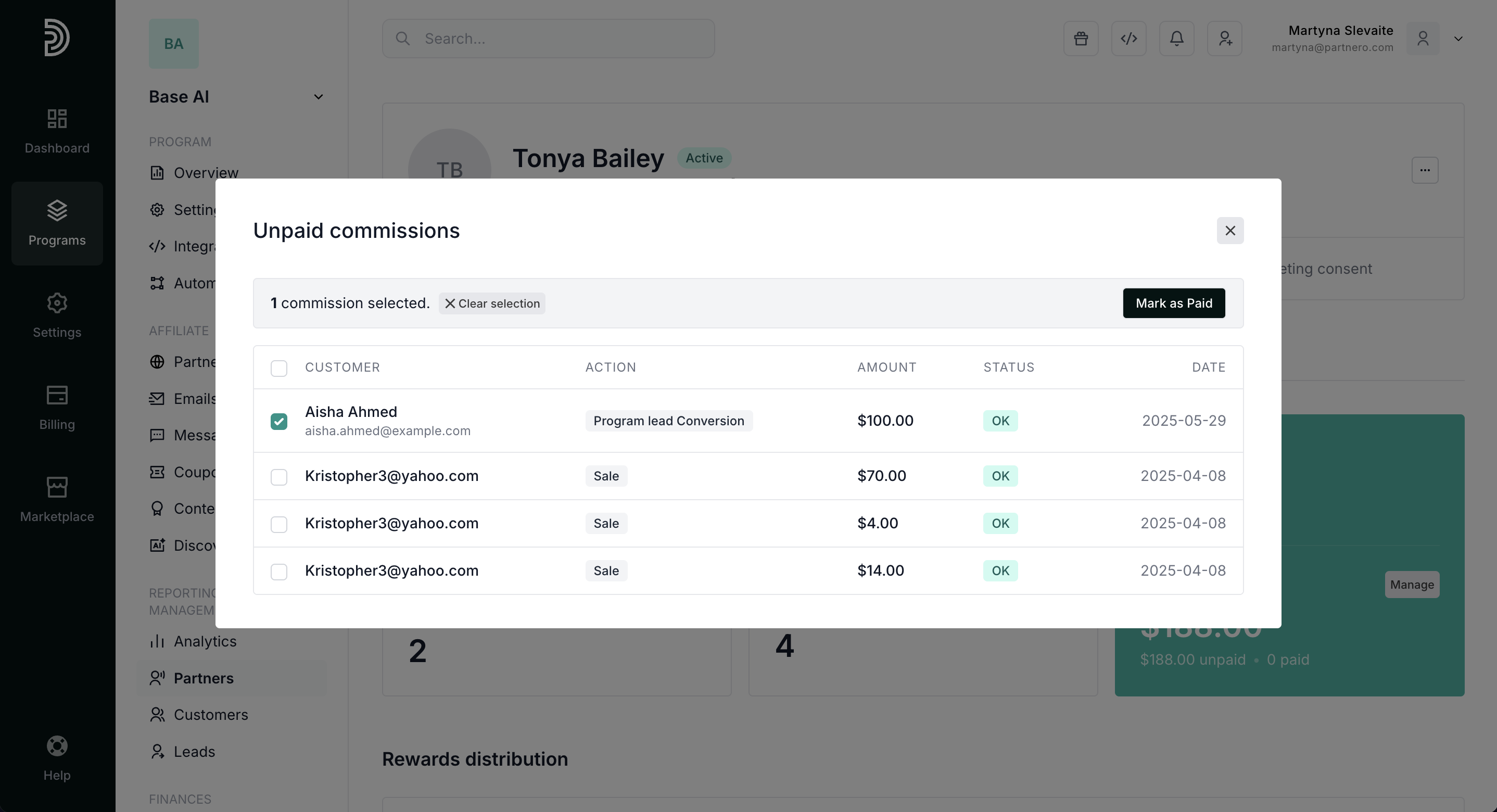
- Click to view all unpaid commission transactions.
- Select one or multiple commissions and click Mark as Paid:
- A payout record is automatically created and visible in the partner's Payout history:
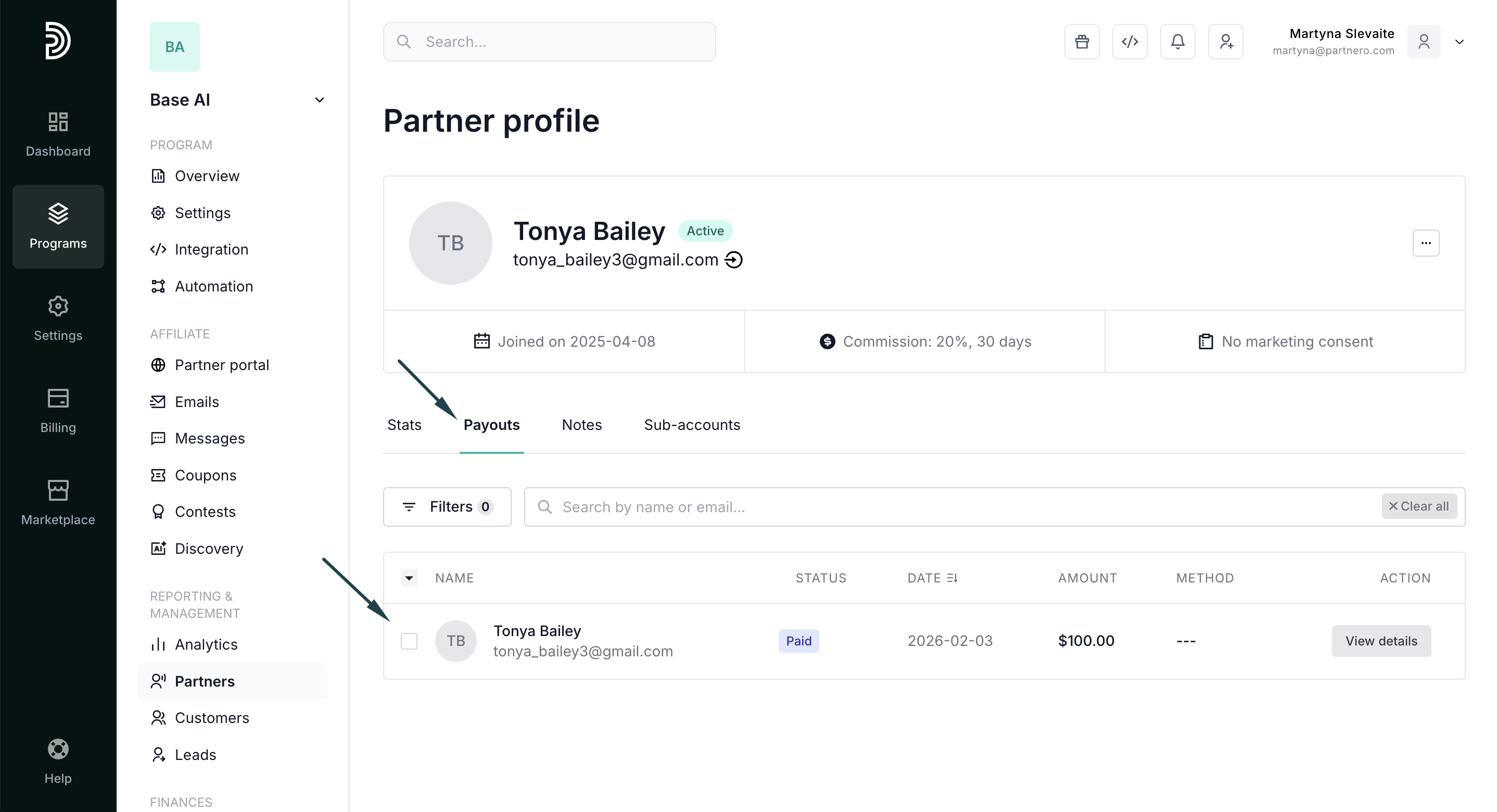
Perfect for when you pay partners outside the platform (cash, check, alternative payment methods) and need to keep records accurate.
Approve or decline commissions in review
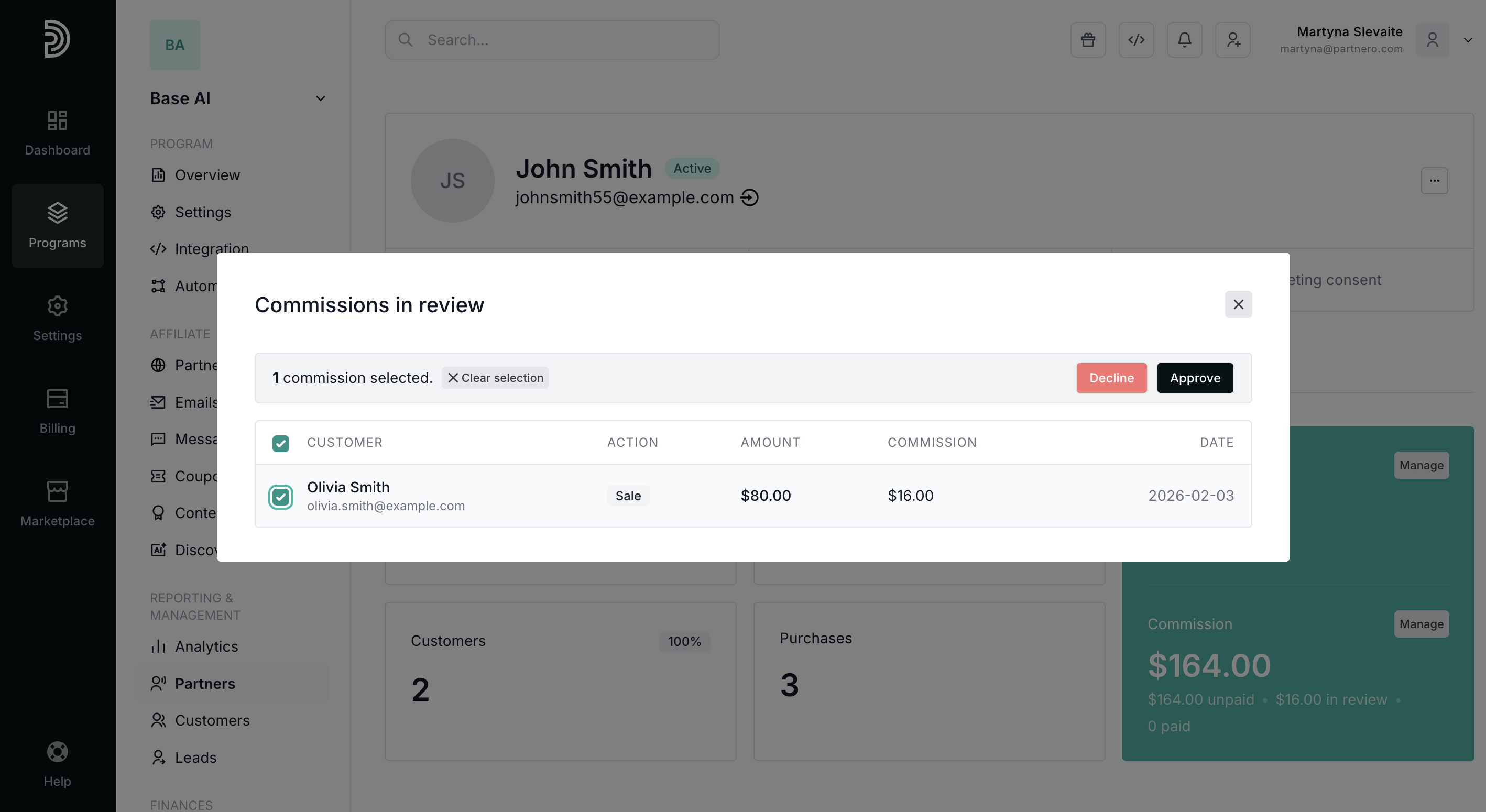
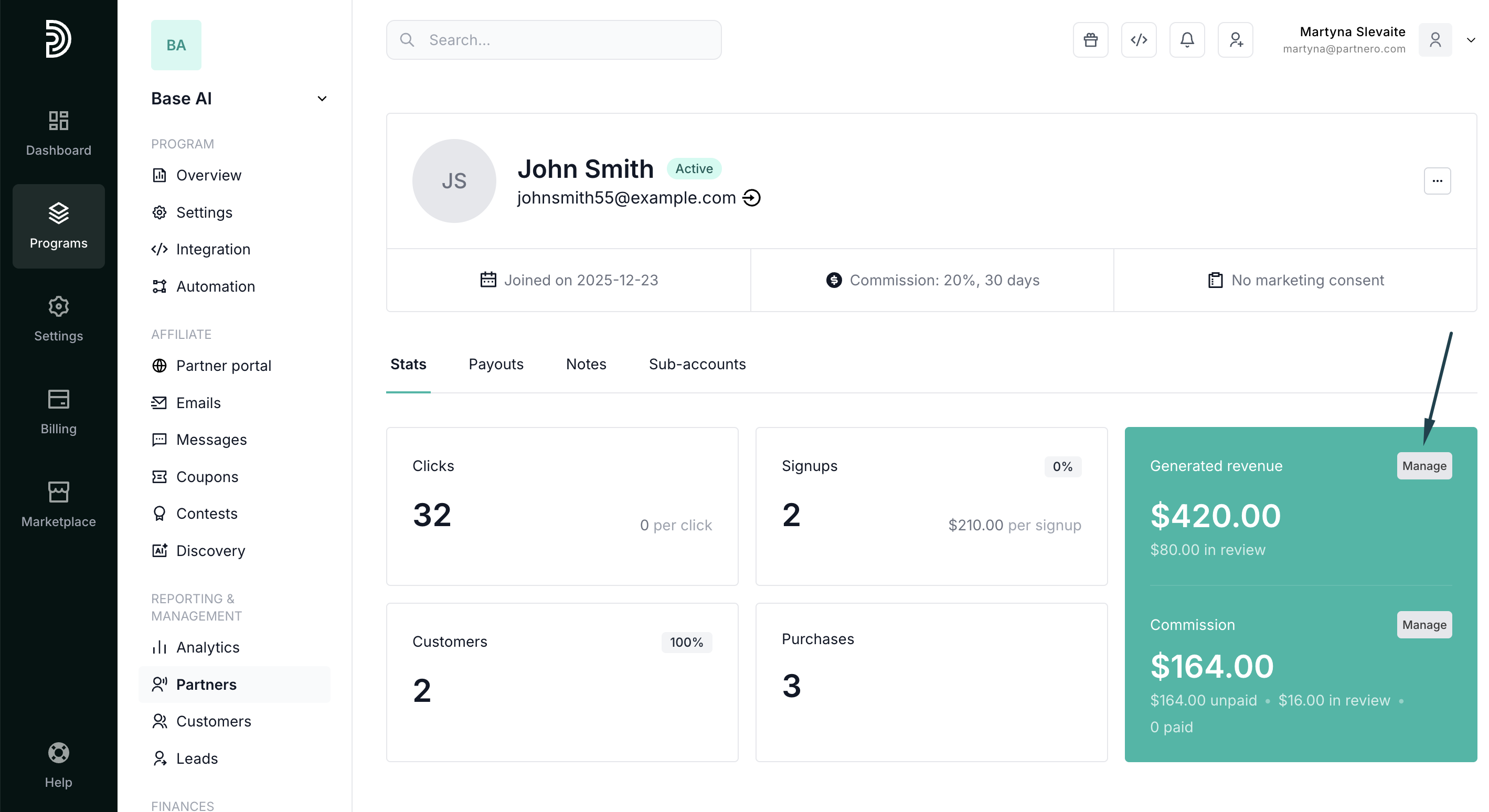
If you have commission review periods enabled, you'll see a Manage button next to Generated Revenue when there are pending commissions, where you can approve or reject them.
To review pending commissions:
- Go to Partners and select a partner to view their profile.
- In the Stats tab, the Generated Revenue section, click Manage (appears when there are commissions in review):
- Select commissions and click Approve or Decline: