
Add social media templates as resources
Affiliates can generate branded social media content directly from their portal. The template builder supports multiple platforms with platform-agnostic generators. Affiliates can customize templates, download them in multiple formats, and share them across their social channels to promote your product.

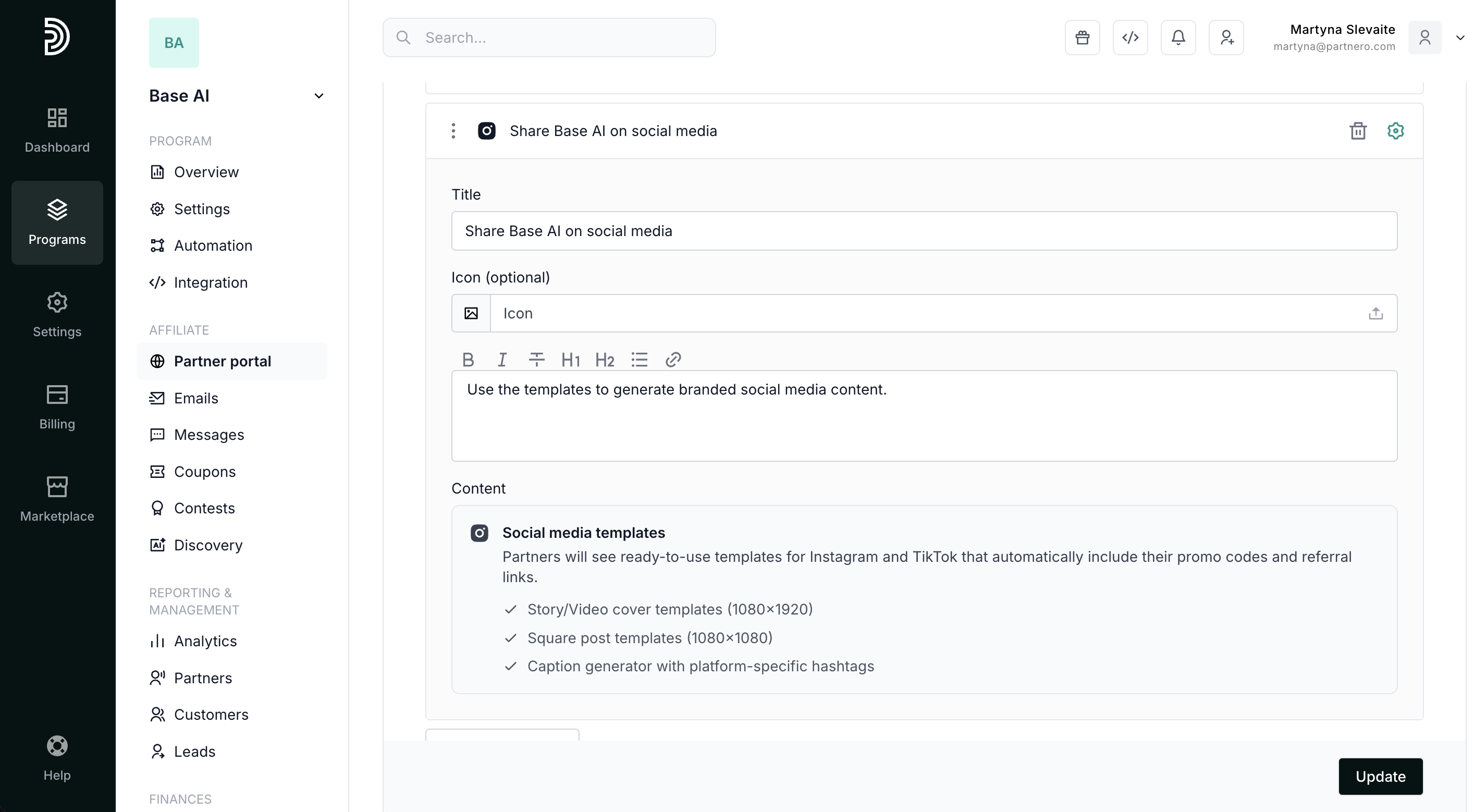
Partners will see ready-to-use templates for Instagram and TikTok that automatically include their promo codes and referral links:
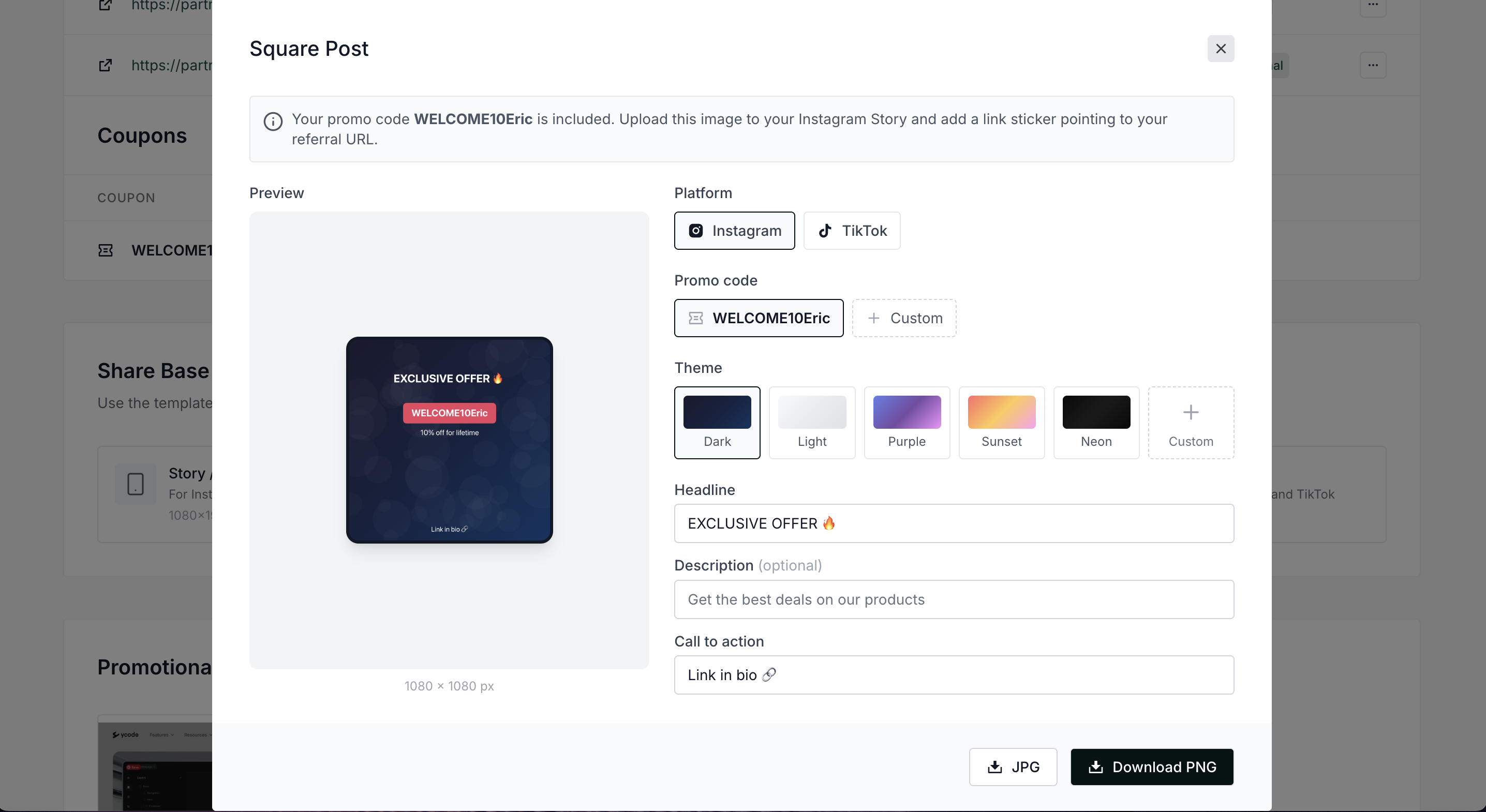
- Story/Video cover templates (1080×1920)
- Square post templates (1080×1080)
- Caption generator with platform-specific hashtags
Add social media templates to partner portal
To add social media templates to the affiliates' partner portal:
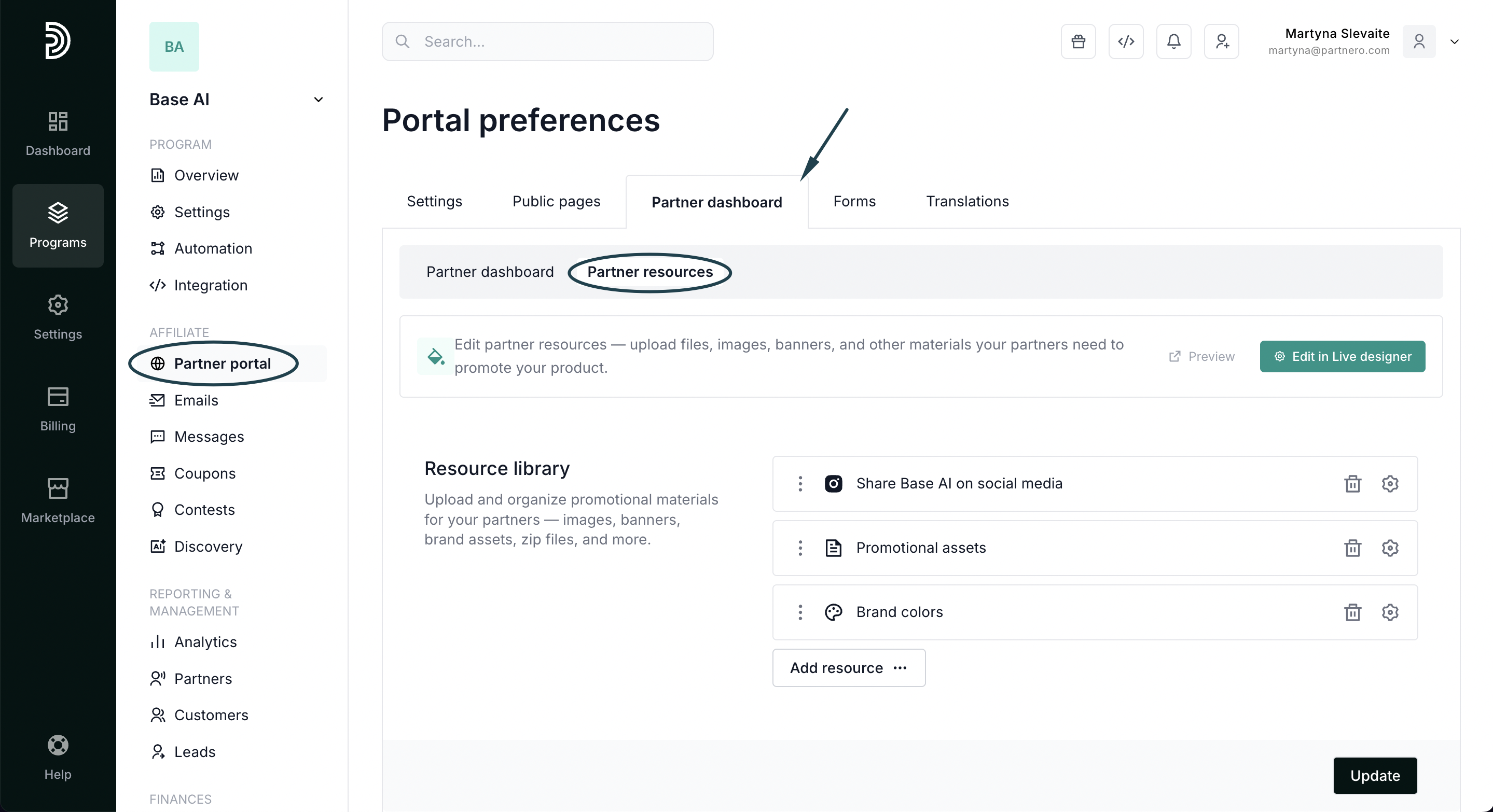
- Open your program and navigate to Partner portal under Affiliate.
- Select the Partner dashboard tab, Partner resources section:
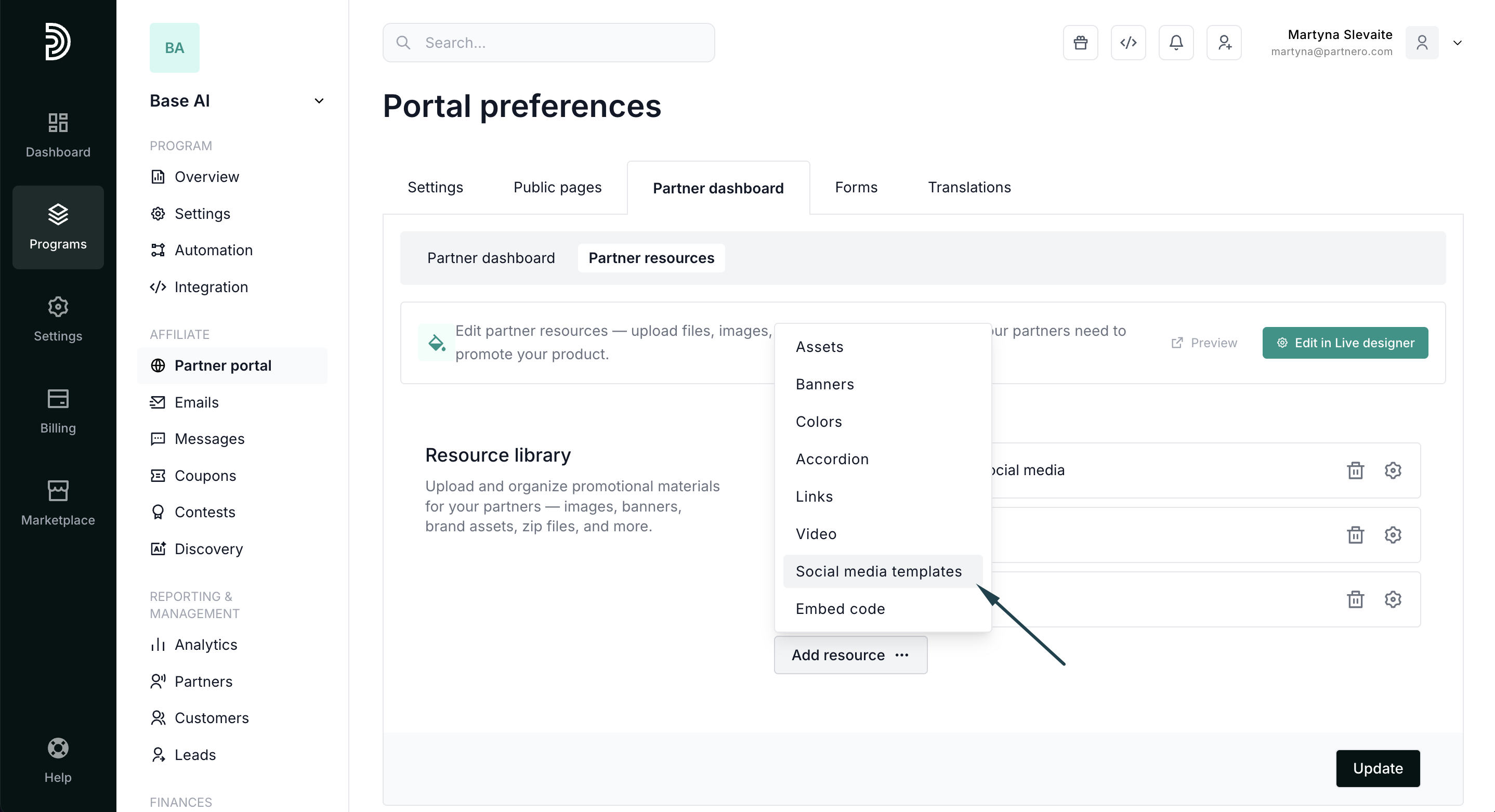
- Click Add resource and select Social media templates:
- Add title and description, and click Update to publish:
Partner portal view
When added, affiliates will see the templates available in the partner portal's Resources section:
 Partners can click Create to customize and download the template:
The social templates resource allows partners to:
- Create Story/Video cover templates (1080×1920):
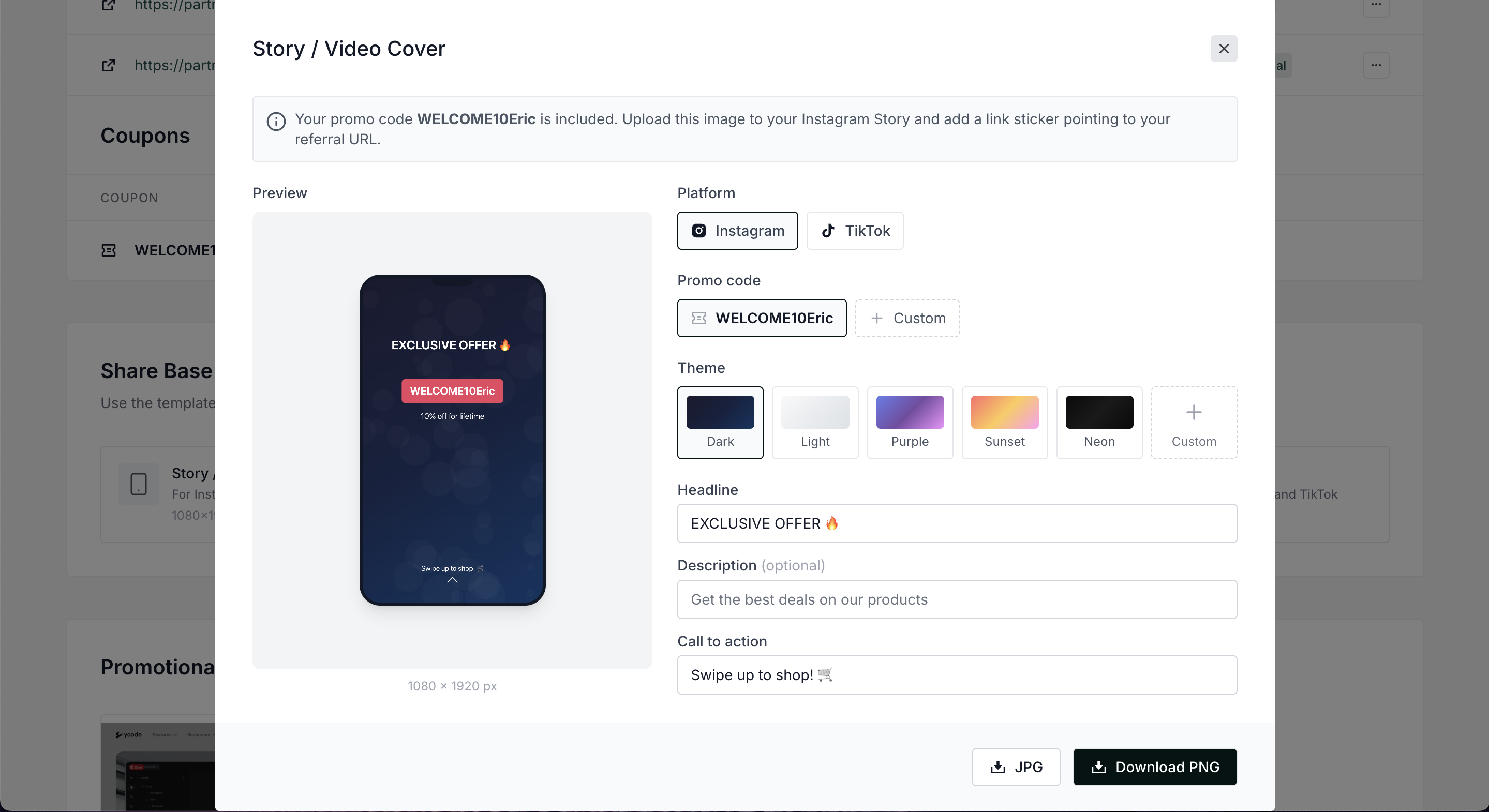 Available customization:
- Switch between Instagram and TikTok
- Include promo codes
- Select from different themes and add custom ones
- Edit headline, description, and CTA
- Download the template in JPG or PNG formats.
- Create Square post templates (1080×1080)
- Generate captions:
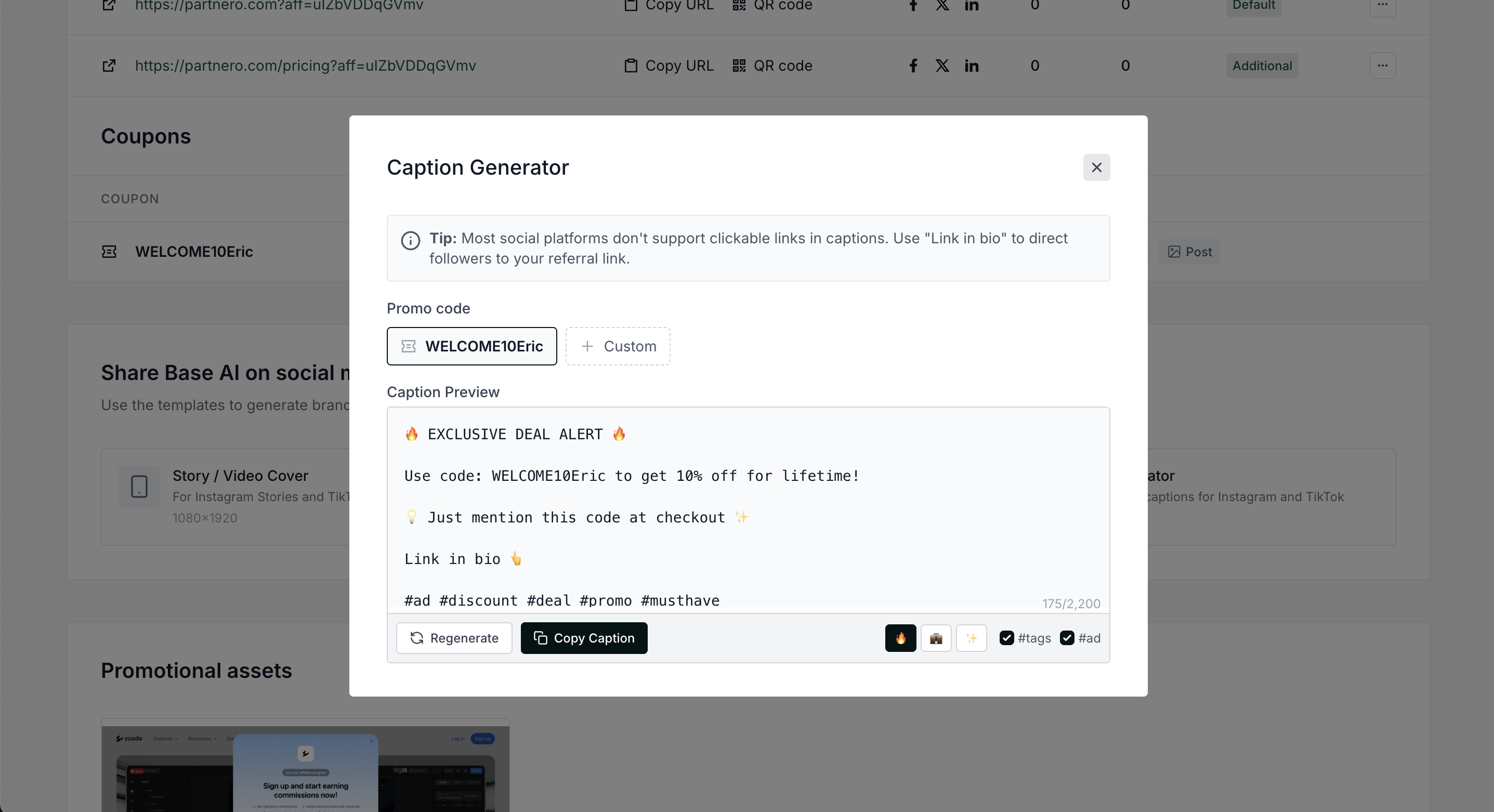
 Available customization:
