
Program page: Earnings calculator resource
The Earnings Calculator is a resource you can add to your Program Page to showcase potential partner earnings. It helps prospects quickly understand how much they could earn by promoting your product, making your affiliate offer more transparent and compelling.
With flexible pricing tiers and support for both one-time and recurring calculations, the calculator automatically displays projected earnings in your program’s currency.

How to add an earnings calculator
The Earnings Calculator is available as a Resource type on your Program Page.
- Go to Partner portal → Public pages tab → Program page:
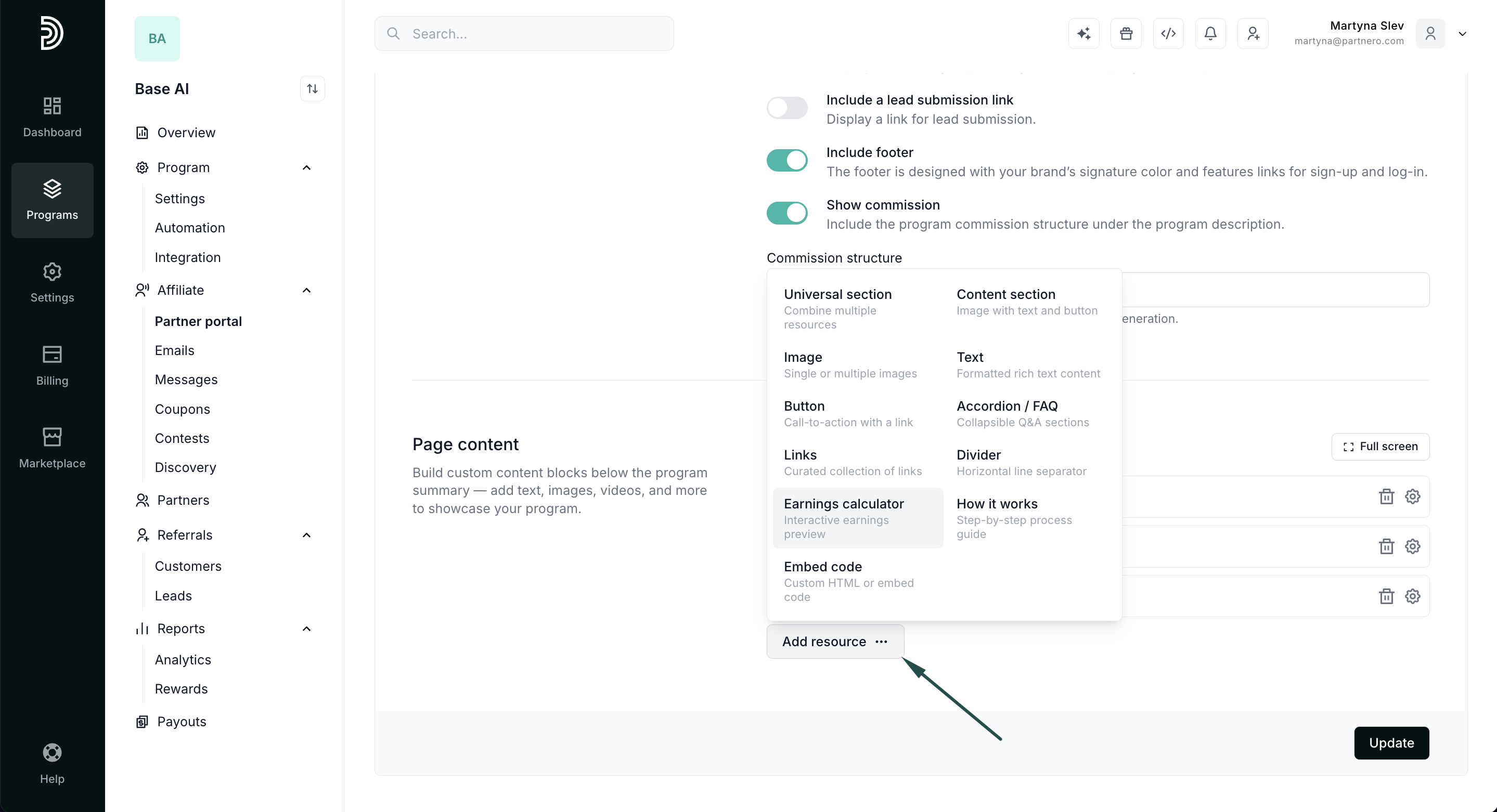
- Scroll down to Page Content and click Add resource. Select Earnings calculator:
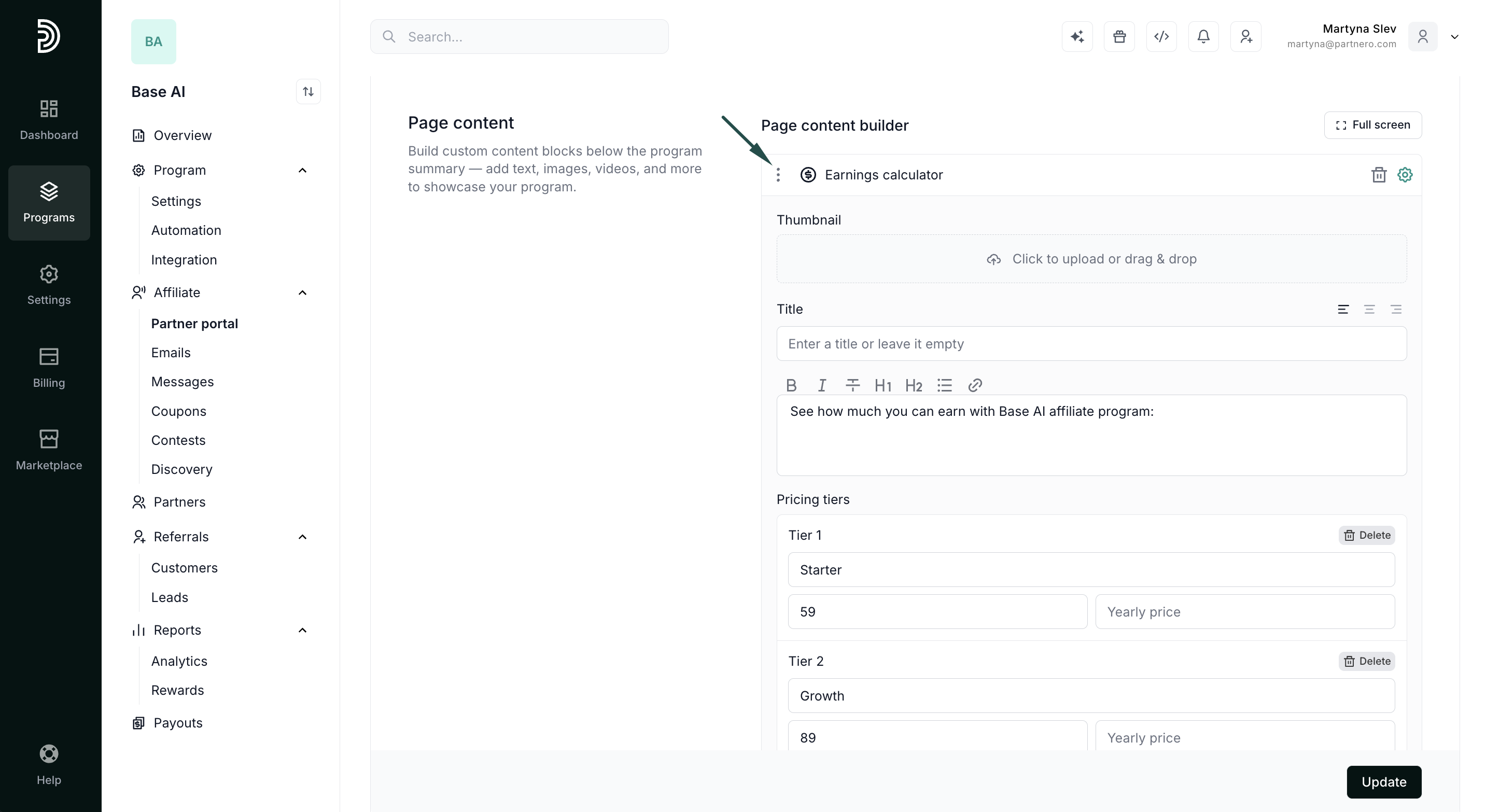
- Start by adding a title and description, then upload a logo (optional). Then, configure your pricing tiers and commission calculation options:
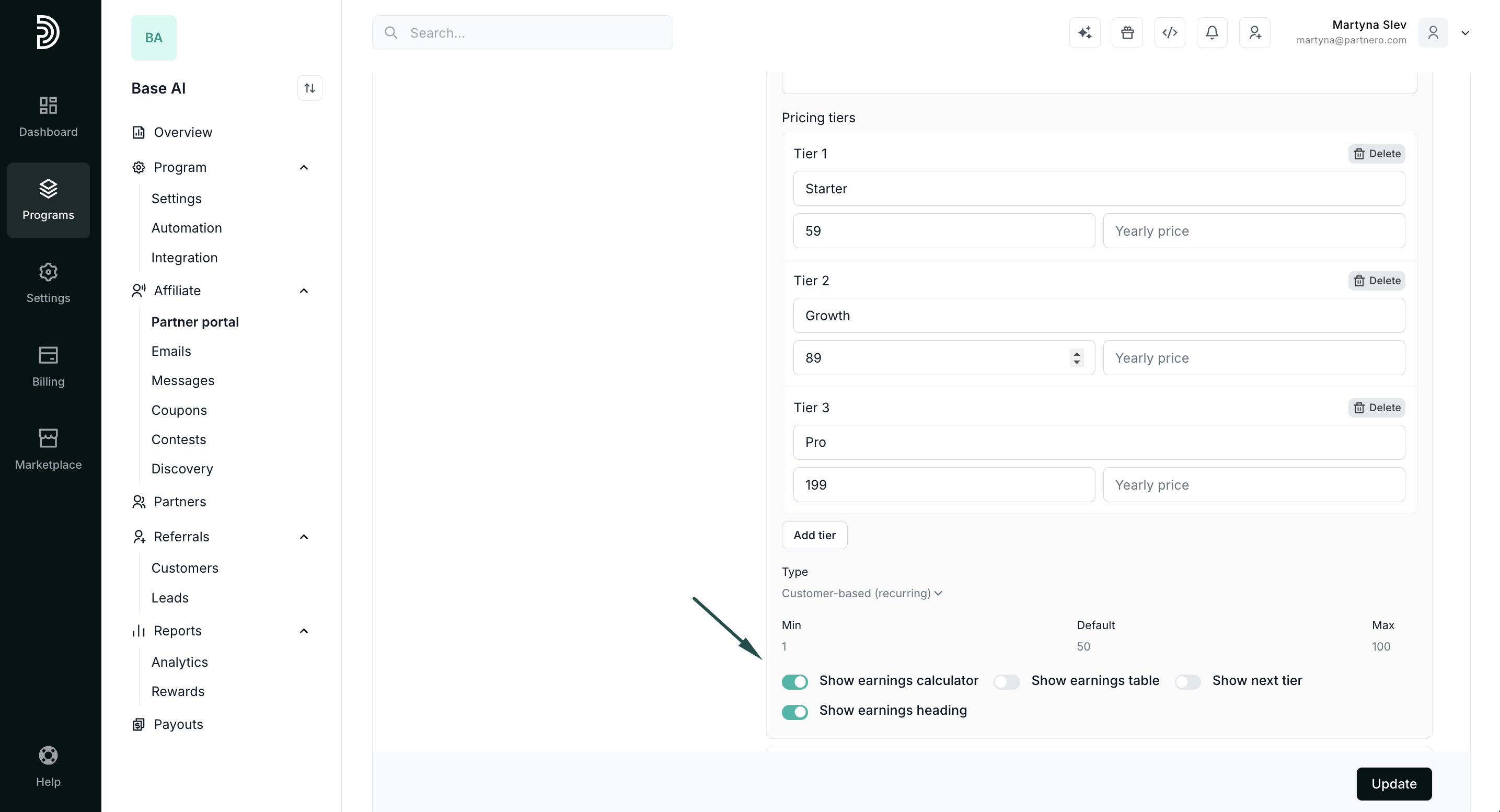
- Set the tier name and price for each plan. You can also add a yearly price if you offer a discount for annual subscriptions
- Choose whether commissions are customer-based (recurring) or sales-based (one-time).
- Enter the commission rate in your program’s currency.
- Configure the minimum, default, and maximum number of customers available in the calculator.
- Lastly, define what you'd like to display in the program page:
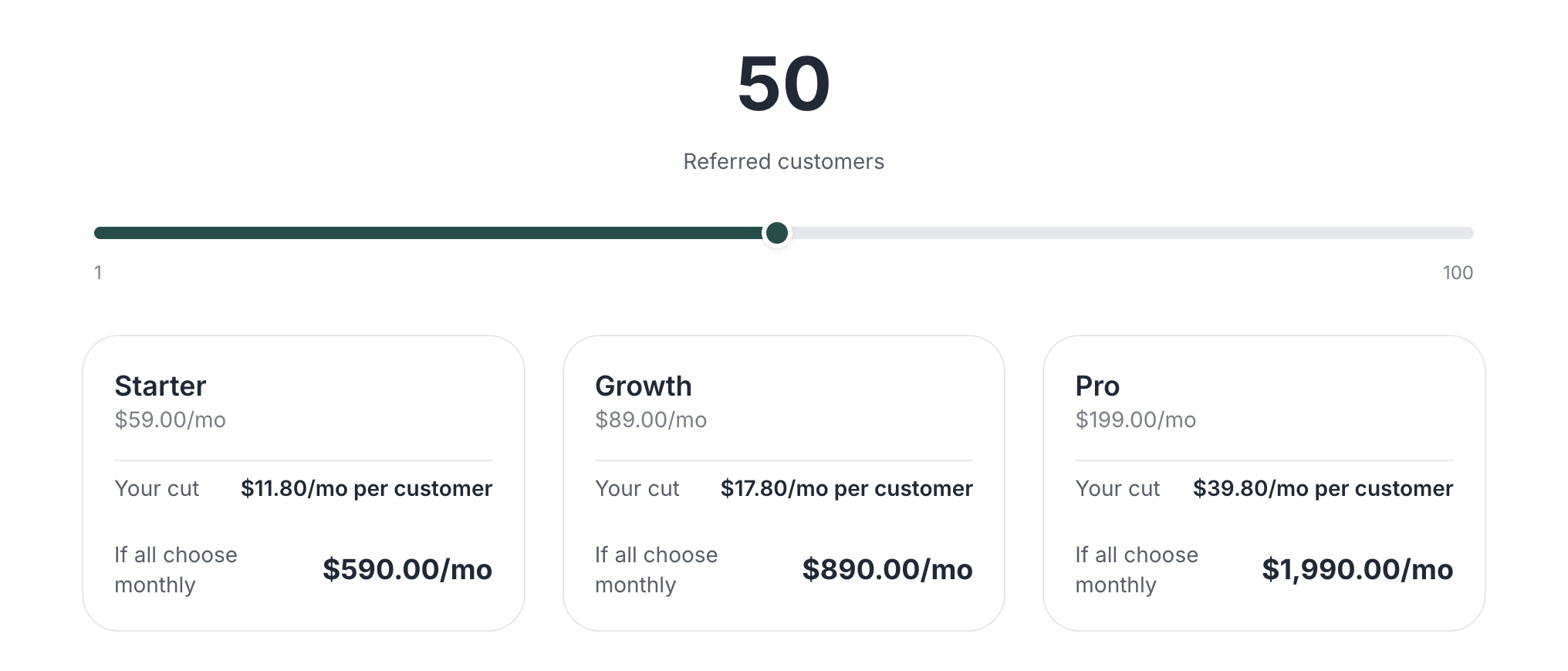
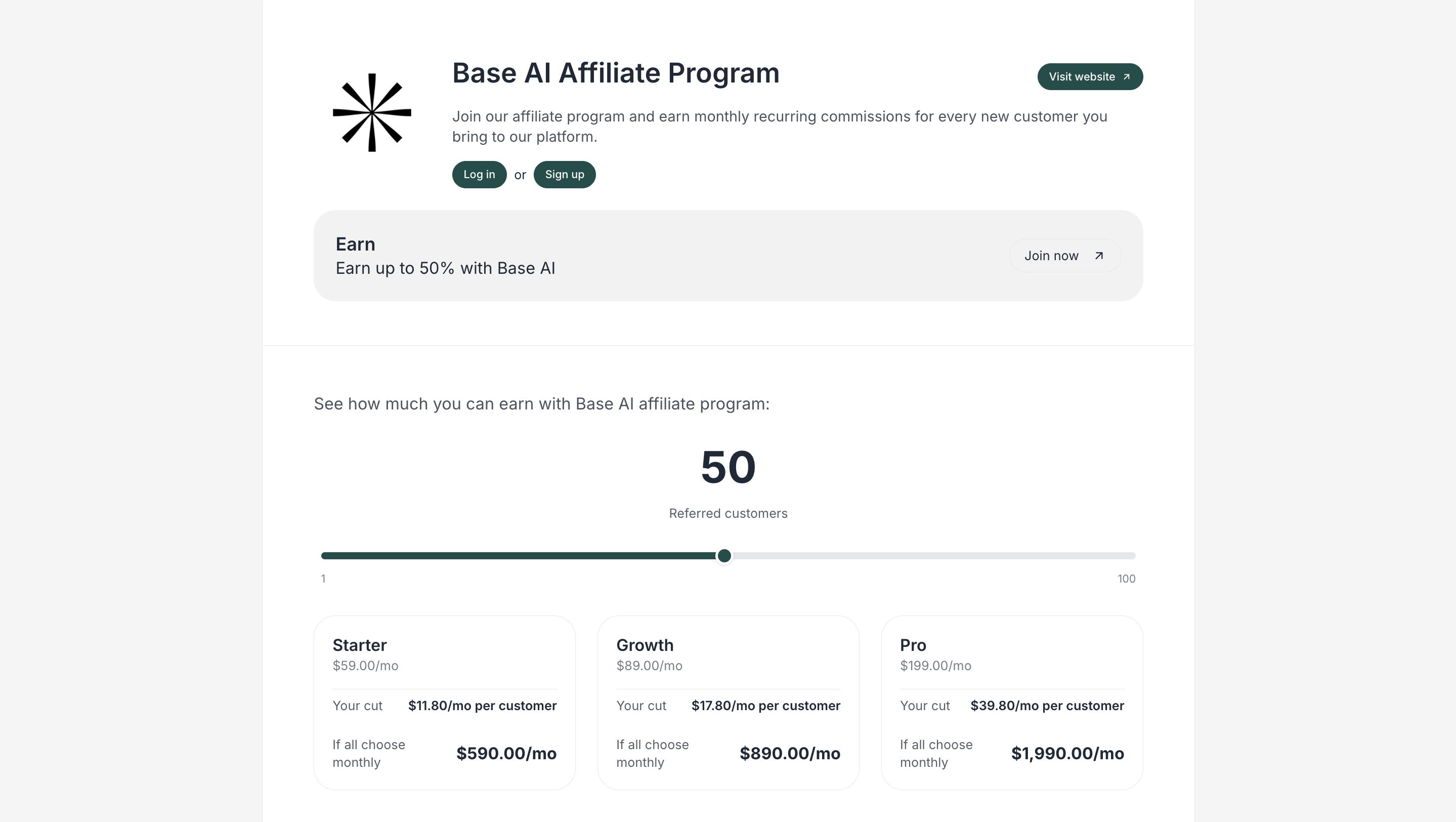
- Show earnings calculator - displays an interactive slider with pricing tiers.
- Show earnings table - displays a static table with the indicated number of customers and the potential earnings.
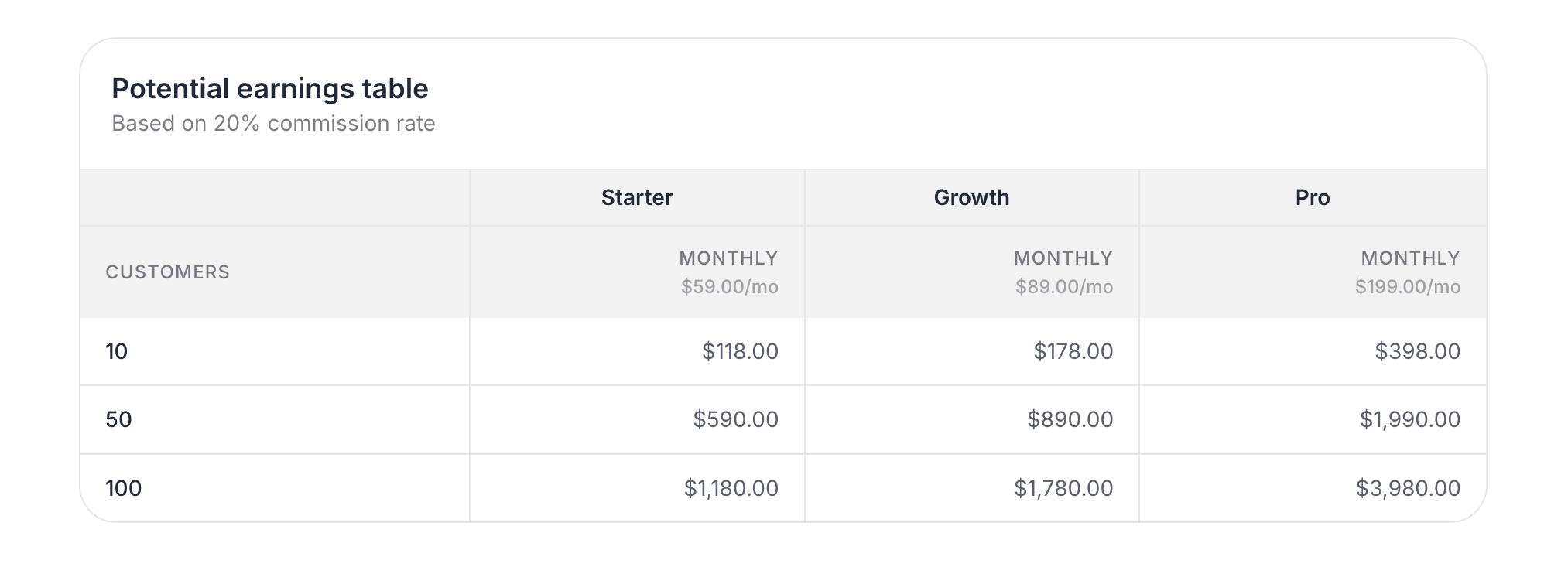
- Show earnings calculator - displays an interactive slider with pricing tiers.
- Click Update to publish your changes.
That's it! Your program page will now display the potential earnings.
Why use an earnings calculator?
- Increase conversions: Show real earning potential to motivate sign-ups.
- Set clear expectations: Transparently demonstrate how commissions work.
- Highlight recurring revenue: Emphasize long-term earning opportunities.
- Support tiered pricing: Reflect different plans or product levels.