
Automatically delete inactive customers
Partnero's automation feature lets you automatically delete customer records that have not made a purchase within a set number of days. This helps keep your customer list clean by removing records that are no longer relevant to your program.
How it works
The Has no purchases for X days trigger runs a daily check on your customer records. If a customer has not made a purchase within the number of days you configure, Partnero automatically deletes that customer record from your program.
How to set it up
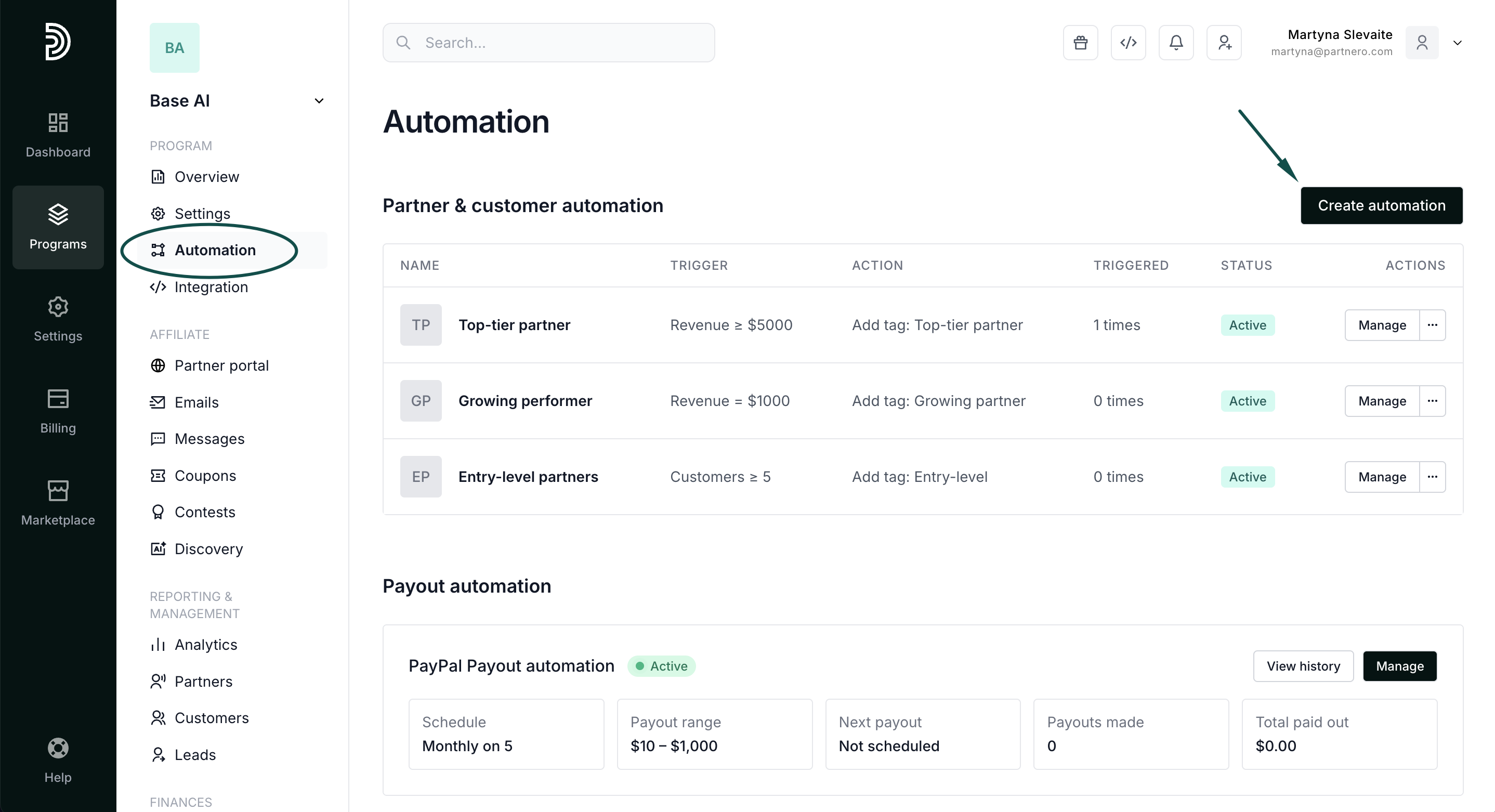
- In your program, navigate to Automation under Program.
- Click Create automation:
- Give the automation a name, for example, Delete inactive customers.
- Configure the automation:
For → Customer
When → Has no purchases for X days
Enter the number of days.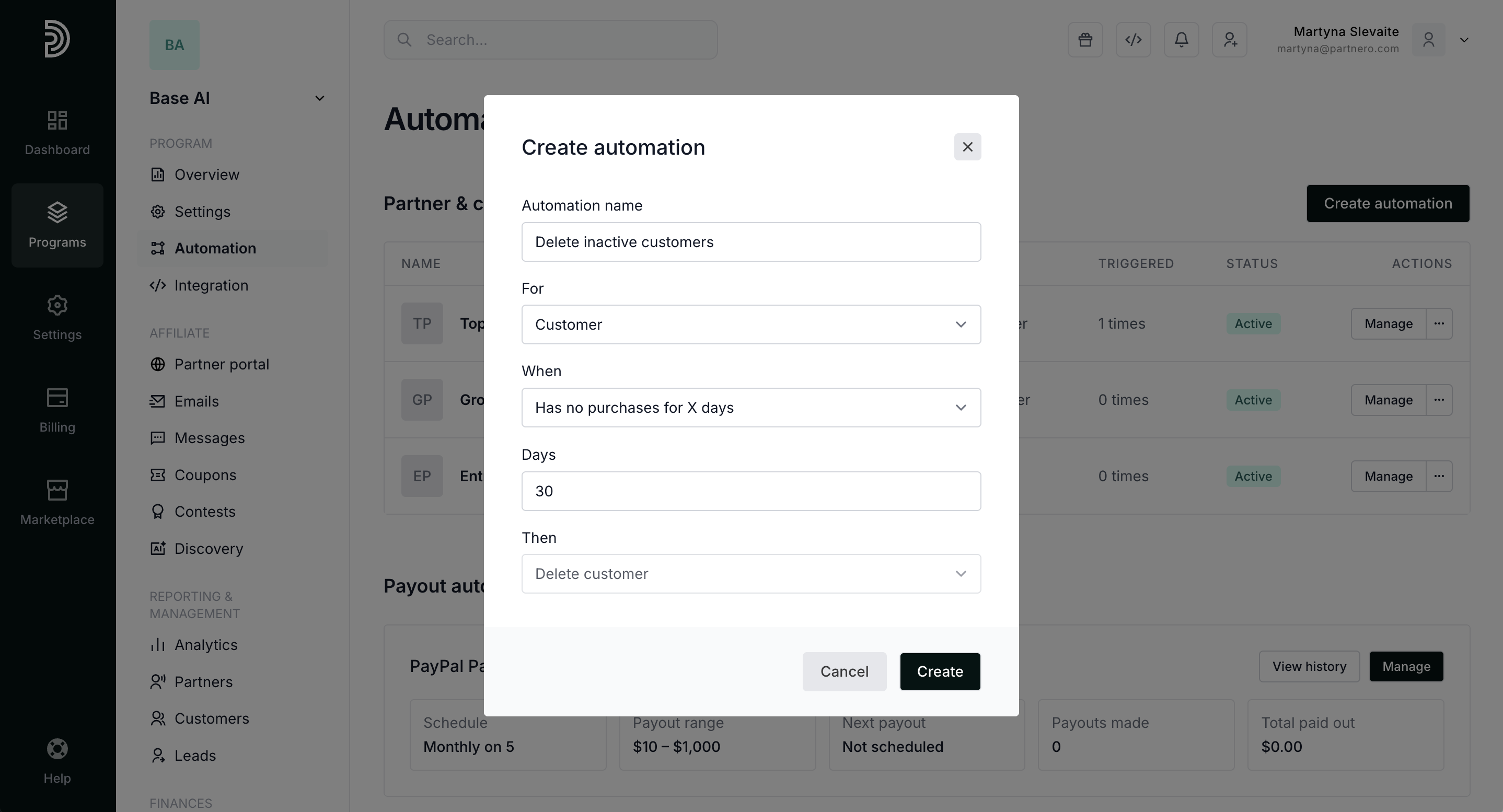
- Click Create.
The automation will run daily and delete any customer records that meet the condition.