
Redirect partner signup to an external URL
By default, signup links in the partner portal lead to Partnero's built-in registration form. You can redirect those links to a URL of your choice; for example, a form on your website or an internal onboarding page.
How to enable it
- Open your affiliate program.
- In the left sidebar, go to Partner Portal under Affiliate.
- Open the Settings tab.
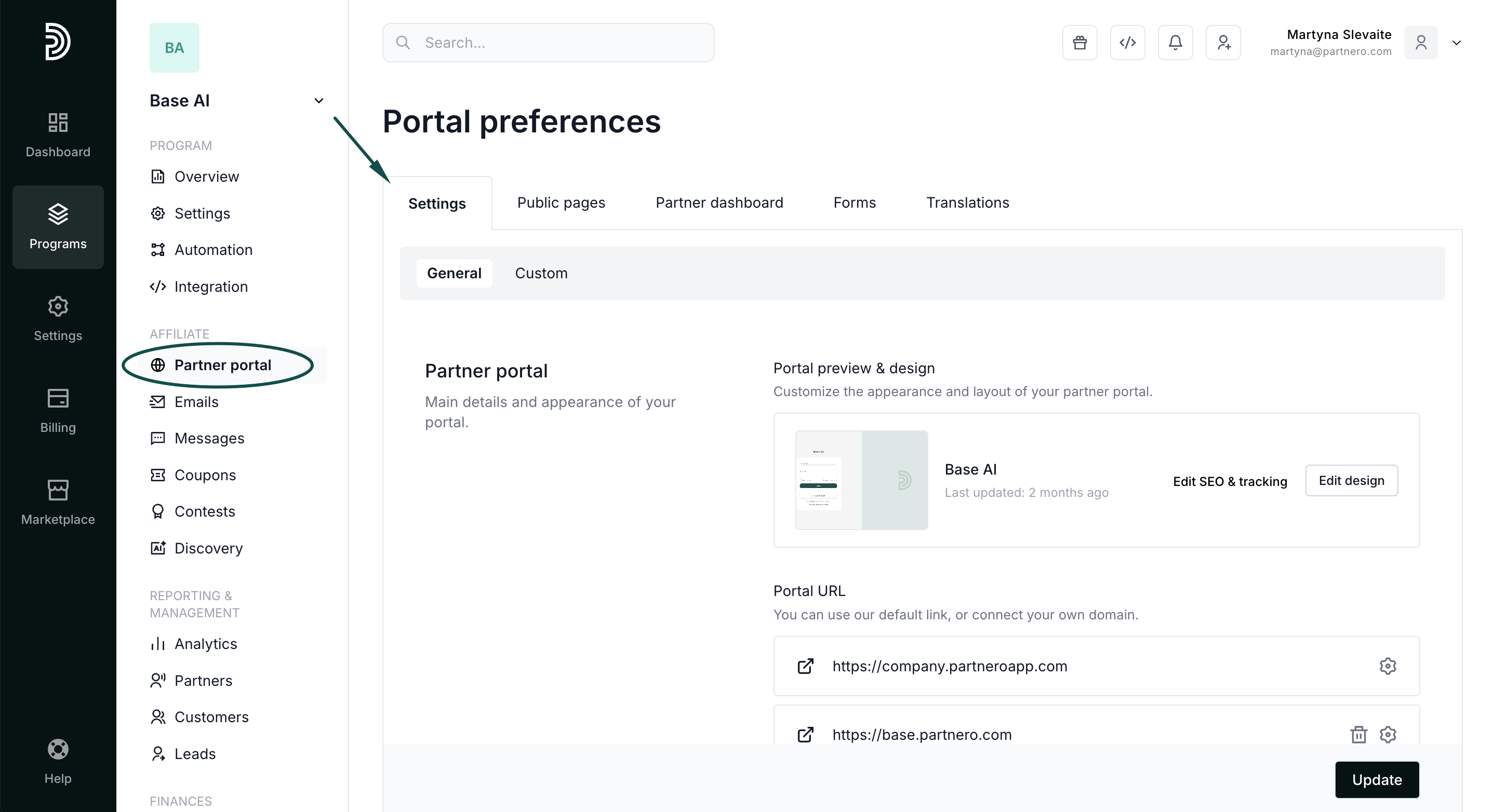
- Scroll to Access & Authentication.
- Enable Redirect signup to an external URL, and enter the URL you want to redirect to. Click Update:
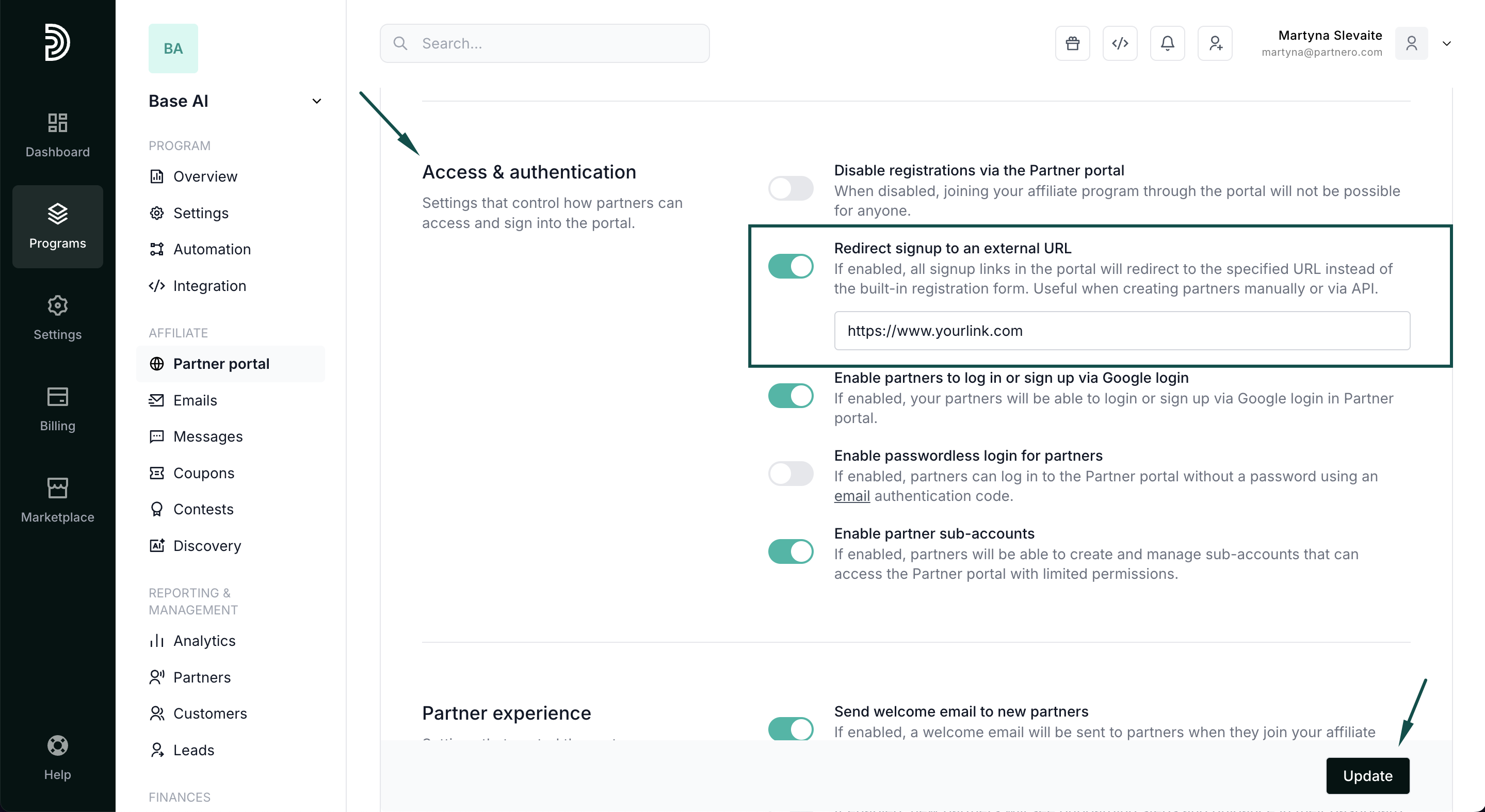
Once enabled, all signup links in the portal will redirect to the specified URL instead of the built-in registration form.