
Automatically convert a lead when a transaction is received
You can use automation to automatically convert a lead when a transaction is received for that contact. This removes the need to manually update lead status after a purchase comes through. Currently, the automation works with Stripe integration only.
How to set it up
To set up the automation:
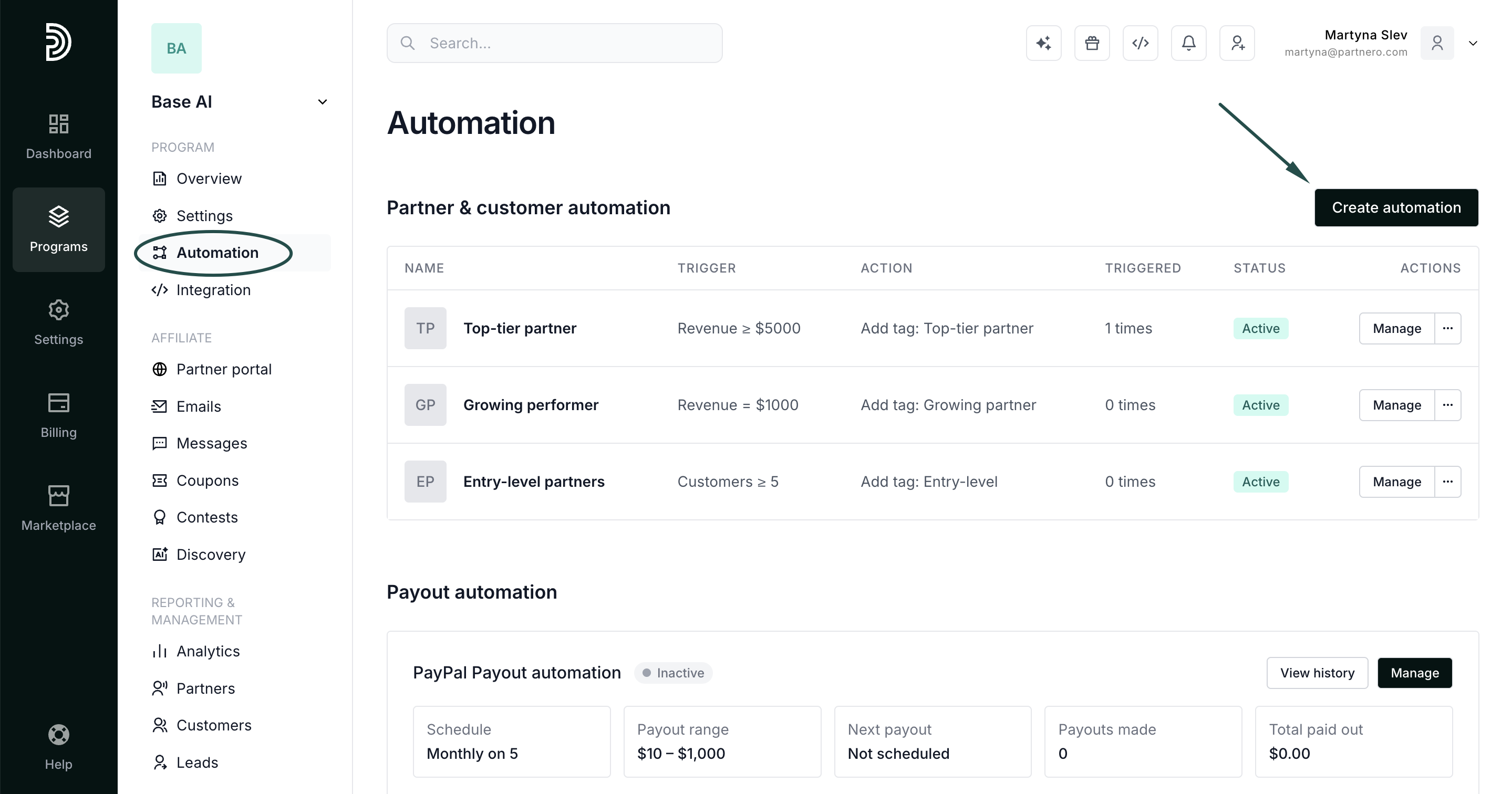
- In your program, navigate to Automation under Program.
- Click Create automation.
- Name the automation and set:
For → Transaction.
When → Transaction received
Then → Convert matching lead.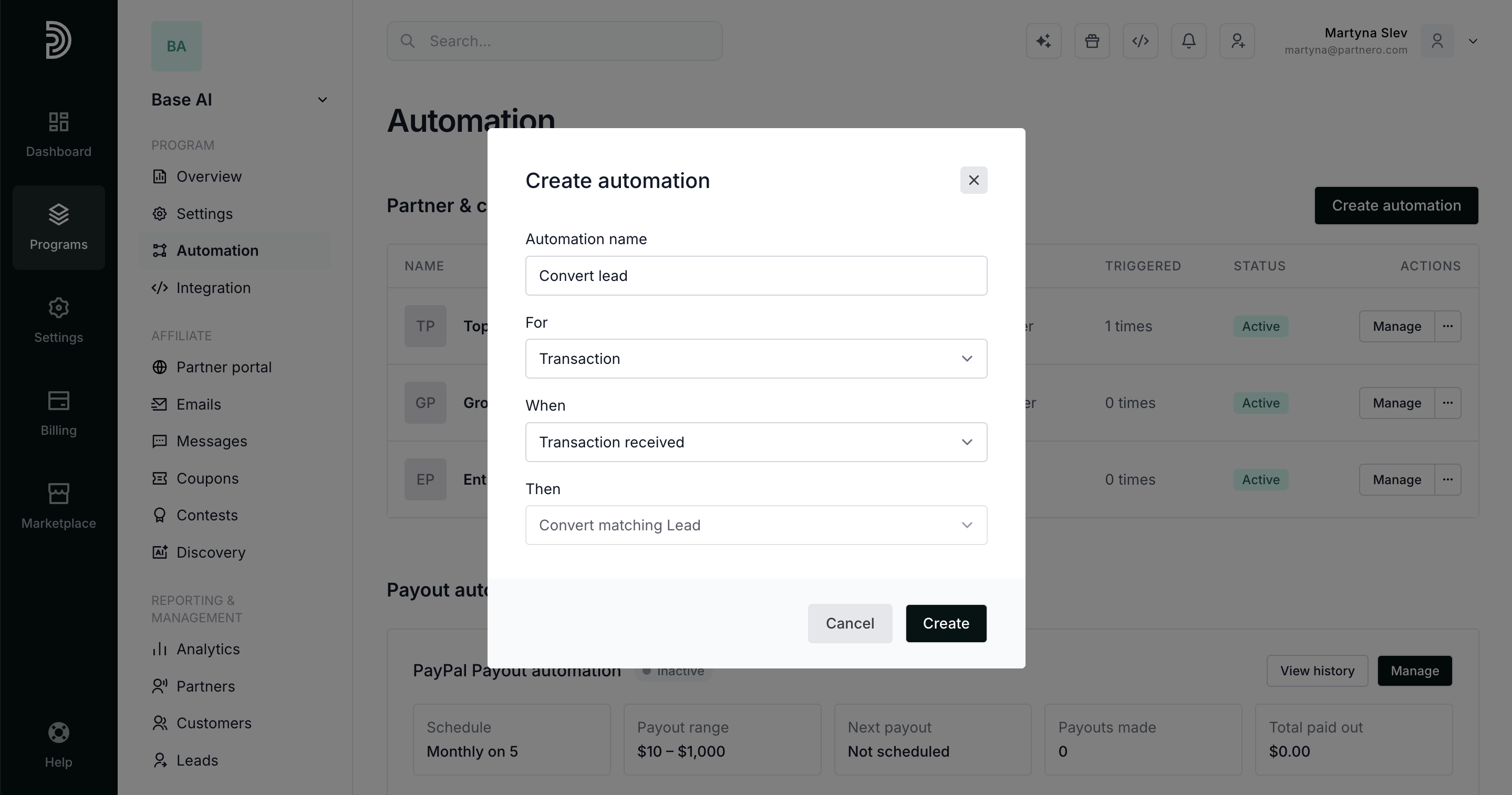
- Click Create.
Once active, the automation will look for a lead matching the transaction and convert it automatically.
When does it trigger
The automation fires when a transaction is received in your program. If a lead with a matching identifier exists, it is converted at that point. Currently, the automation works with Stripe integration only.
Use case
This is useful when leads are tracked separately, and you want conversions to reflect automatically once a payment comes through — without requiring a manual status update for each one.