
How to add or update payment details (for partners)
The program owner uses your payment details to process your payouts. You can add or update them at any time from the partner portal.
Available payment methods depend on what the program owner has enabled. Options may include PayPal, Venmo, bank transfer (via Wise), or crypto.
Add or update payment details
To add your payment information:
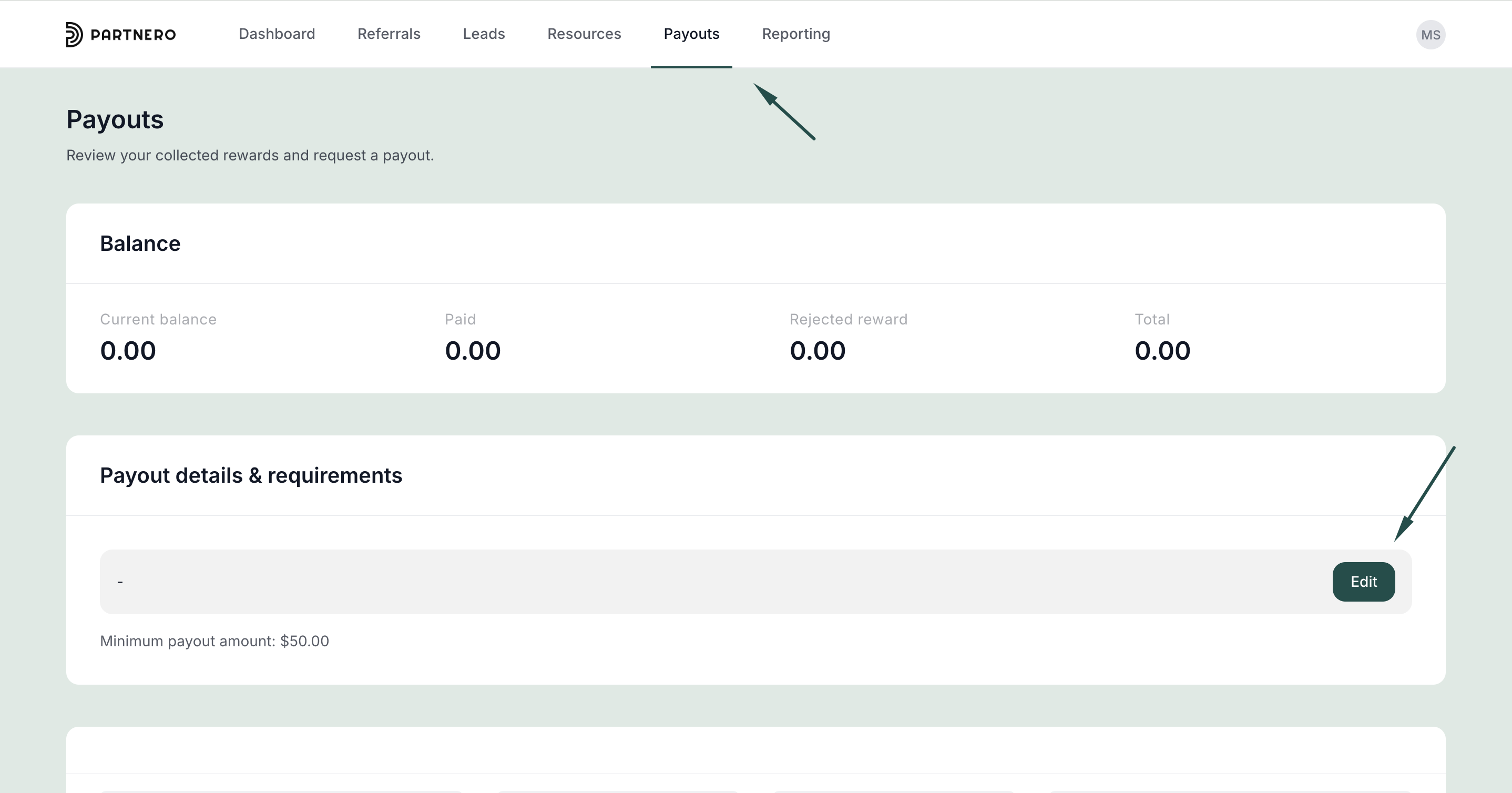
- Log in to the partner portal (each program has a unique URL).
- Go to Payouts and find the Payout details & requirements section.
- Click Edit:
- Enter your payment details:
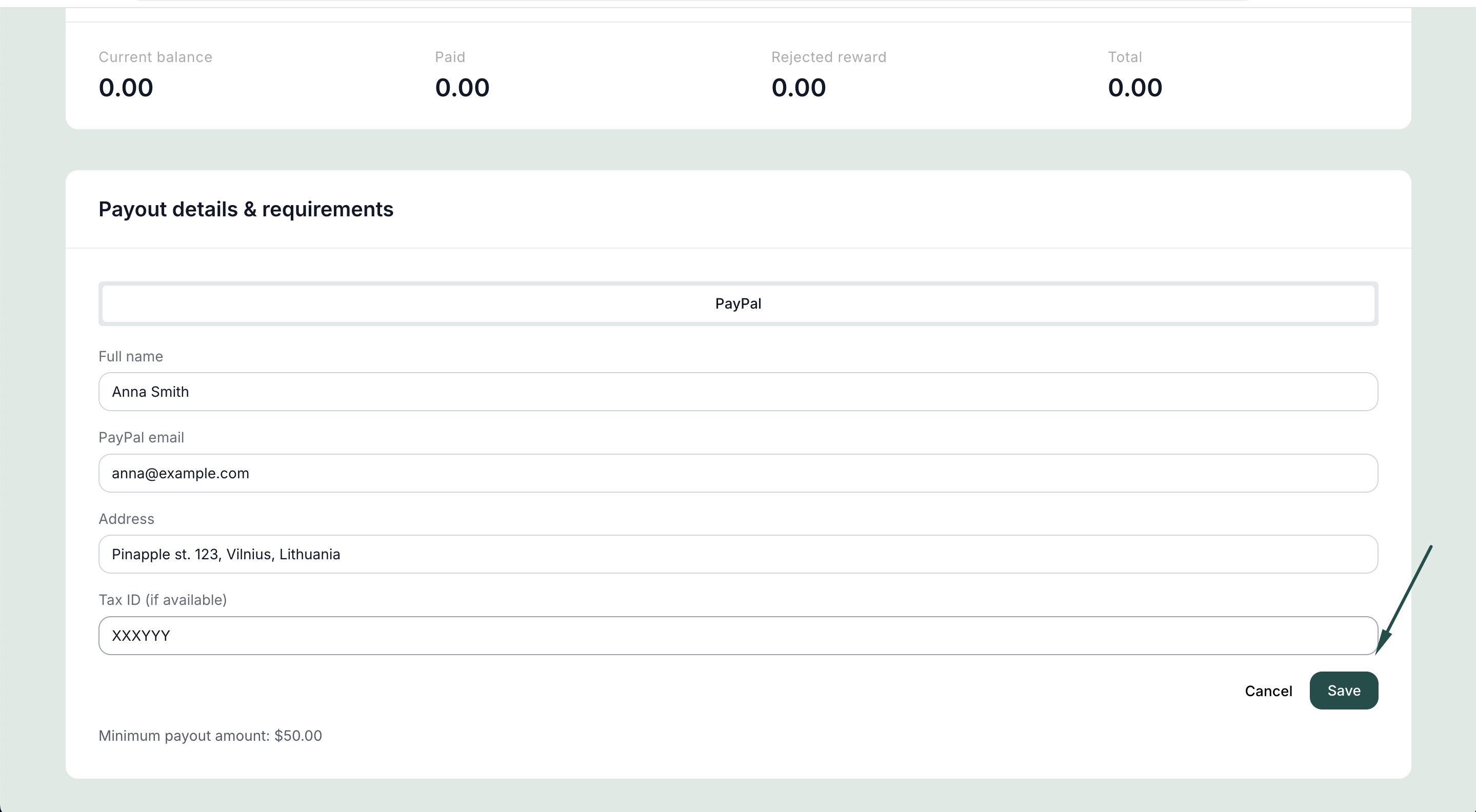
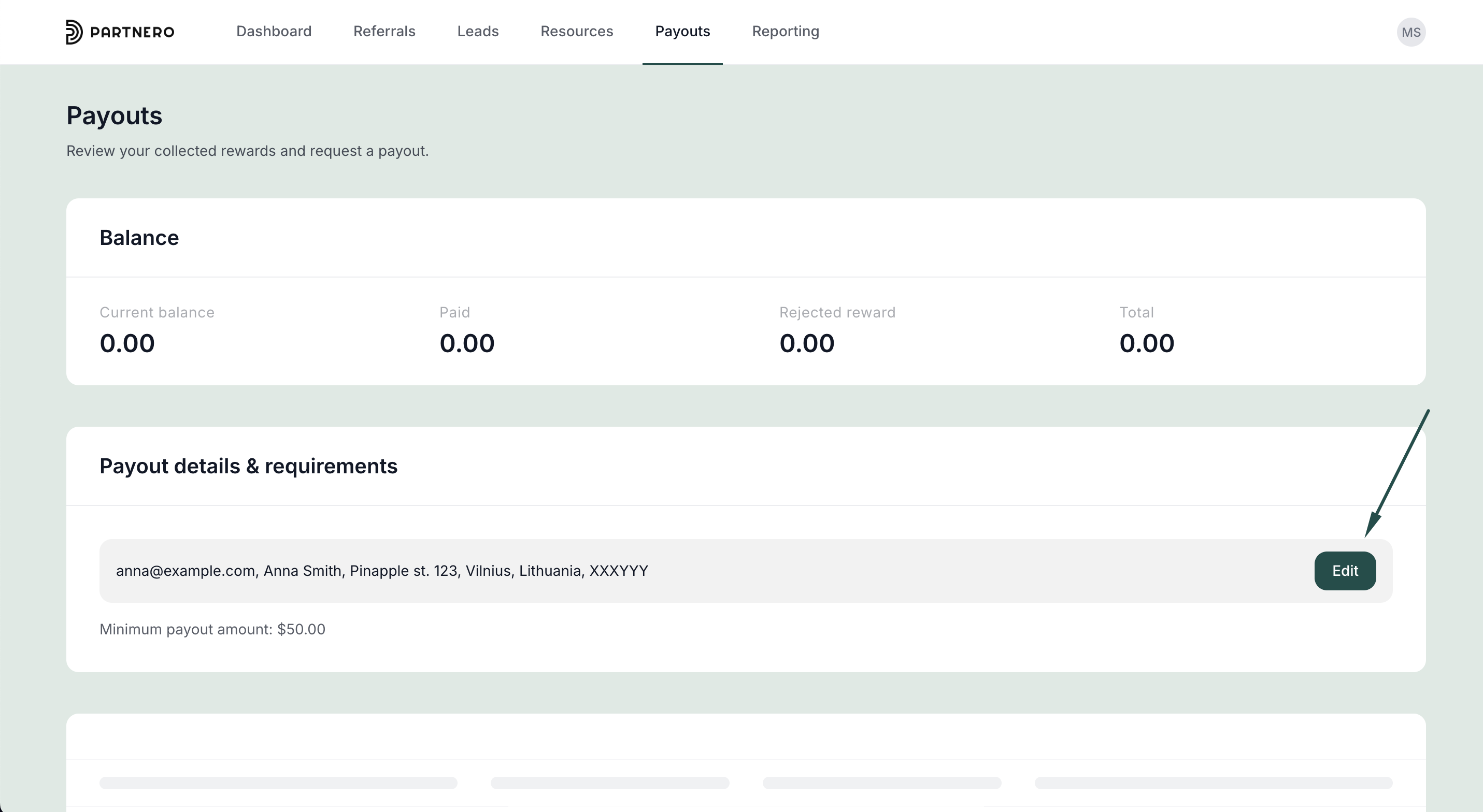
- Click Save.
Your details will be pre-filled the next time you request a payout.
Update details when requesting a payout
If you haven't added payment details yet, you can also enter them directly when submitting your first payout request. To update existing details later, use the Payout details & requirements section as described above.
For questions about available payment methods or payout terms, contact the program owner directly.