
Inviting sub-affiliates to a multi-tier program
If you're part of a multi-tier affiliate program, you may be able to invite other people to join as affiliates under you. When they accept and sign up, they're automatically linked to you in the program's affiliate hierarchy, meaning you'll earn commissions on the sales they generate, according to the program's commission structure.
Whether this option is available depends on the program settings. If you don't see the options described below, the program owner has not enabled this feature.
Share your multi-level signup link
The easiest way to invite sub-affiliates is by sharing your multi-level signup link. When someone signs up through this link, they're automatically connected to you in the affiliate hierarchy.
You'll find the link on your partner portal dashboard, next to your main referral URL: 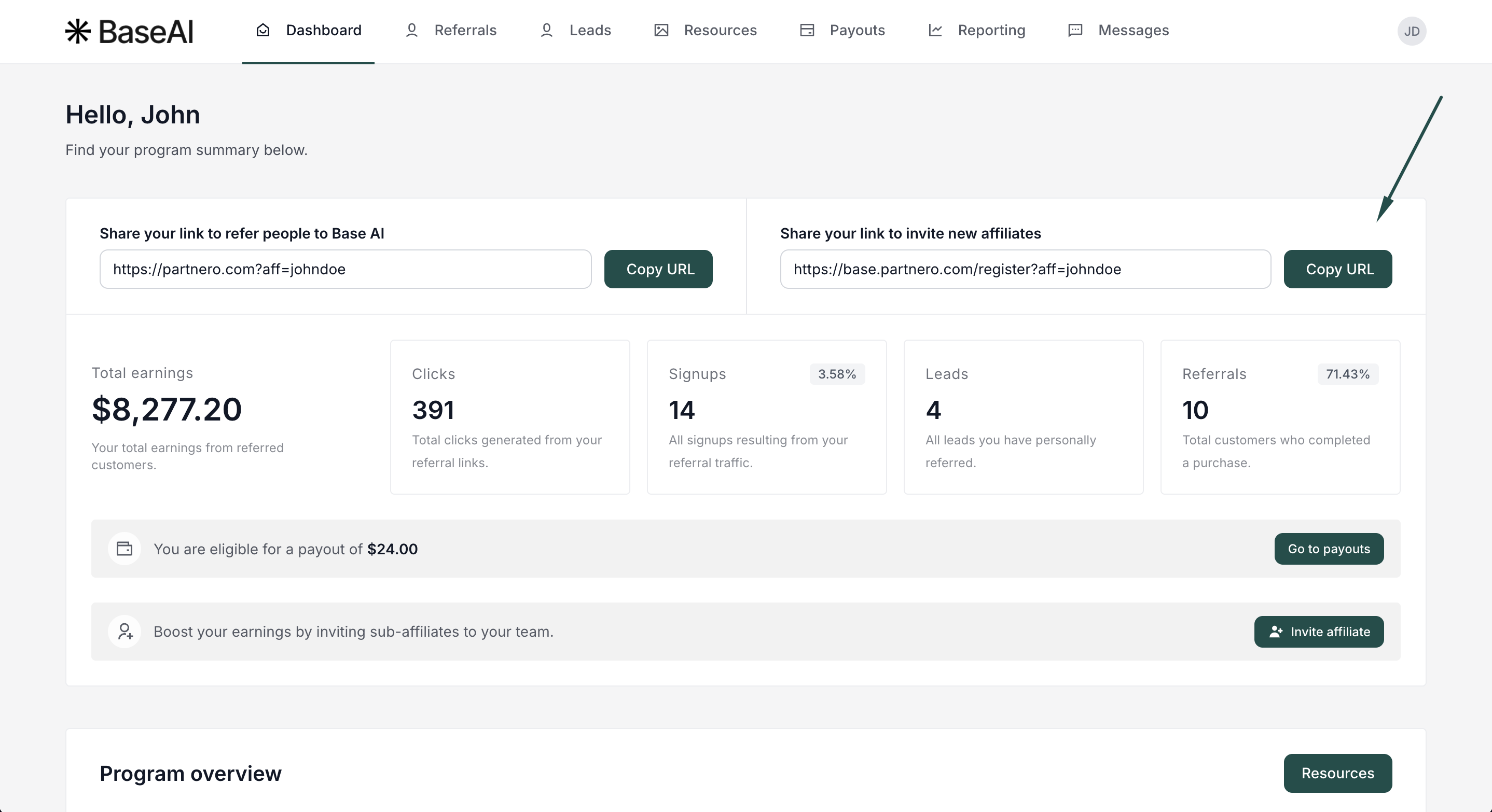
Invite sub-affiliates by email
You can also send invitations directly from the partner portal.
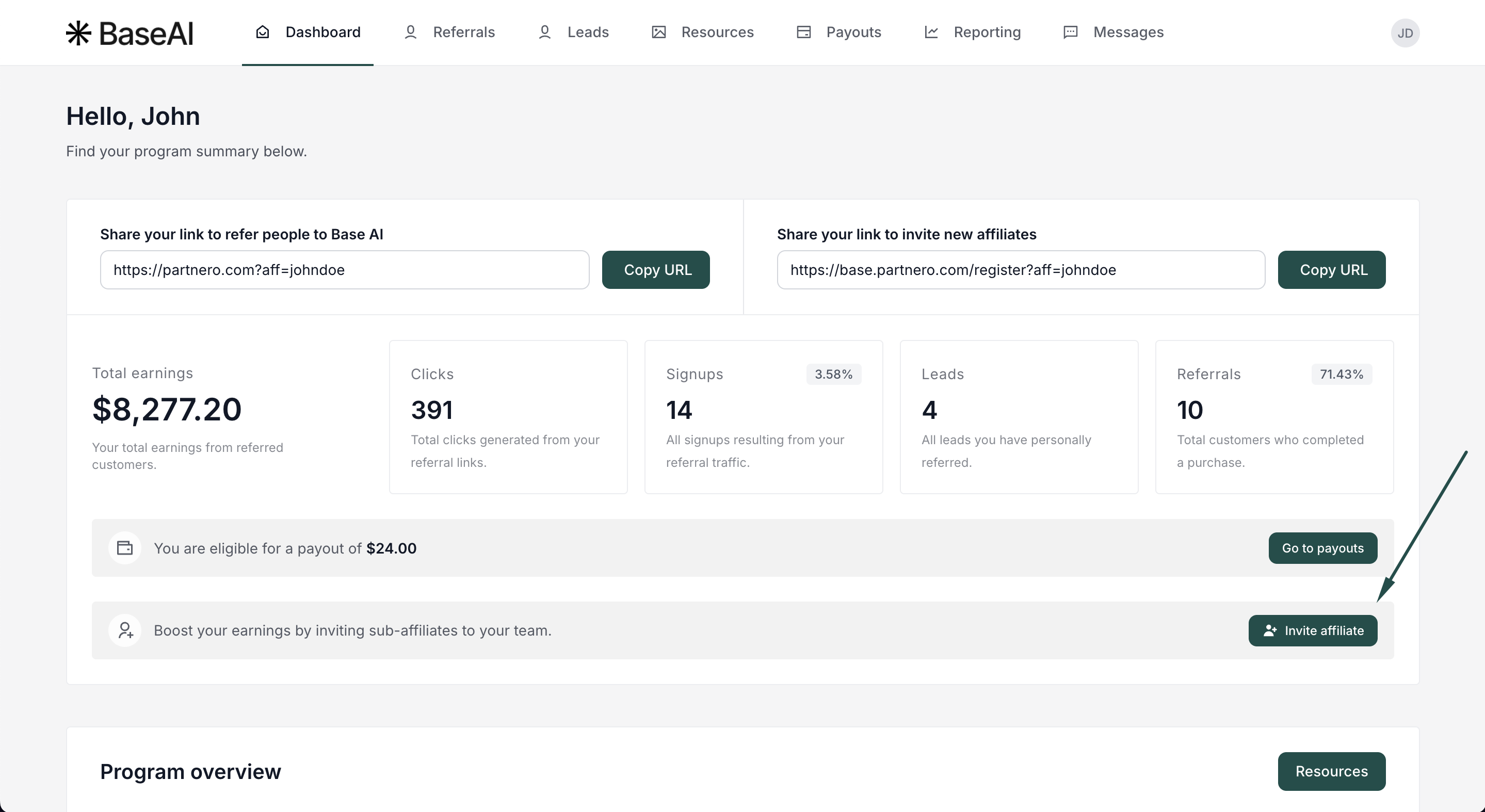
- On the partner portal dashboard, click Invite affiliate:
- Enter the name and the email address of the person you'd like to invite:
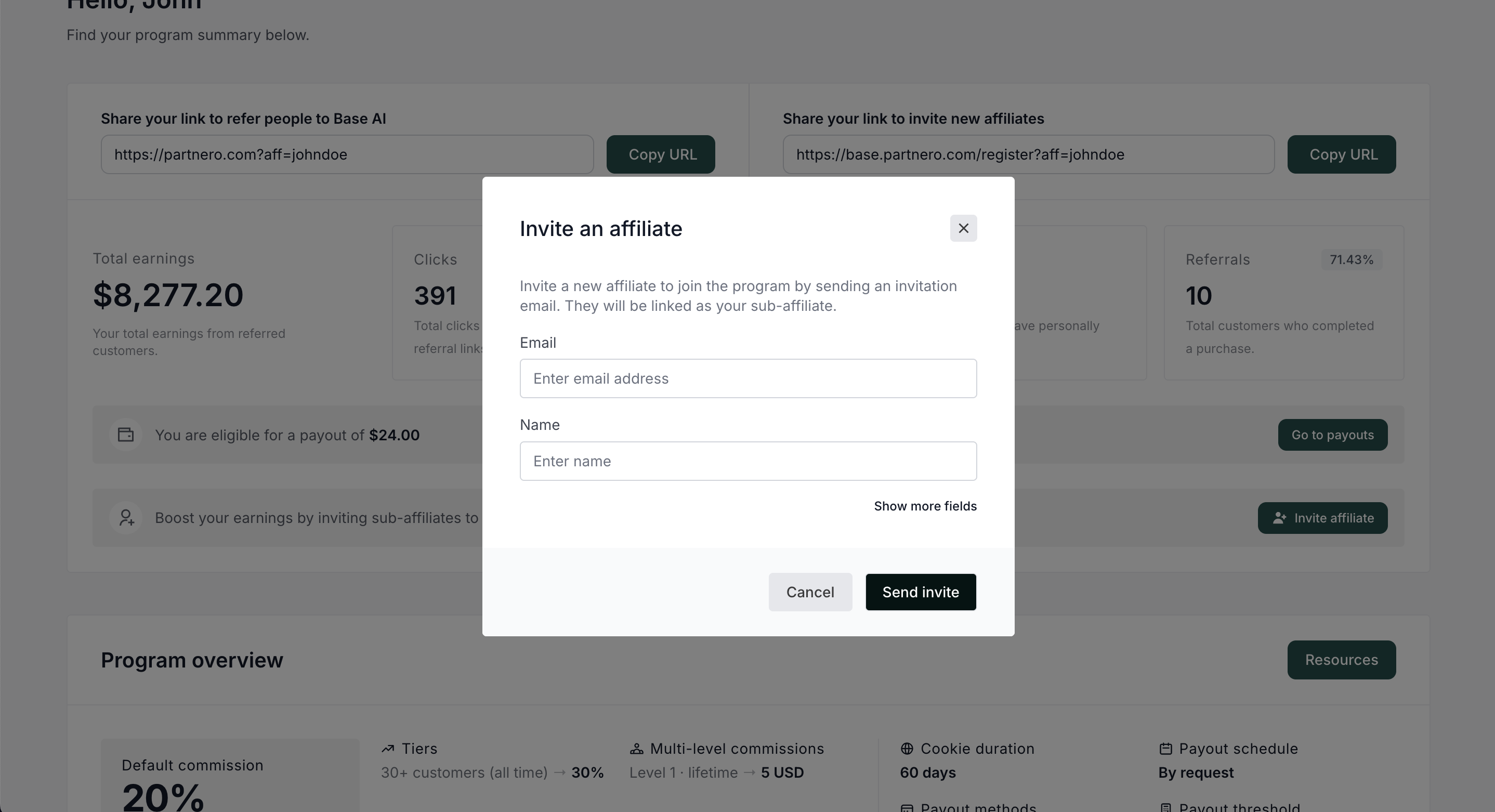
- Click Send invite.
Once they accept and complete the signup process, they'll appear under you in the program's affiliate hierarchy.
For questions about commission rates or multi-tier structure, refer to the program's commission details or contact the program owner directly.