
Viewing previous commission versions
Partnero keeps a history of your default commission structure so you can review past configurations and understand what rules were in place at any given time.
How to access commission history
To access the commission history:
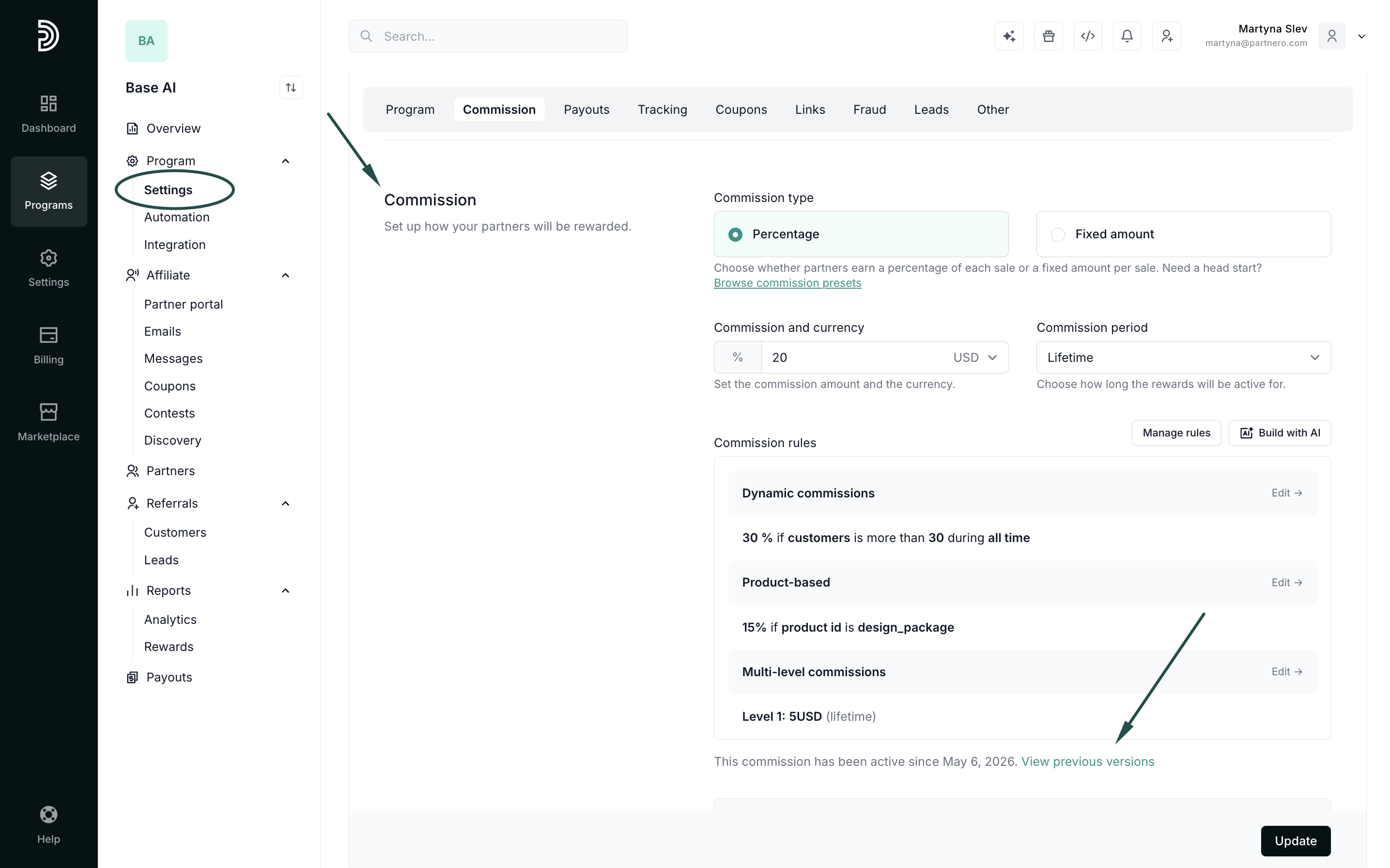
- Go to your program and navigate to Commission under Settings.
- Click View previous versions:
Each entry in the history shows the commission version, the date it was active, and the exact rates and rules it included.  What you can do from here
Each entry shows the full commission configuration that was active at that time, including exact rates and rules, alongside the number of rewards issued under that version. Click the reward count to see the full list of rewards produced under that commission configuration.

