
Self-billing and tax details (for partners)
This article is for affiliate partners. If you're a program owner, see Self-billing for program owners instead.
Self-billing means the program owner issues the tax document for the partner's commission instead of the partner invoicing for it. It's standard practice in several countries, so once tax details are complete, a compliant document is generated automatically for every payout, with nothing for the partner to invoice.
Completing tax details
If a program uses self-billing, partners will see a Tax & billing section in their partner portal.
To access the section:
- Log in to the partner portal.
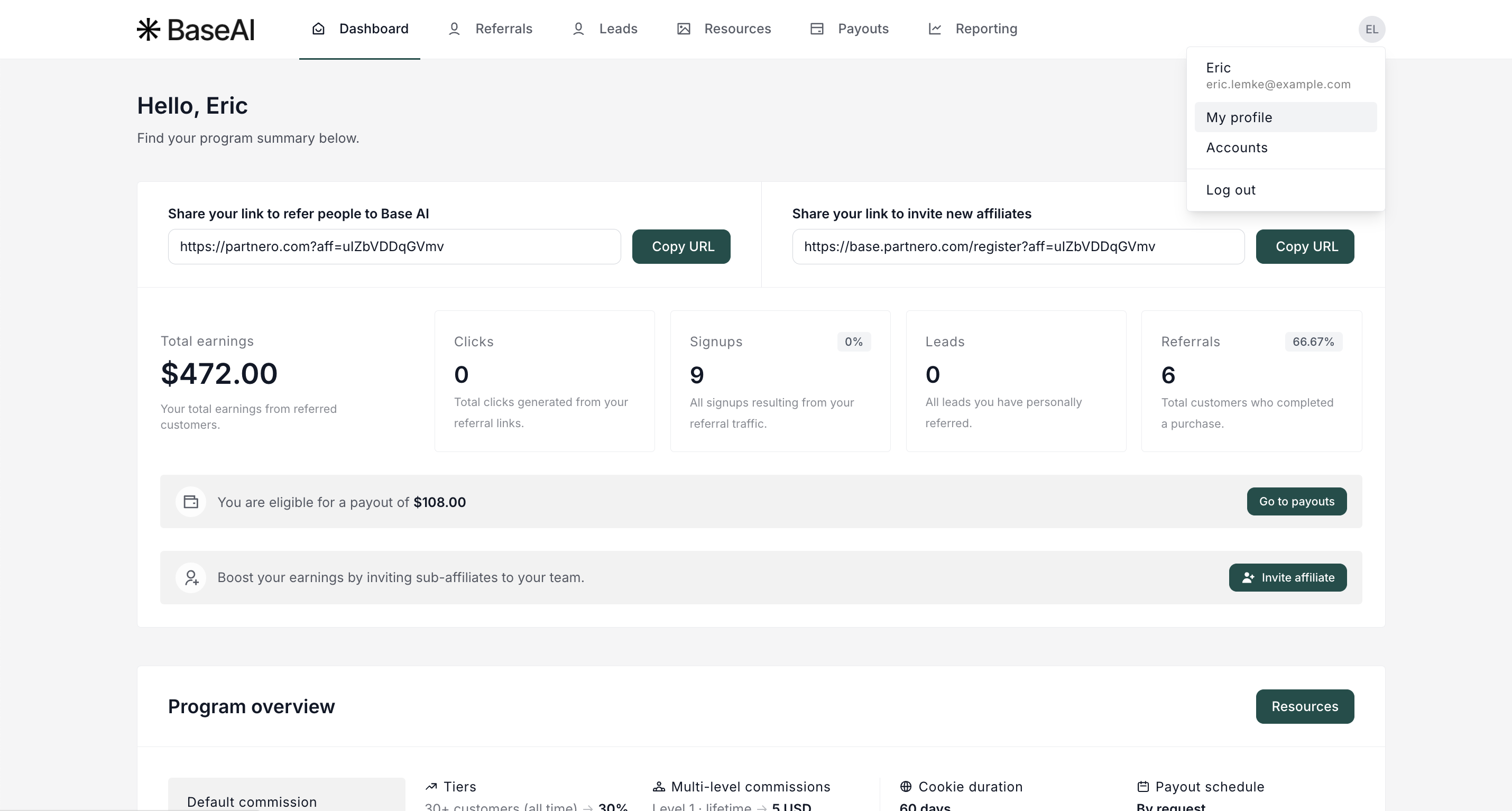
- Click on your account and select My Profile:
- Scroll down to the Tax & billing section.
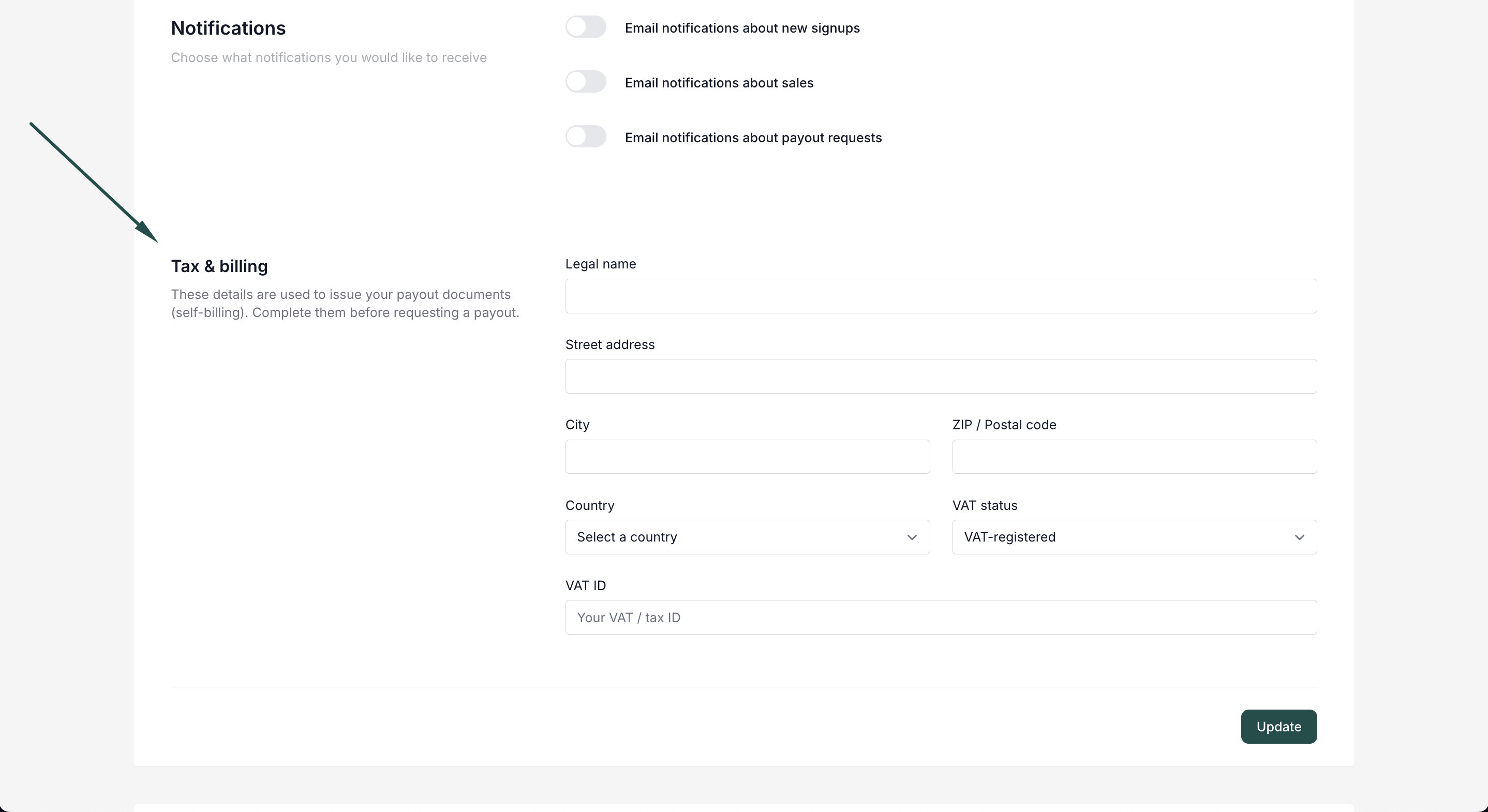 The following needs to be completed:
- Legal name, street address, city, postal code, country
- VAT status: VAT-registered / Small business (VAT-exempt) / Not VAT-registered
- VAT ID (required for VAT-registered partners)
Click Update.
 The following needs to be completed:
Why this needs to be done before requesting a payout
Payout requests are blocked until tax details are complete. If a payout is requested first, the payout window shows a prompt linking to the section that needs to be filled in, plus a reminder to review the details once that's done.
What the document contains
For each payout, a PDF is generated with:
- The correct local title for the relevant country's format (for example Gutschrift, Autofacturation, or Self-billing invoice)
- Partner and program owner details, with both VAT IDs where applicable
- The service period the commission covers
- Net amount, VAT line, and total
VAT treatment depends on the partner's situation: domestic partners get their country's VAT rate applied, VAT-registered partners in other EU countries get a reverse-charge note, small business or non-VAT-registered partners get a 0%/exempt note, and partners outside VAT scope get an "outside VAT scope" note.
FAQ
- Does this change how much I get paid?
No. Your payout amount stays the same. Self-billing only changes how the VAT is documented. - I'm a small business, will VAT be added to my document?
No. Small business partners get a 0%/VAT-exempt document. - What if my document fails to generate?
Your payout still goes through. The document can be regenerated afterward.