
Referred partners list
With Partnero affiliate programs, you can enable multi-tier commissions to reward your affiliates not only for the sales they directly generate but also for the sales made by affiliates they've referred to the program.
When an affiliate brings in the first referred partner, a new Referred partners tab will appear in their profile: 
The Referred partners tab is not visible until at least one partner has been referred.
Can affiliates see the partners they refer?
You can choose to display a list of referred affiliates to the affiliate who referred them. This allows affiliates to see who they’ve brought into the program.
To enable the referred affiliates table:
- Go to Partner Portal → Settings and scroll down to the Partner permissions section.
- Toggle Show referred partners table:
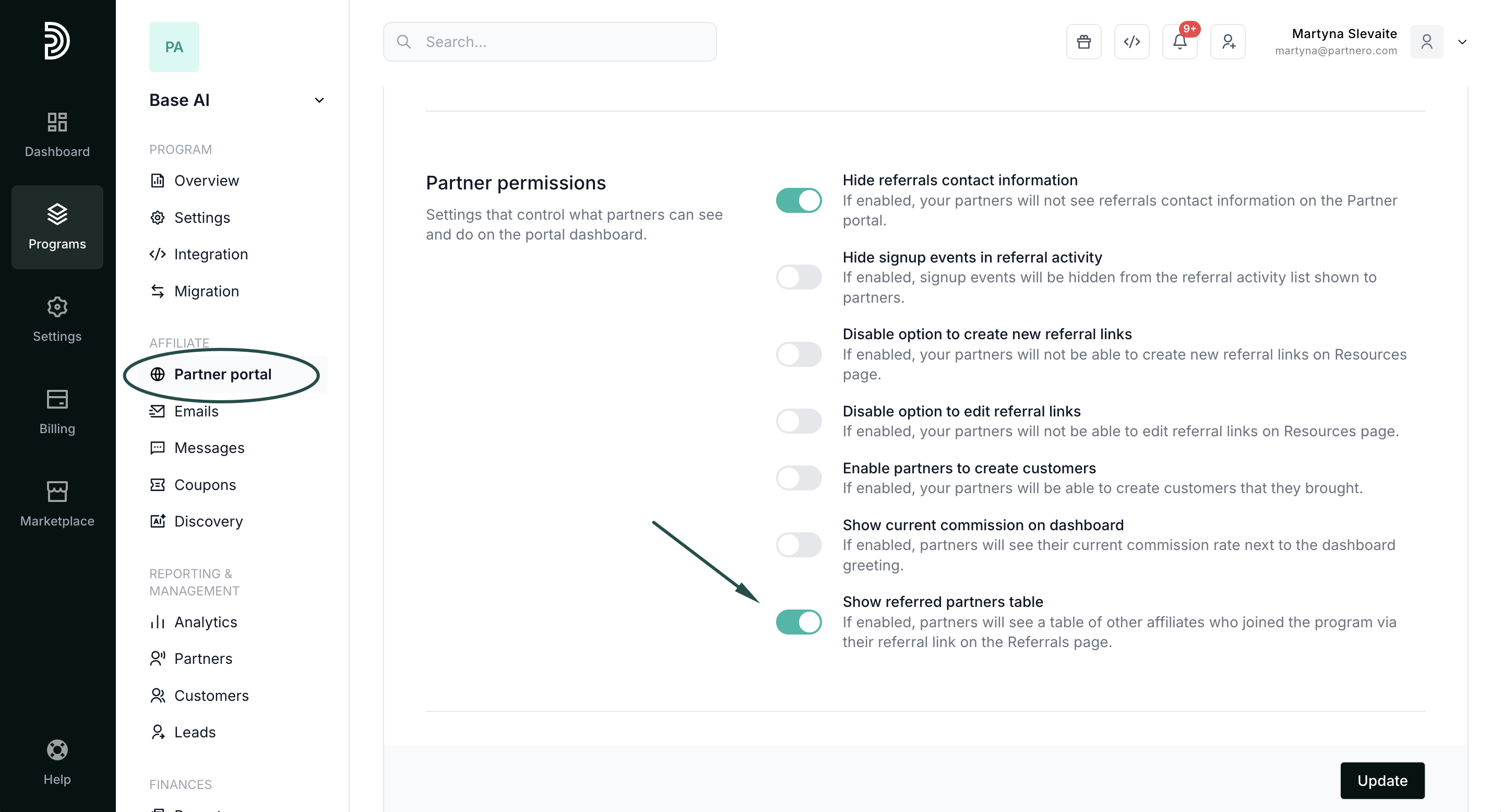
- Click Update to publish changes.
⚠️ Note: This setting is only available if multi-level commissions are enabled and configured. By default, the referred affiliates table is not shown.
When enabled, affiliates will see a new referred partners table in the Referrals section of the partner portal: