
In-site widget for affiliate programs
With Partnero, you can seamlessly integrate your partner portal into your website using an in-site widget. This increases portal visibility to website visitors, making it easier to convert them into affiliates.


Design the in-site widget
To format and design the in-site widget:
- Open your program and go to Partner portal under Affiliate.
- On the Settings tab, switch to the In-site widget section:
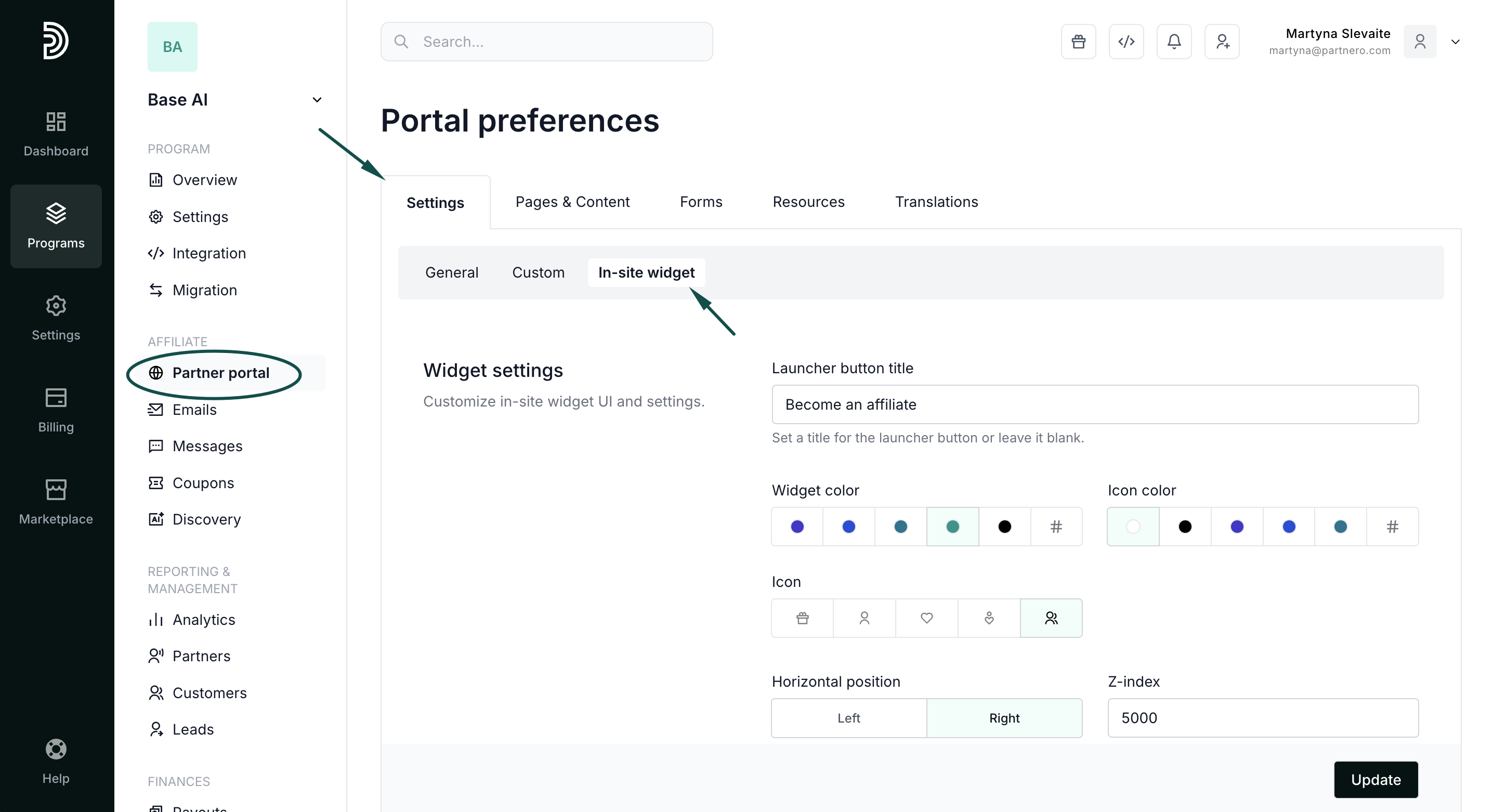
Here you can:
- Add the launcher button title.
- Select the widget and icon colors.
- Select the widget icon.
- Define the widget position.
Add the widget to your website
Step 1:
Partnero integration on your website must be completed before the widget can be visible.
Also, you'll need to connect a custom partner portal domain to use the in-site widget feature. Here's how to do that.
Step 2:
Now that you have a custom domain connected, go to Partner portal under Affiliate. You'll land on the Settings tab, General section: 
Scroll down to the Portal features section, and toggle Enable in-site widget: 
The option will be grayed out if a custom partner portal domain is not connected (Step 1).
Add the domains where the widget should be visible:

Important: The whitelisted domains should match the custom domain configured in Step 1 (primary or subdomain).
For example, if your partner portal custom domain is partners.mywebsite.com, the in-site widget can be added to mywebsite.com, or *.mywebsite.com.
Click Update to save your changes!