
AI Affiliate Discovery overview
AI Affiliate and Partnership Discovery automatically analyzes your product, audience, and niche to deliver a curated list of high-potential affiliates and partners, complete with contact details and suggested outreach messages. Promising candidates can be saved to a built-in outreach pipeline so you can track recruitment progress without leaving Partnero.
How to use AI Affiliate & Partnership discovery
To get started, navigate to Affiliate Discovery in the right-hand menu of your affiliate program and click Discover.
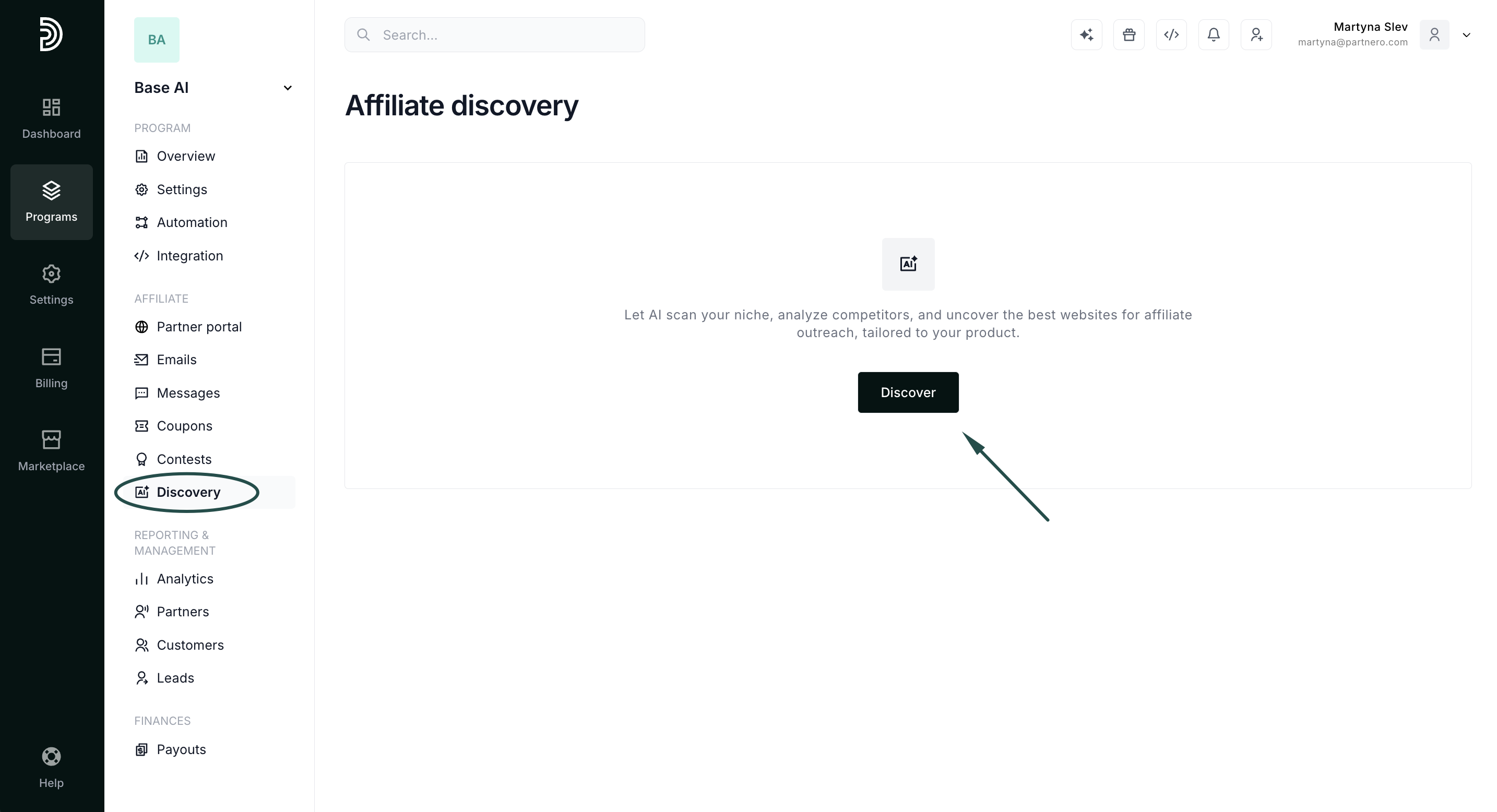
You’ll be guided through a few quick steps:
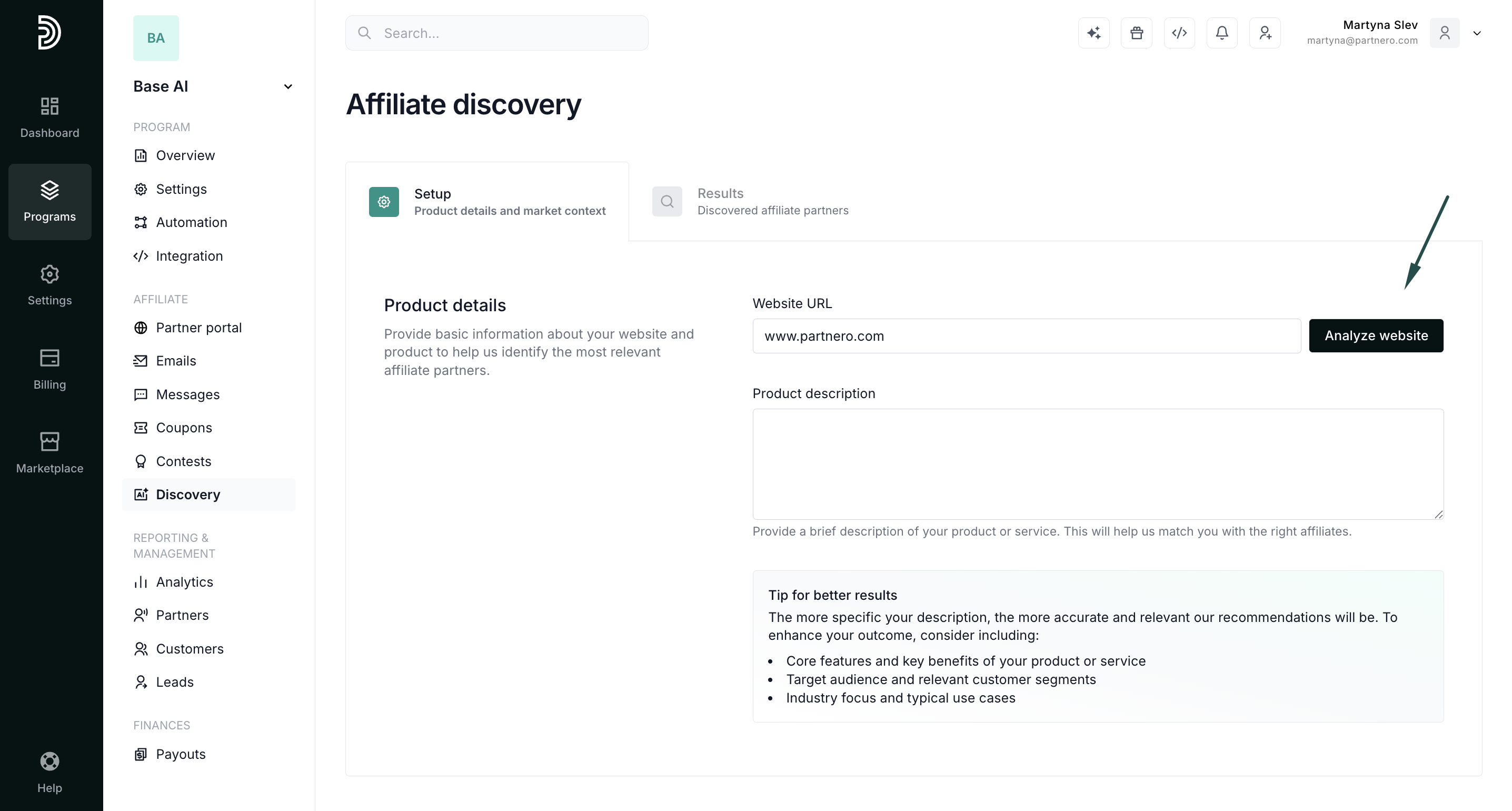
1. Product details
Enter your product information, including your website and a short description. The more specific and informative your description, the more accurate your results will be. We recommend mentioning:
- Core features and benefits
- Target audience
- Industry or niche
If you don't have a product description on hand, enter your website and use the Analyze website option to have AI fill in the details for you.
2. Keywords and competitors
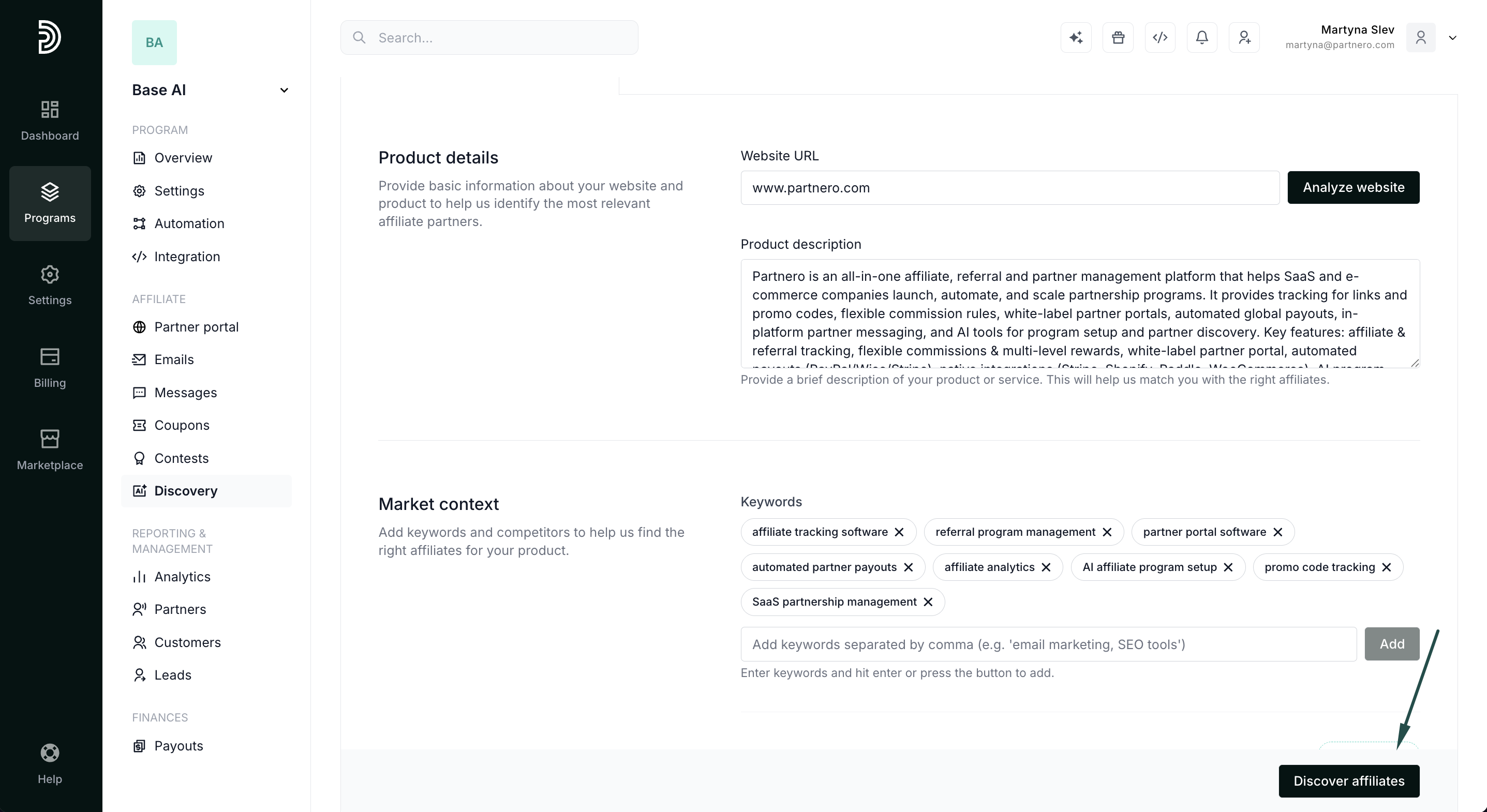
Add keywords your potential customers might use when searching for a solution like yours. You can then add competitors manually or use AI to suggest them based on your keywords. Review the list, add or remove entries as needed, and click Discover affiliates.
3. Discovery results
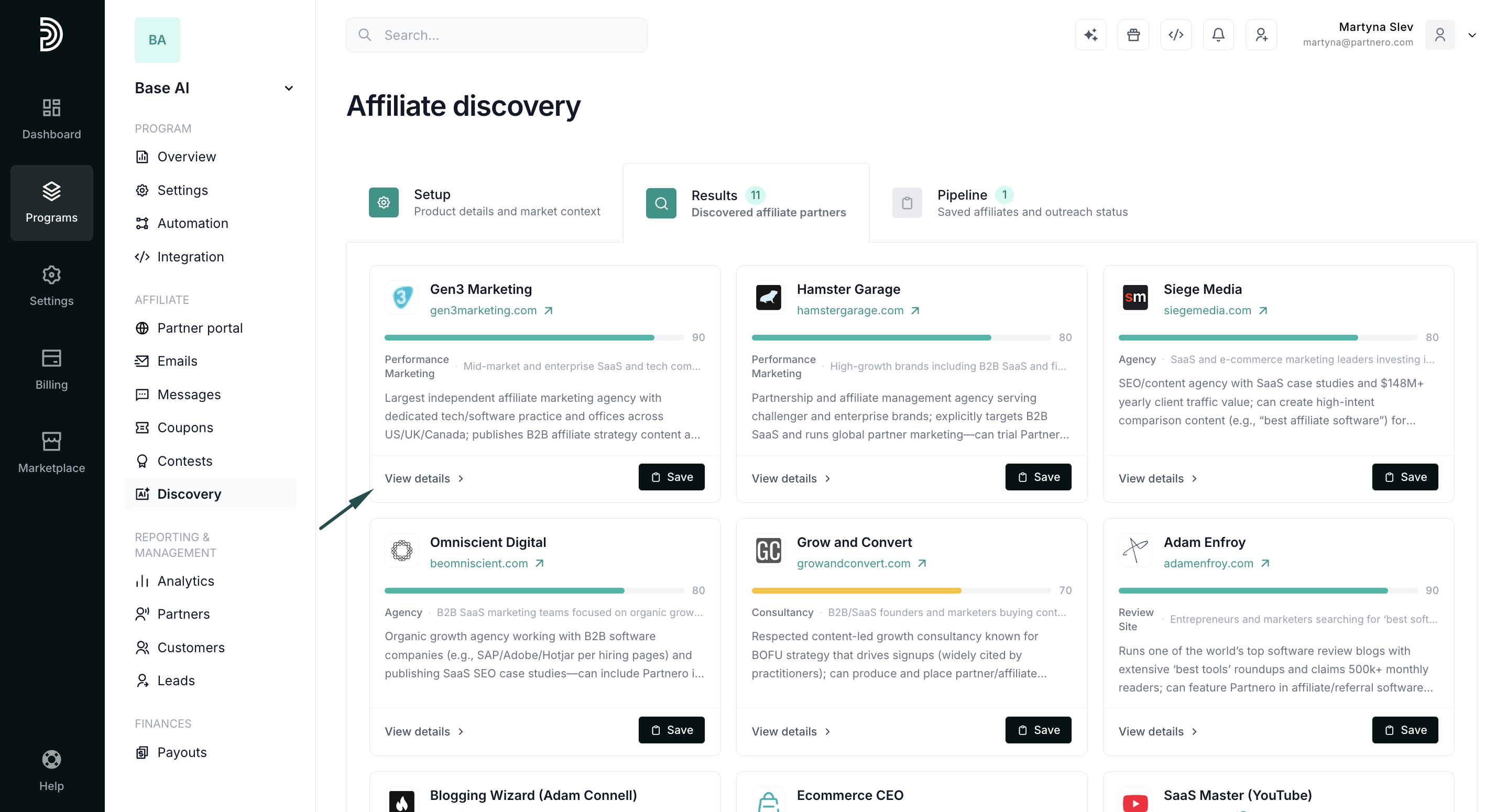
Partnero’s AI will generate a list of relevant websites and affiliate candidates tailored to your product and niche. Each result includes:
- Website
- Business type
- Audience type
- Relevance score

Click View details to open a prospect's profile, or Save to add them to your Pipeline.

Next steps
Once you've saved prospects, use the Pipeline to manage outreach, track progress, and contact affiliates directly from Partnero.