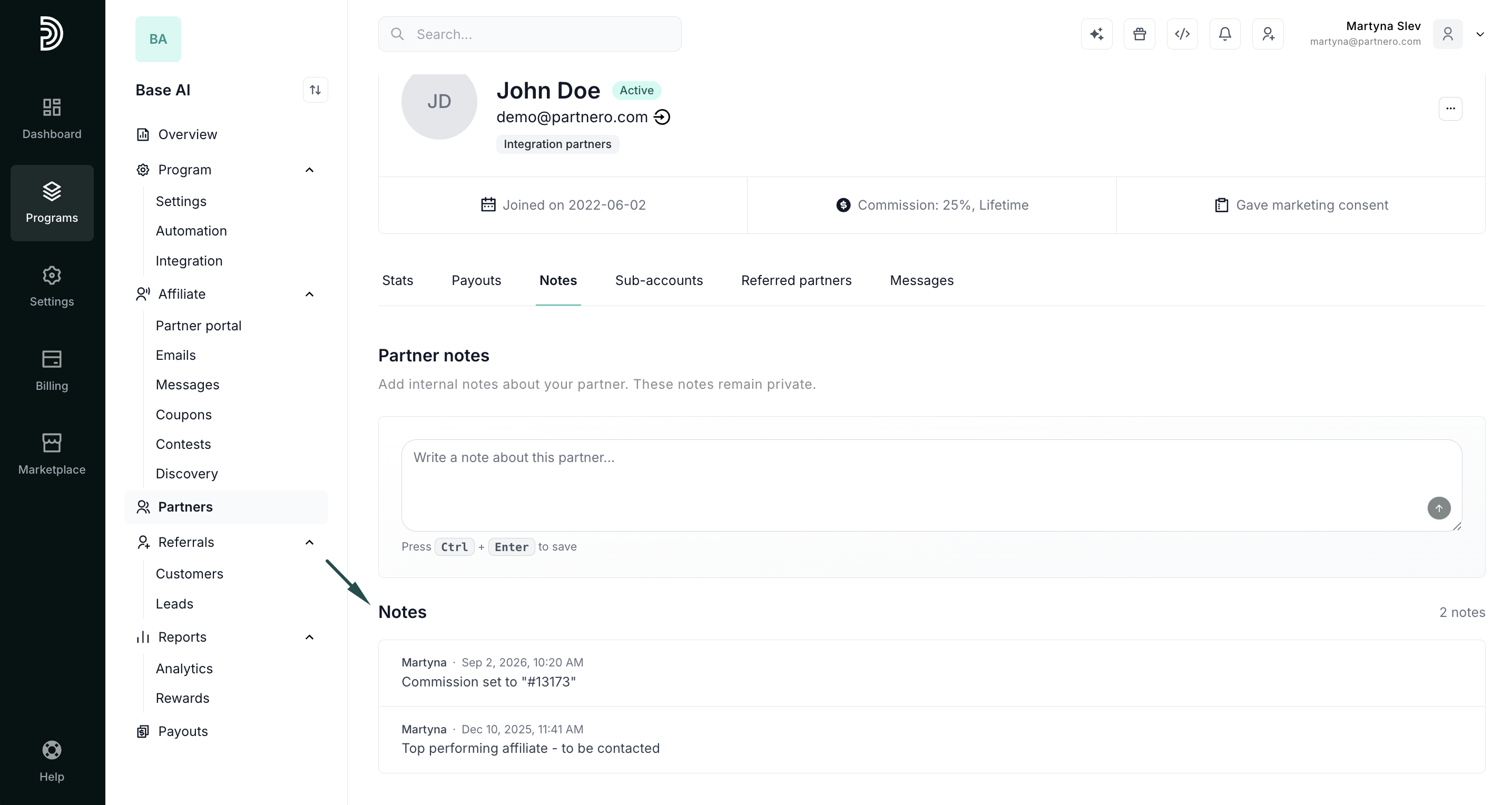
Partner notes overview
The Partner notes feature lets you track important details on partner profiles from the Partner Portal. Notes are internal only and are never visible to partners.
There are two types of notes:
- Manual notes: notes you or your team write directly on a partner's profile.
- System notes: automatically logged whenever a key partner field changes, giving you a full audit trail without manual tracking. System notes are created for:
- Name, email, status, commission, or manager changes
- Tag assignments and removals
Add or view partner notes
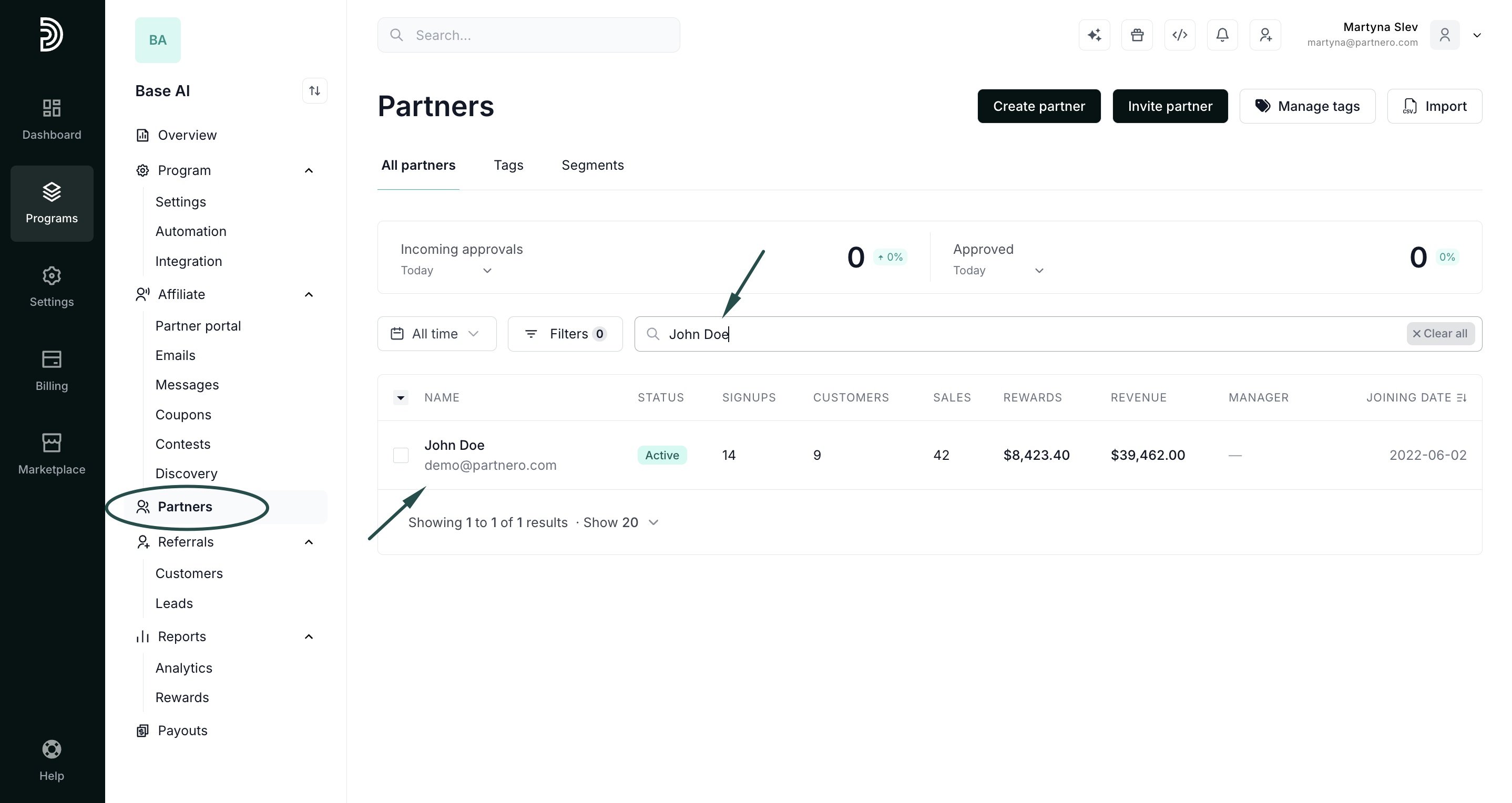
- Navigate to the Partners list.
- Enter the partner’s name or email address in the search field.
- Click on the search result to open up their profile:
- Open the profile and switch to the Notes tab:
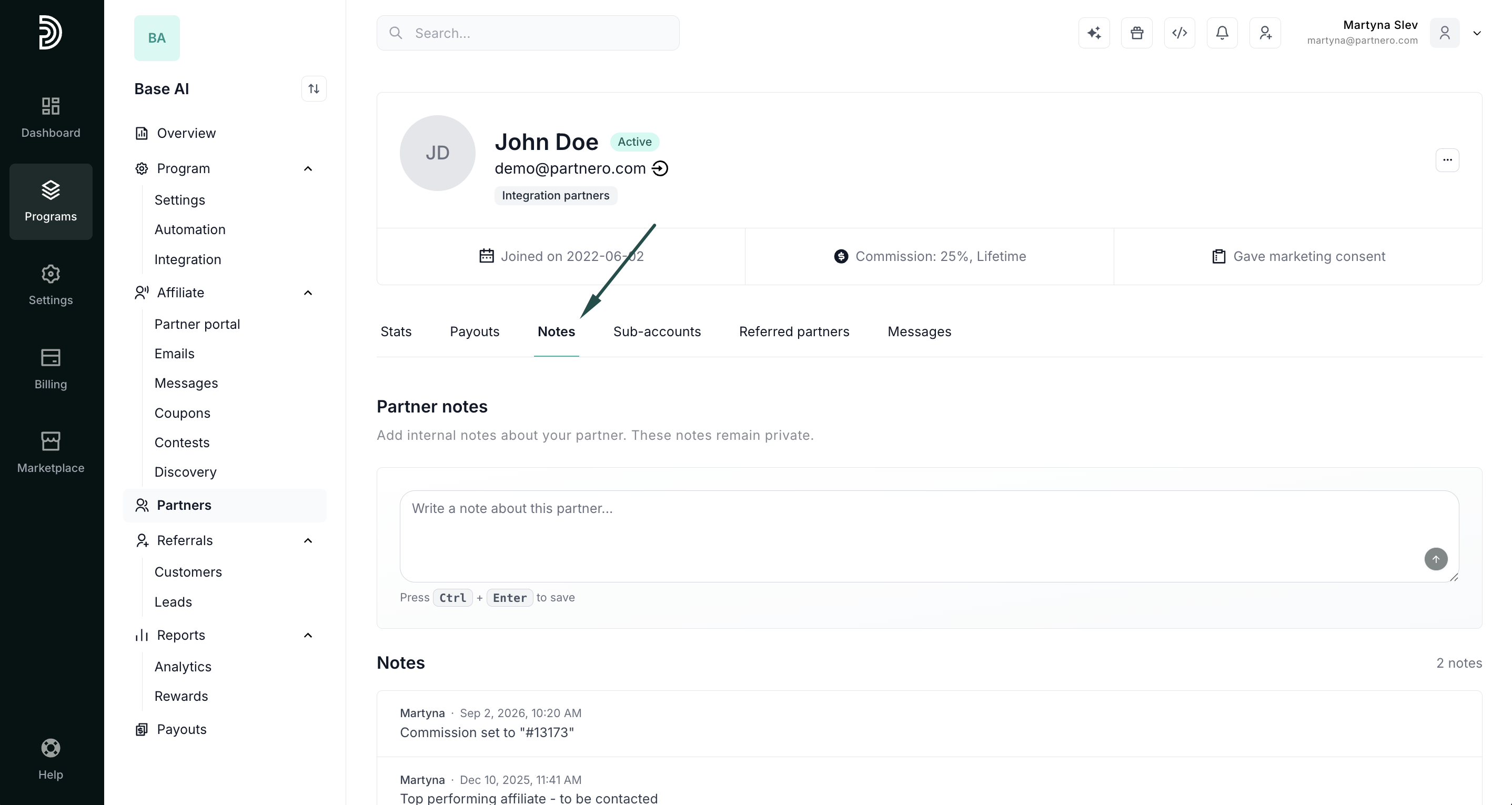
- Type your note and click CTRL+Enter (Windows) or Command+Enter (Mac) to save.
- All notes appear here, manual and system-generated, along with the author and date.