
Add program overview to partner dashboard
Give affiliates a clear picture of your program directly on their dashboard. The program overview block displays commission details, payout information, and custom content sections, so partners know exactly what they earn and how the program works, without leaving the dashboard.
Partners will see a summary that can include:
- Default or tier-based commission rates
- Cookie duration
- Payout schedule, methods, and threshold
- Collapsible content sections (Product overview, Who it's for, Why promote us, Program guidelines)
- A button linking to the Resources page
How to add program overview to partner dashboard
To add a program overview block to the affiliates' partner dashboard:
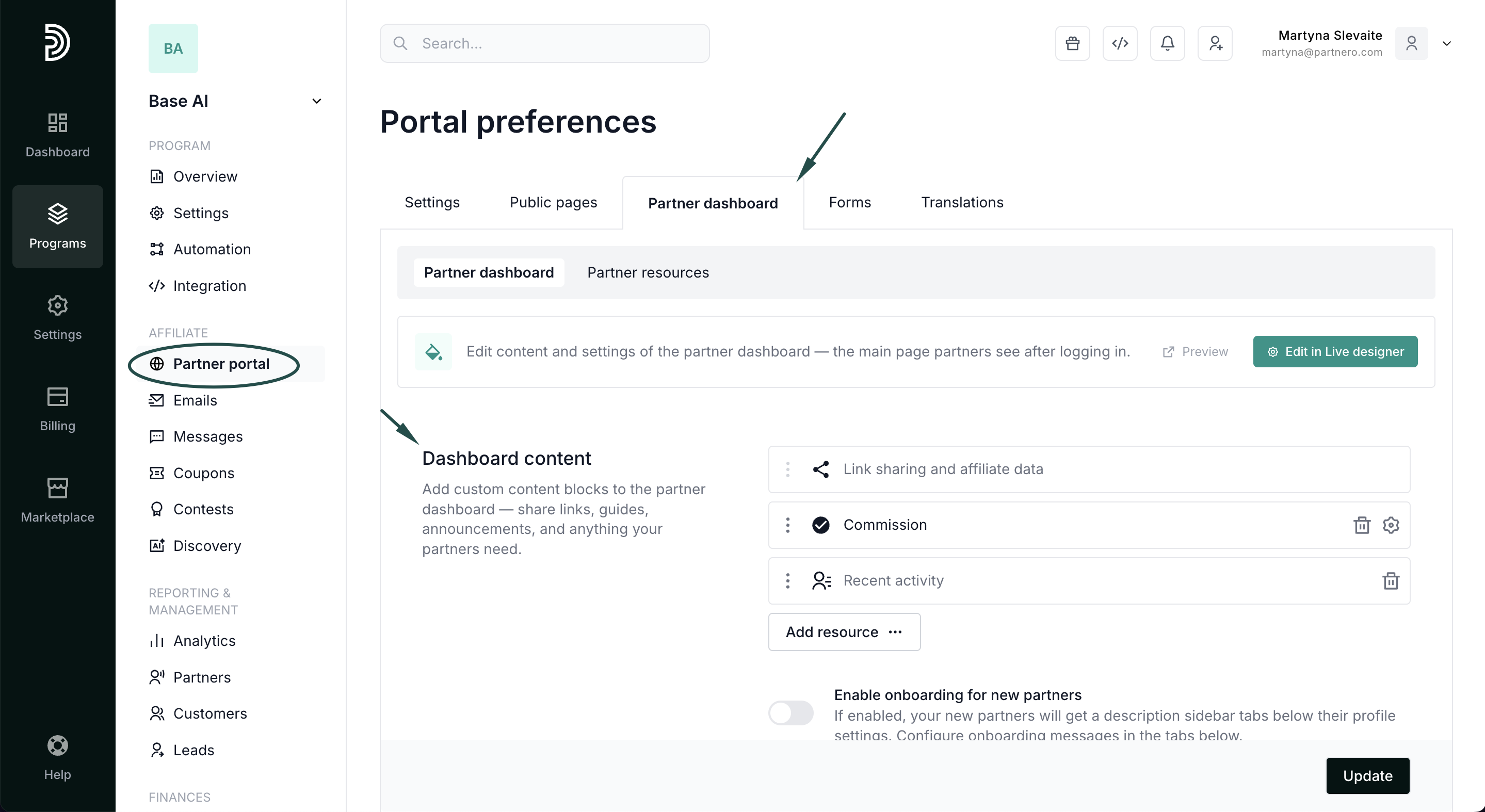
- Open your program and navigate to Partner portal under Affiliate.
- Select the Partner dashboard tab, Dashboard content section:
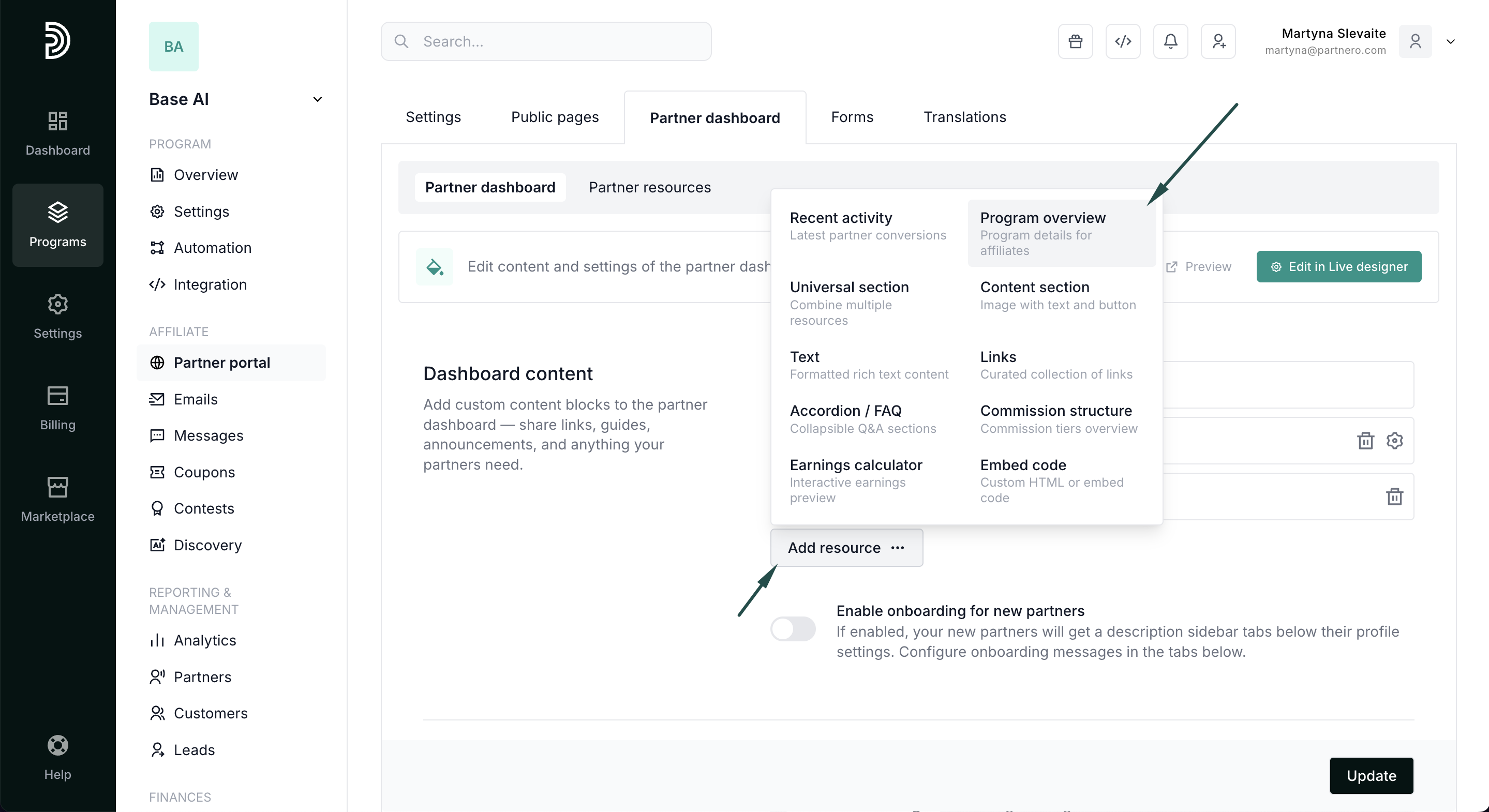
- Click Add resource and select Program overview.
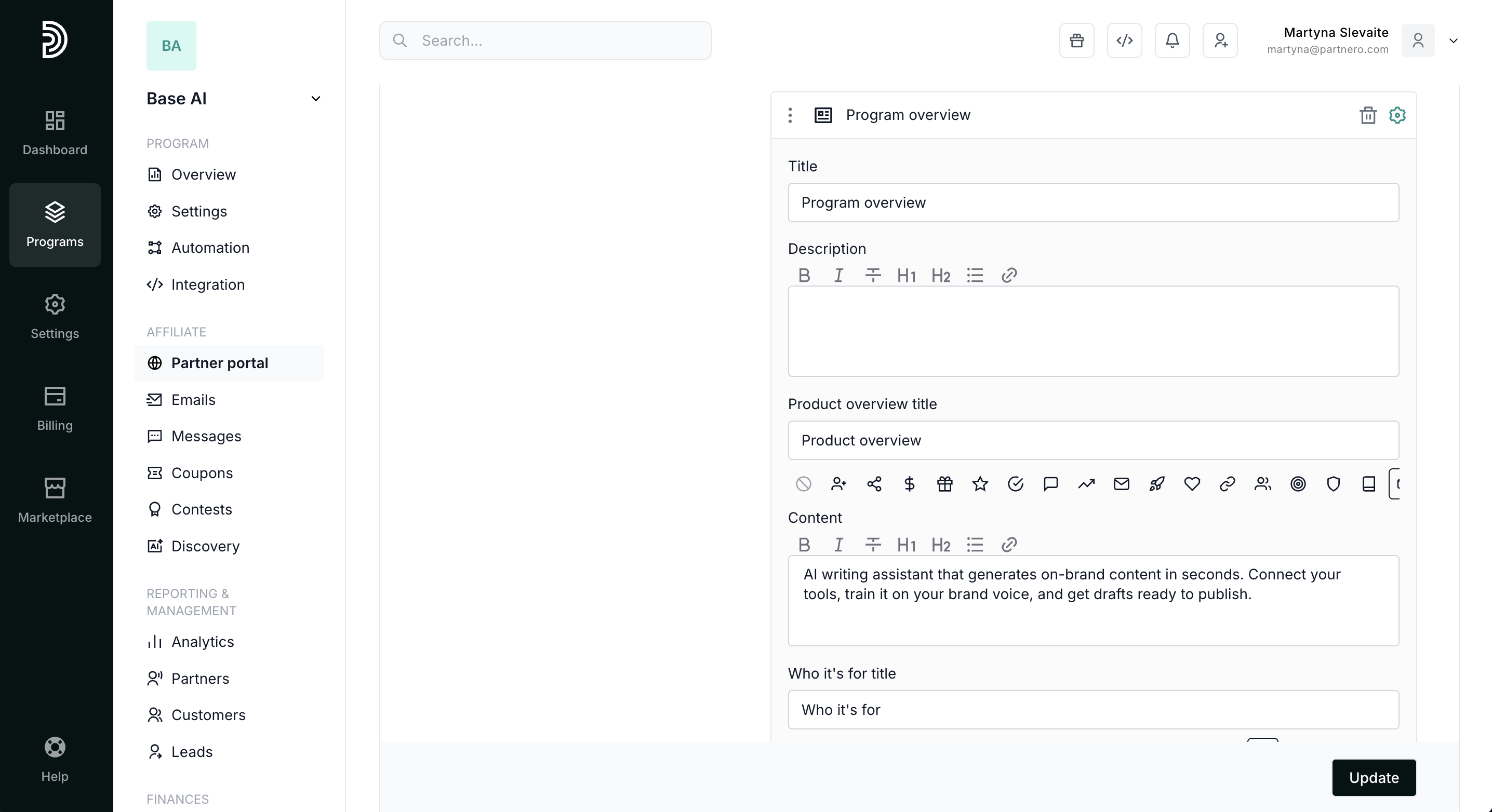
- Configure the block:
- Add a title and description.
- Fill in any of the four optional content sections — Product overview, Who it's for, Why promote us, and Program guidelines. Each section supports rich text and an optional icon.
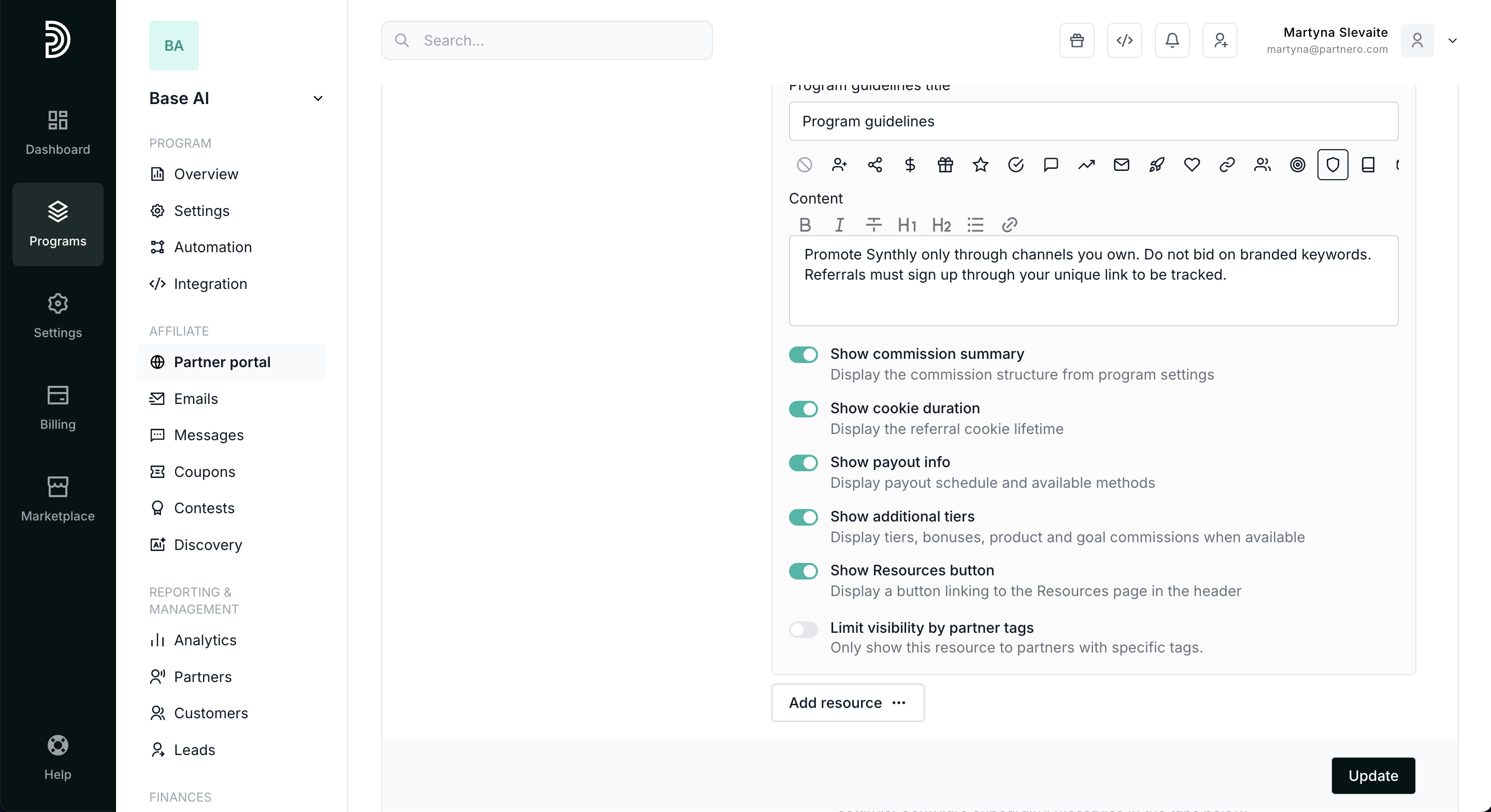
- Toggle the information you want to display:
- Show commission summary — displays the commission structure from program settings.
- Show cookie duration — displays the referral cookie lifetime.
- Show payout info — displays payout schedule and available methods.
- Show additional tiers — displays tiers, bonuses, product and goal commissions when available.
- Show Resources button — displays a button linking to the Resources page in the header.
- Click Update to publish.
Note: Only one program overview block can be added per dashboard.
Partner portal view
When added, affiliates will see the program overview block on their dashboard.
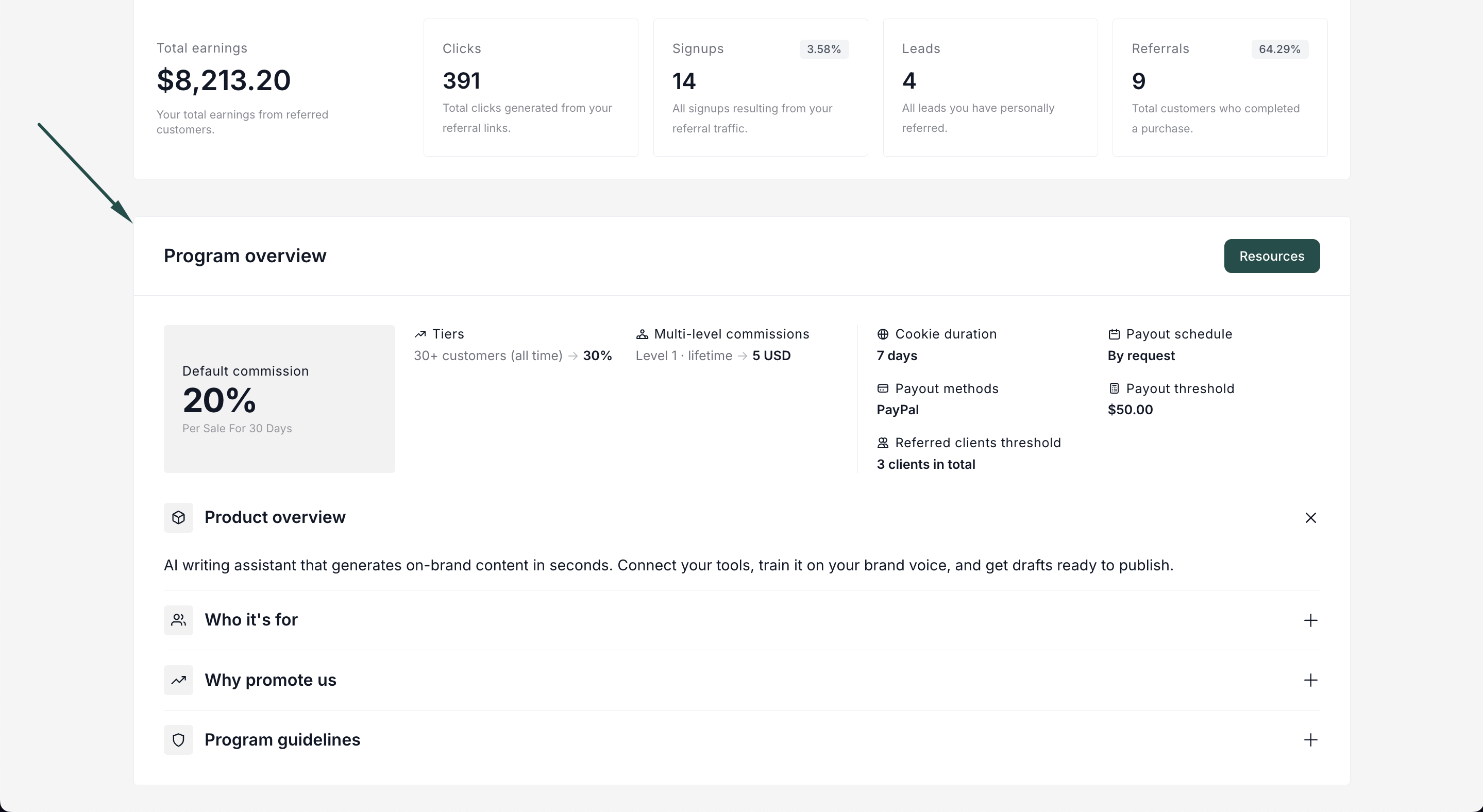
The program overview block displays:
- Commission summary at a glance — the partner's current or default commission rate, prominently displayed.
- Additional commission details — tiers, per-sale bonuses, product-based commissions, goals, period-based commissions, and multi-level commissions (when available and enabled).
- Program details — cookie duration, payout schedule, payout methods, payout threshold, and referred clients threshold.
- Content sections — collapsible accordion-style sections where partners can read about the product, target audience, selling points, and program guidelines.
- Resources button — a quick link to the Resources page for additional materials.