
Send emails automatically when a tag is assigned
Partnero's automation feature lets you run actions for partners automatically based on predefined triggers. The Tag is assigned to partner trigger lets you email a partner the moment a specific tag gets applied to their account, paired with the Send email action. This is useful when tags already drive your segmentation and you want messaging to follow automatically, instead of remembering to email everyone who lands in a segment.
The trigger fires whenever the tag is assigned, no matter how it got there: manually in the dashboard, through a bulk action, via the API, or from another automation that adds the tag. You only need to set this up once and it reacts every time, including repeat assignments. If a partner is untagged and then retagged, the email sends again.
Set up the automation
To set up the automation:
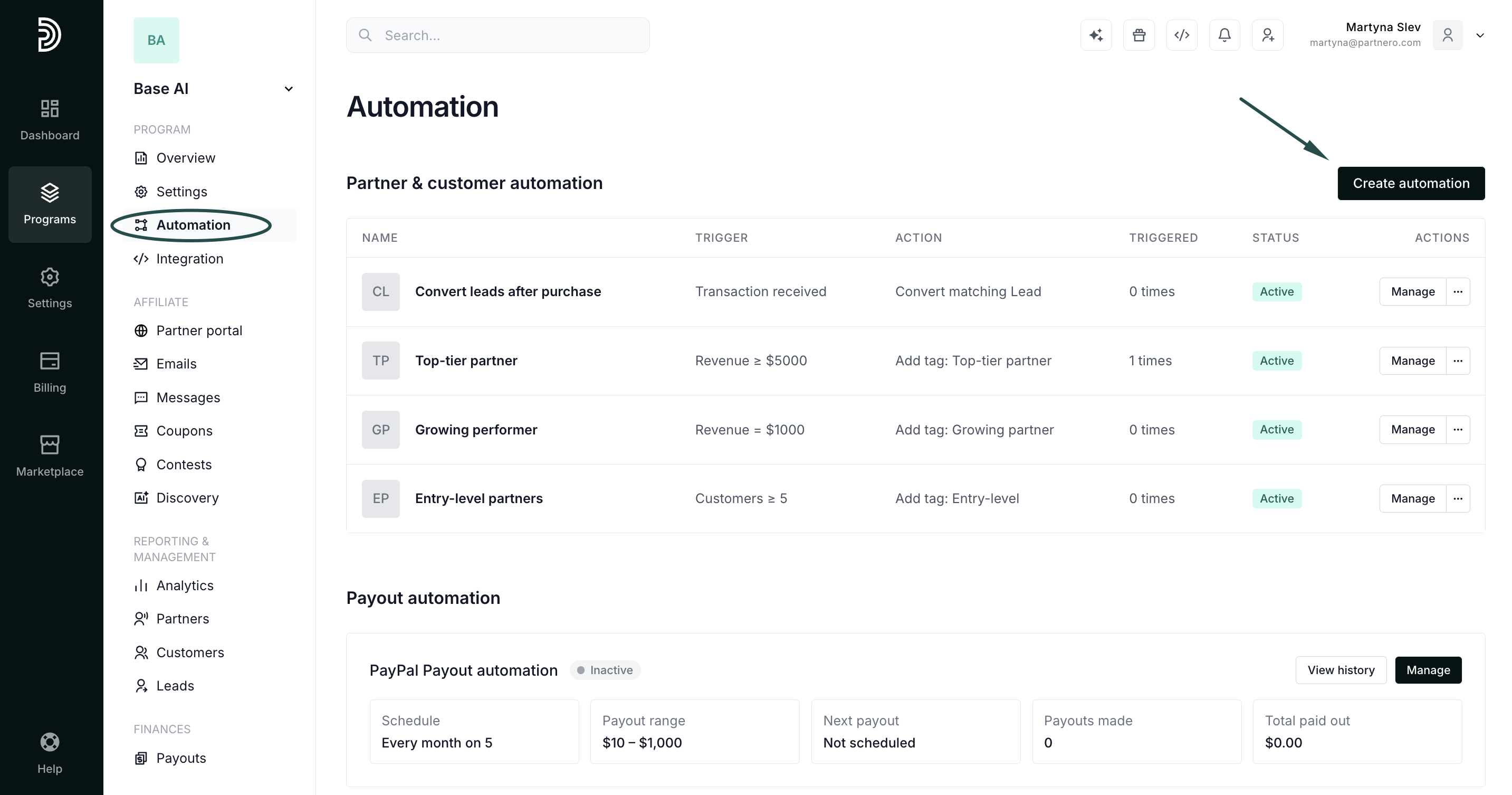
- Go to Automations in your program dashboard and click Create automation:
- For the trigger, select Tag is assigned to partner.
- Choose the tag that should start the automation.
- For the action, select Send email.
- Pick the email template to send, or click Create new email to build one (read more about email templates):
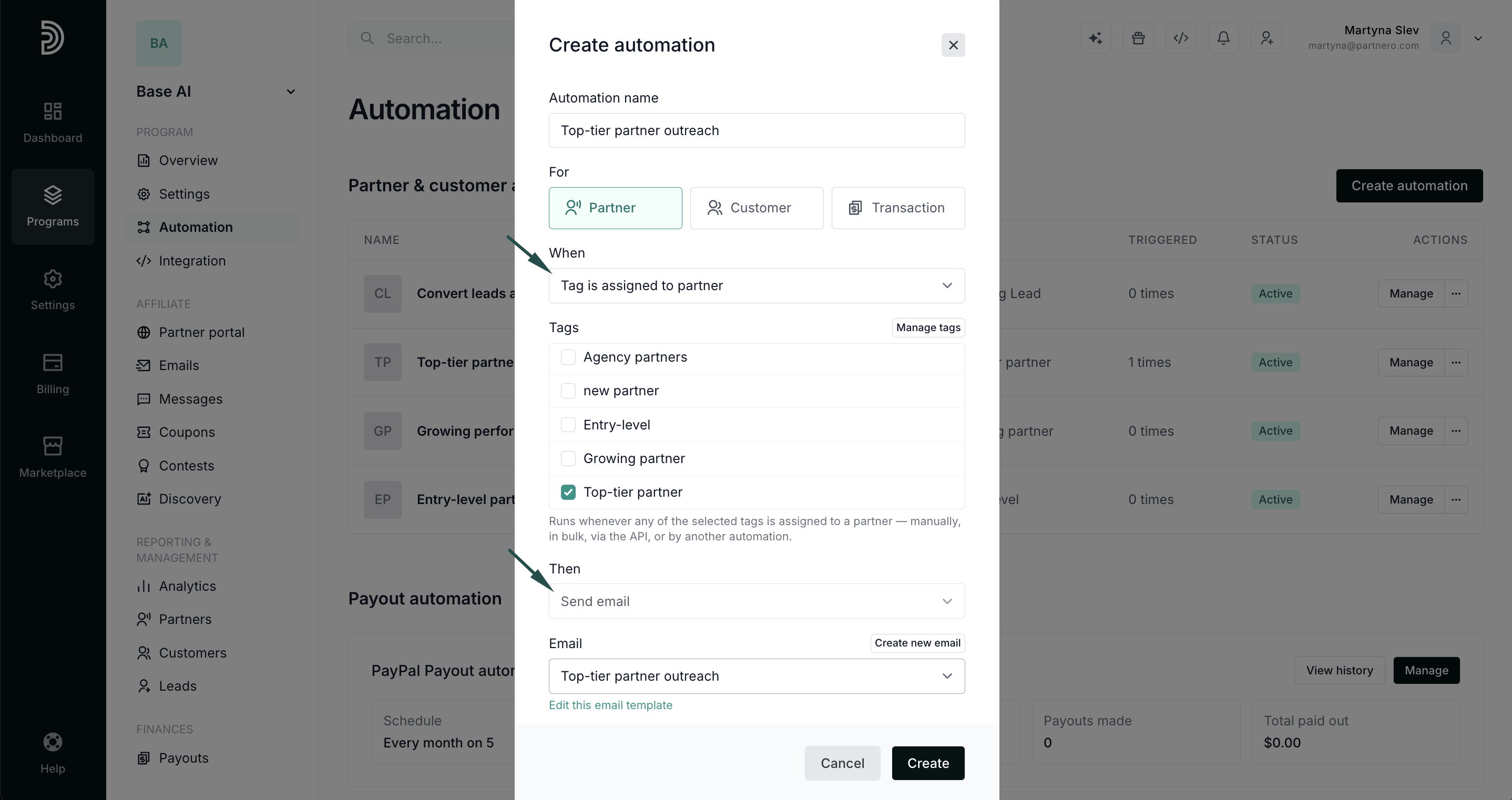
- Click Create to save the automation.
Use cases & examples
- Notify a partner as soon as they are marked VIP or moved into a higher tier
- Send a re-engagement email when a partner is tagged
at-riskordormant - Follow up automatically when a partner is tagged
needs-onboarding - Send a reward or perks email when a partner is tagged
goldorchampion
A few common ways this trigger gets used in practice:
| Automation Name | Trigger | Action |
|---|---|---|
| VIP Welcome | Tag is assigned: vip |
Send email: "Welcome to VIP" |
| Re-engagement | Tag is assigned: at-risk |
Send email: "We haven't seen you in a while" |
| Onboarding Nudge | Tag is assigned: needs-onboarding |
Send email: "Let's get you set up" |
| Tier Upgrade | Tag is assigned: gold |
Send email: "You've unlocked Gold Tier" |
| Win Back | Tag is assigned: win-back |
Send email: "We'd love to have you back" |