
How to request a payout
Each program has its own payout threshold and payment terms set by the program owner. These cannot be changed or overridden.
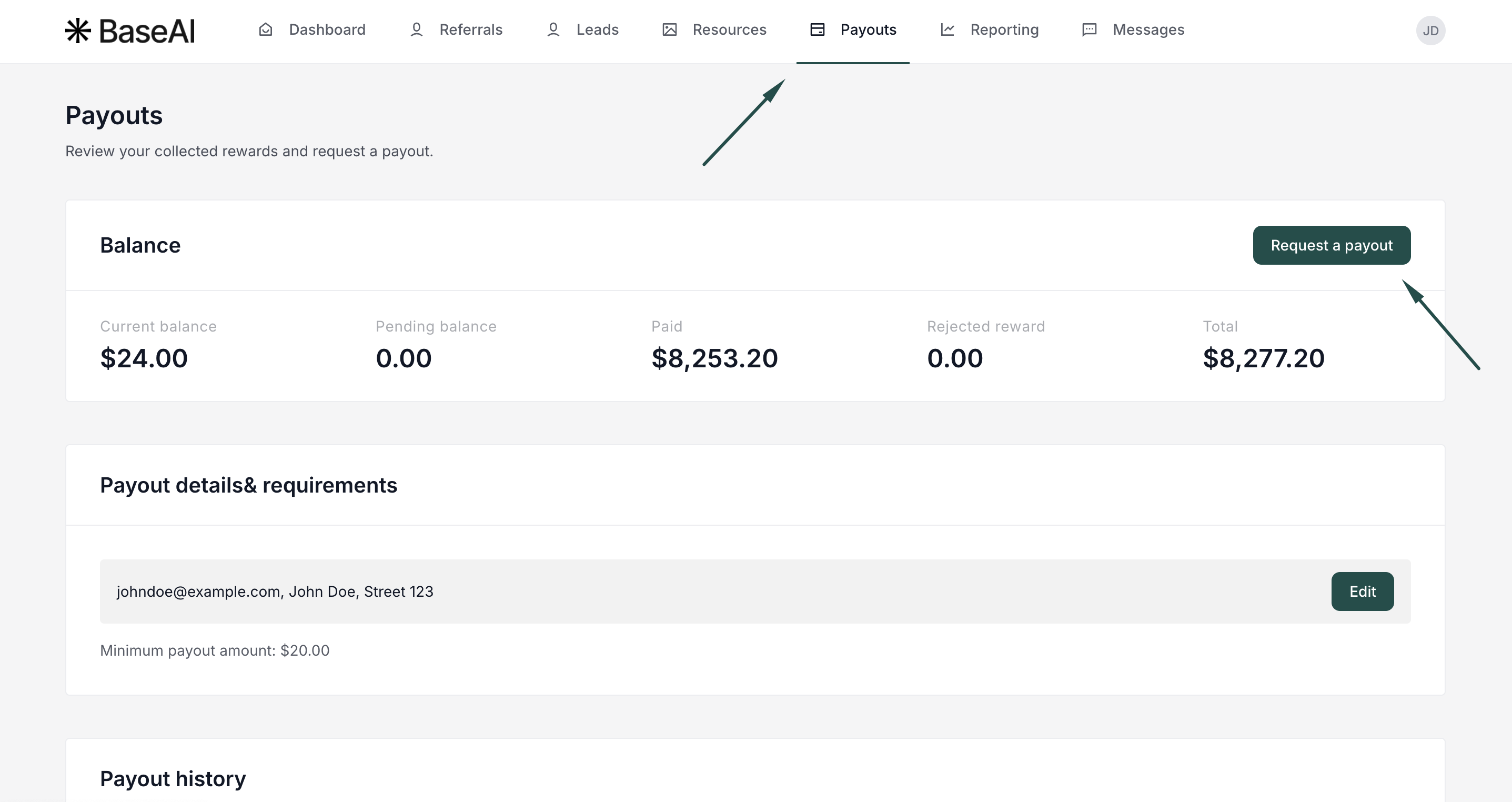
Minimum payout amount (Payout threshold) is the minimum commission balance you need to reach before you can request a payout. For example, if the threshold is set to $50, the Request a payout option won't be available until you have at least $50 in your balance. You can view the minimum payout amount in the Payouts section, next to Payouts & Requirements.
Payment terms define which payout methods are available to you. This depends on what the program owner has enabled — options may include PayPal, Venmo, bank transfer (via Wise), or crypto.
How to request a payout
- Log in to the Partner portal (each program has a unique URL).
- Go to Payouts and click Request a payout:
- Fill out the Request form:
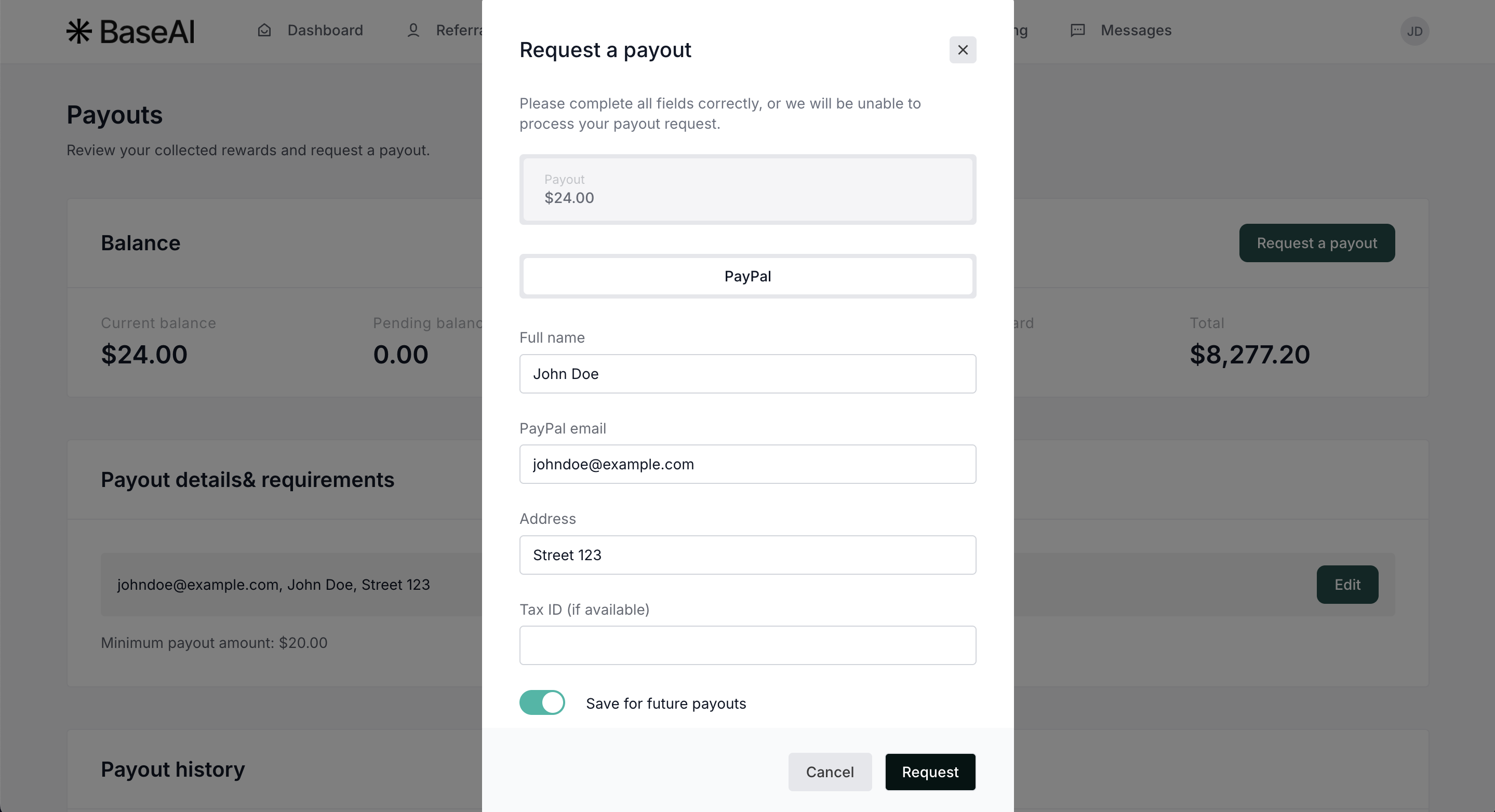
Important: Available payment options depend on the program owner's permitted payment types.
Toggle Save for future payments to save the information for upcoming requests. - Click Request.
Processing time depends on the program's payment terms. For questions about when to expect payment, contact the program owner directly.