
Offer Shopify store credit as reward
With Partnero and Shopify integration, you can offer store credit as a reward to your program participants.
First, install the Partnero Shopify app and connect your refer-a-friend program. Click here for detailed instructions.
How to set up Shopify store credit rewards
Now that your Shopify store is connected:
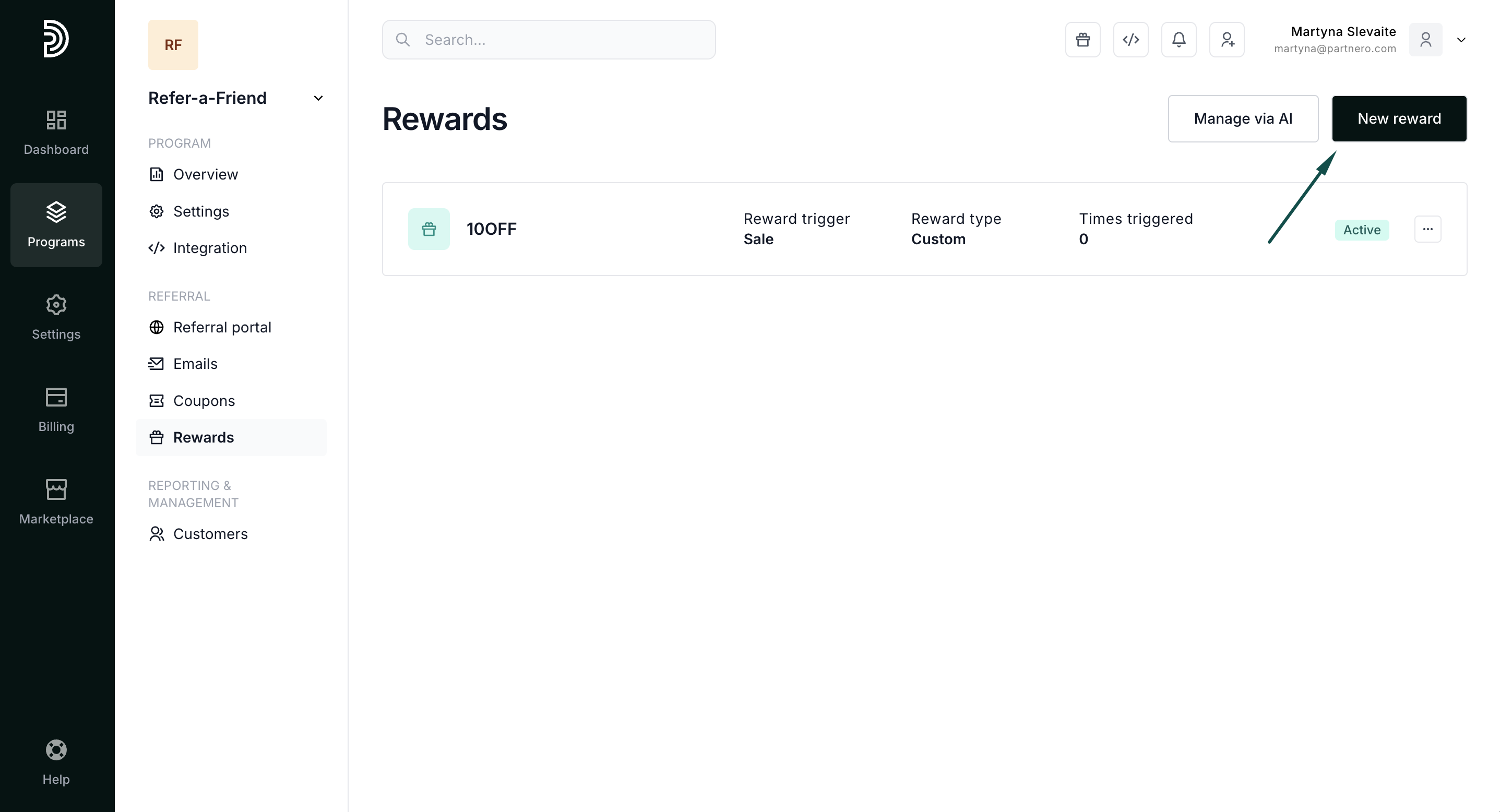
- Open your refer-a-friend program and navigate to Rewards under Referral. Click New Reward.
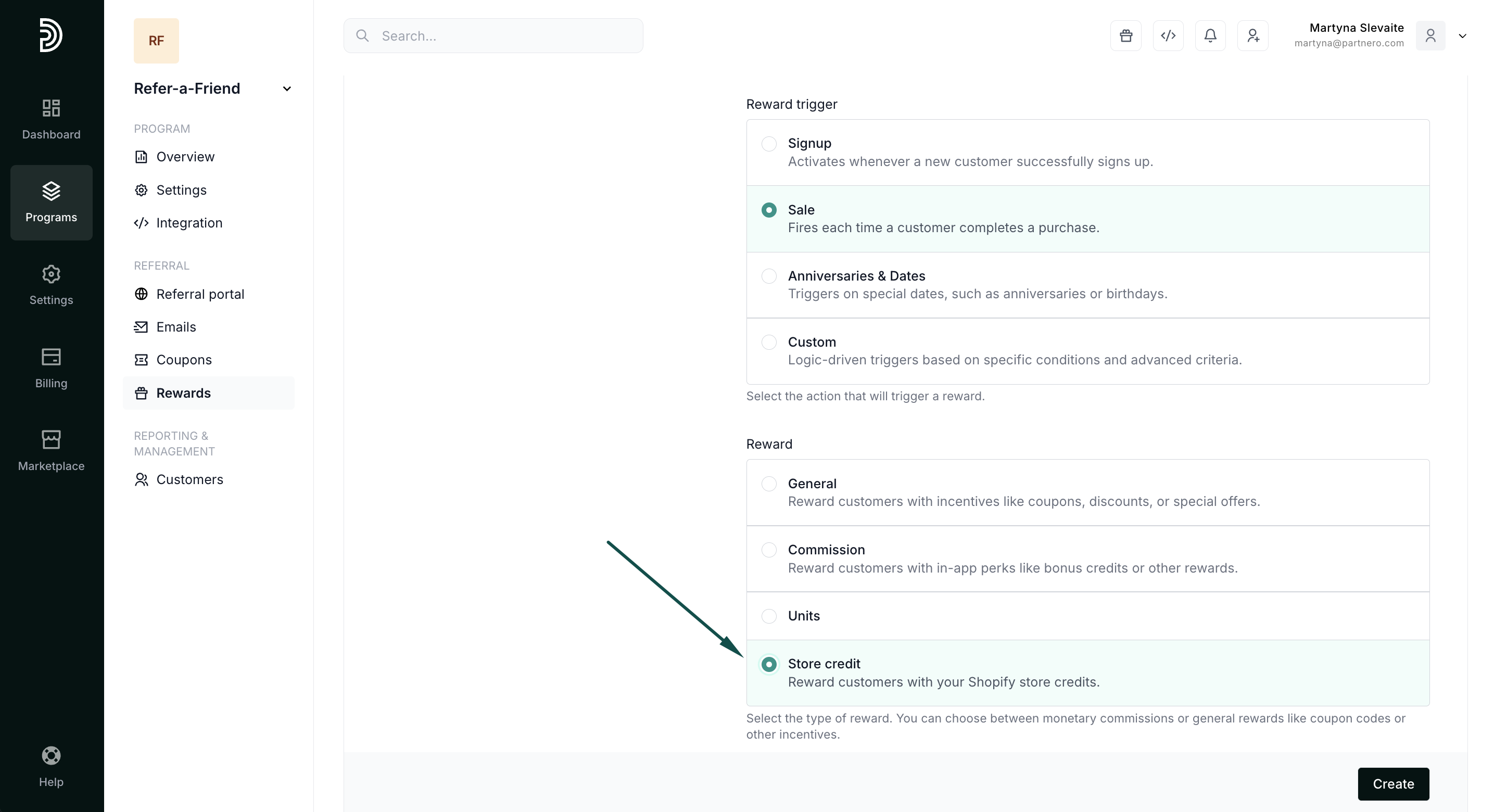
- Under main reward settings, select Store Credit:
- Proceed to configure the reward settings:
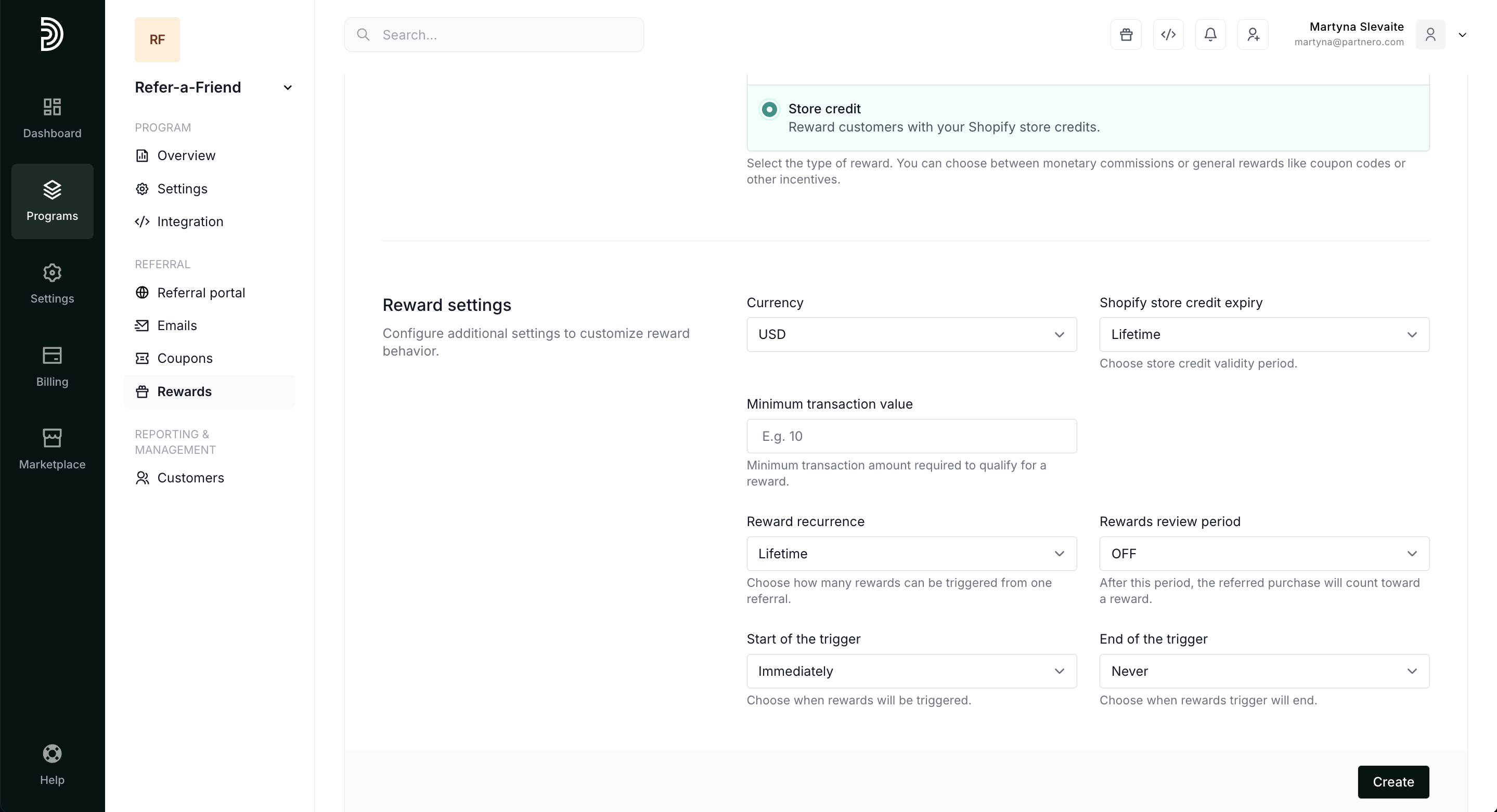 Currency - select the store credit currency.
Shopify store credit expiry - select how long the credit will be valid.
Minimum transaction value - enter a minimum purchase amount for the credit to be available.
Read more about generic reward settings here. - Next, define referring customers and referral rewards. This determines how much store credit will be. You can choose from a percentage or a static amount. A percentage reward offers store credit equal to a set percentage of the referral's purchase, for example, 15%. The static reward will offer a fixed store credit amount, for example, $10. You can also select to skip the reward for the referring customer or the referral.
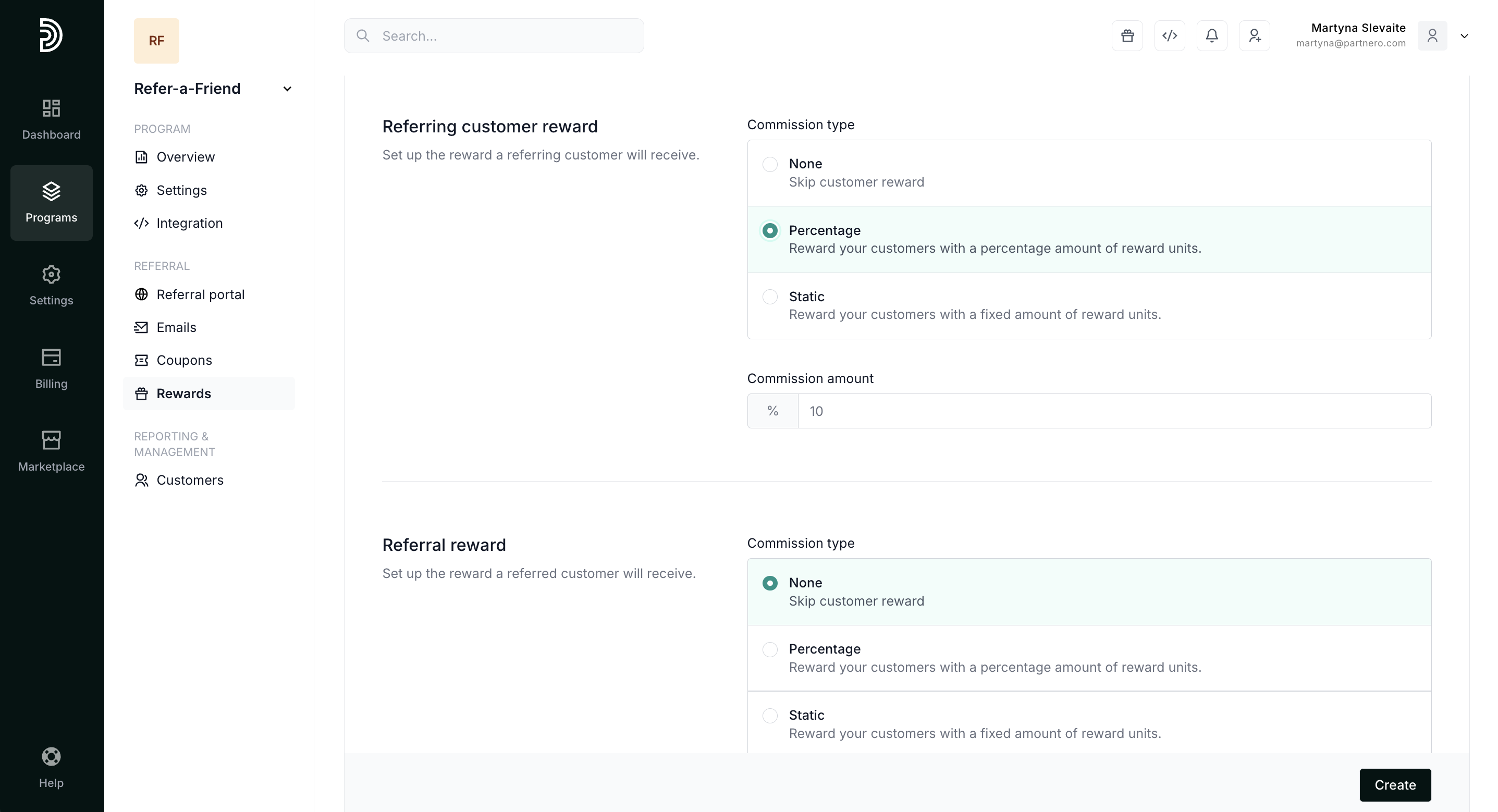
- Click Create.
 Currency - select the store credit currency.
That's it! Your customers will receive store credit based on the reward trigger and settings.