Review, reject, and convert leads
If you're not familiar with the lead submission feature, we recommend starting with the following articles:
Managing leads
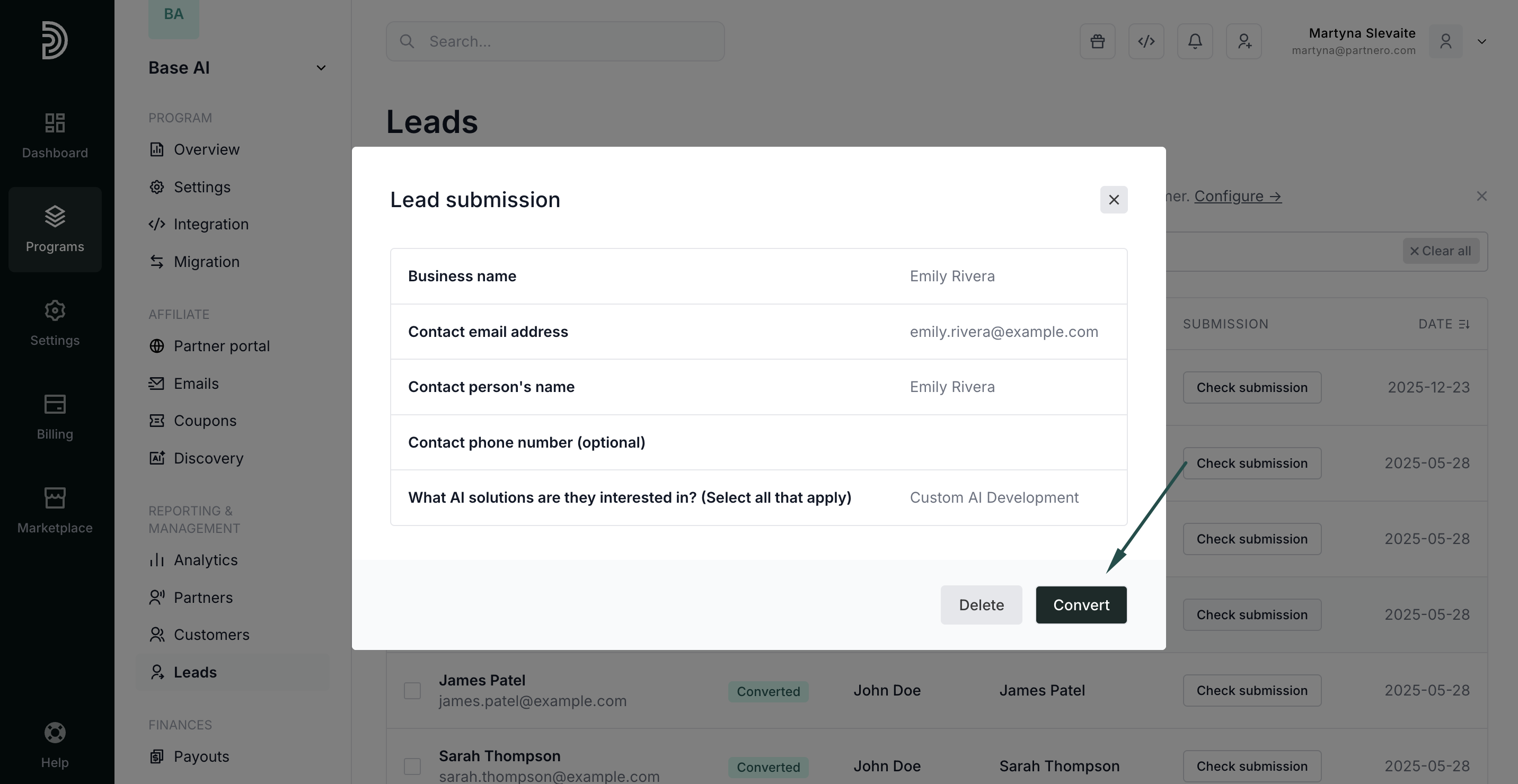
Once you enable the lead submission page, a new Leads option will appear on the left-hand side menu under Reporting & Management. Here, you can view and manage submitted leads.
To check lead details, click Check submission: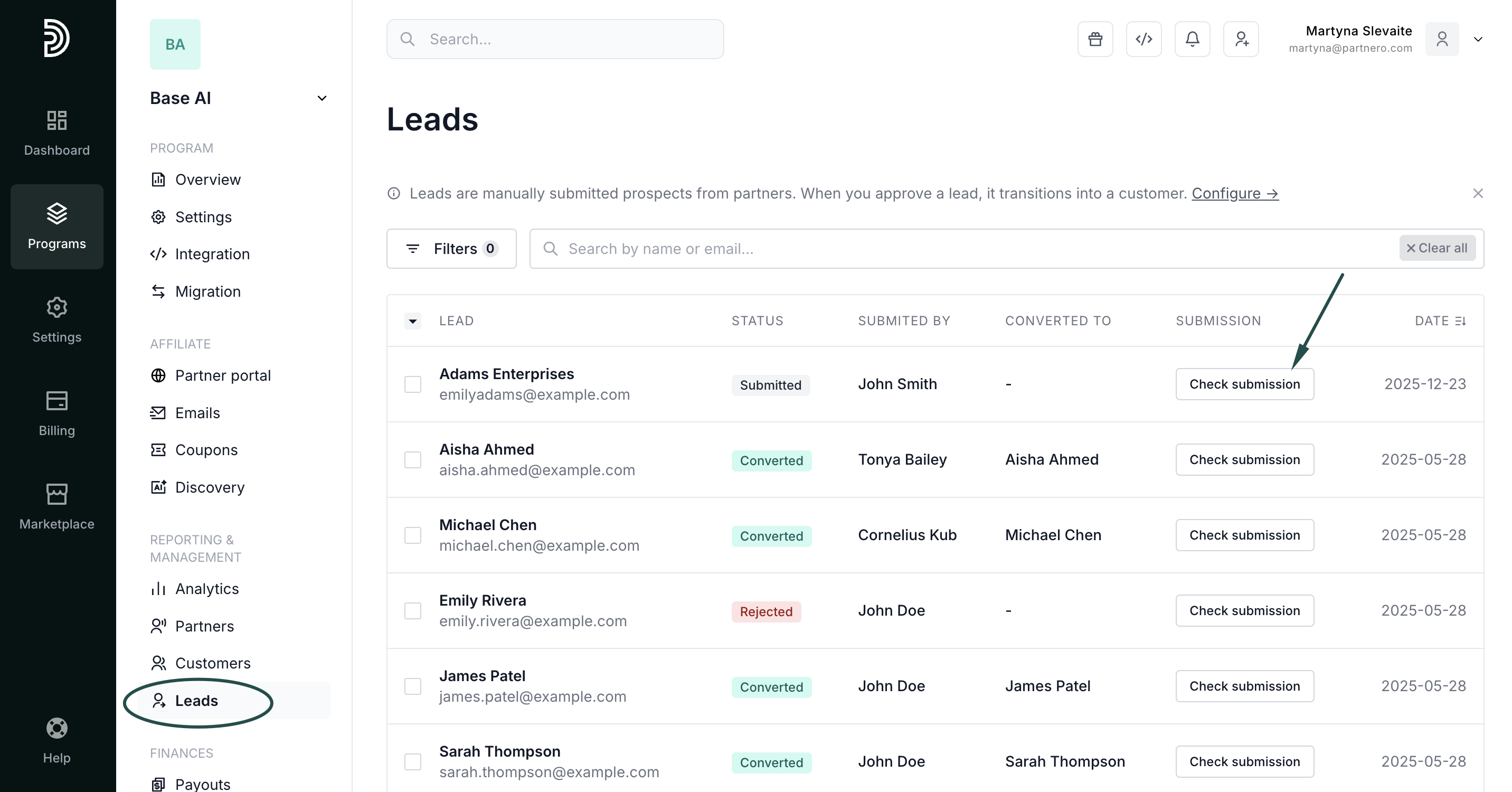
Submitted leads can be rejected or converted: 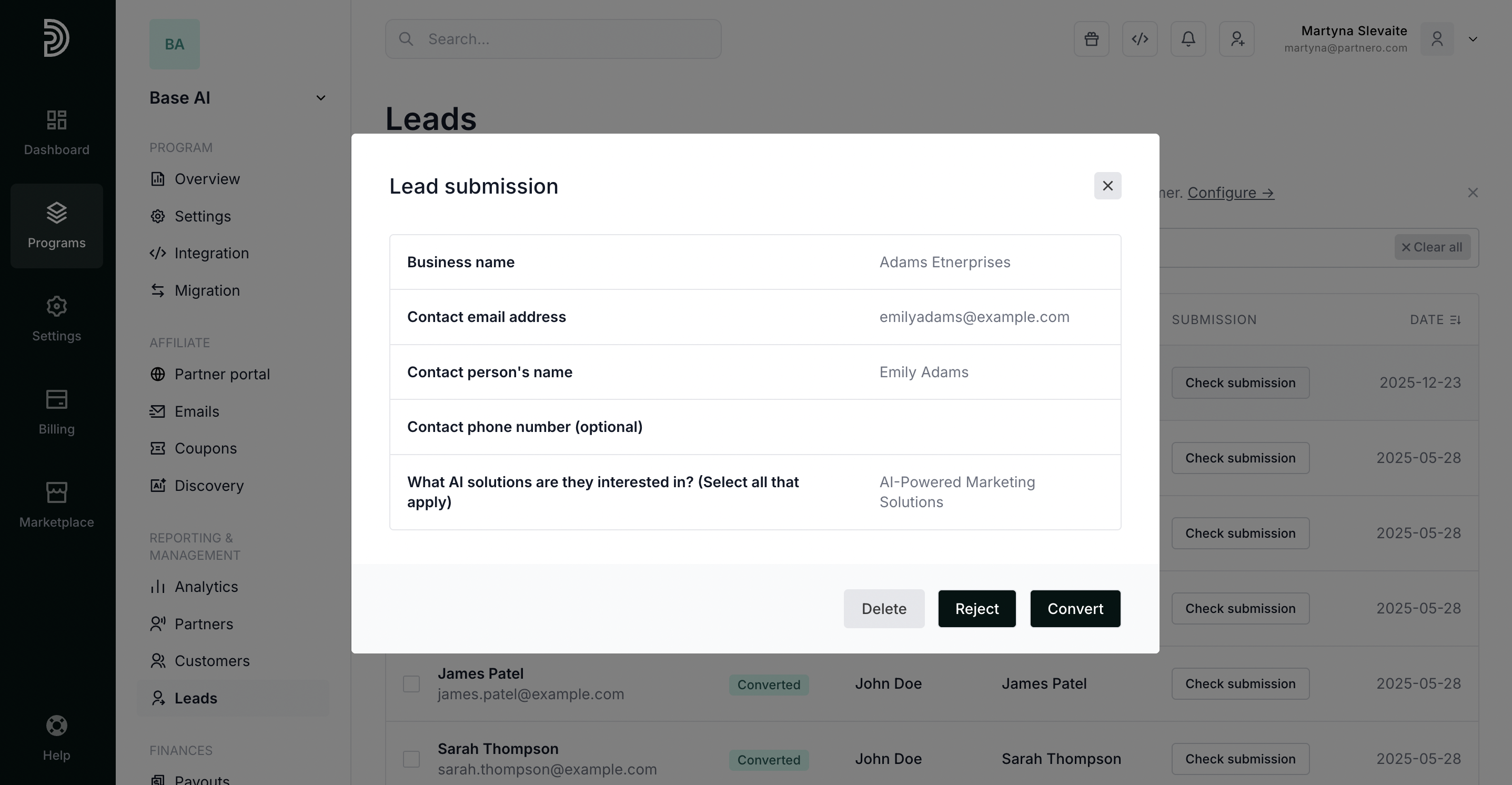
Converting leads
When you click Convert, a lead is turned into a customer, and a reward is generated based on the set commission structure.
After you click Convert, you will be asked to enter the transaction amount, which will be used to generate a reward for the affiliate who submitted the lead:
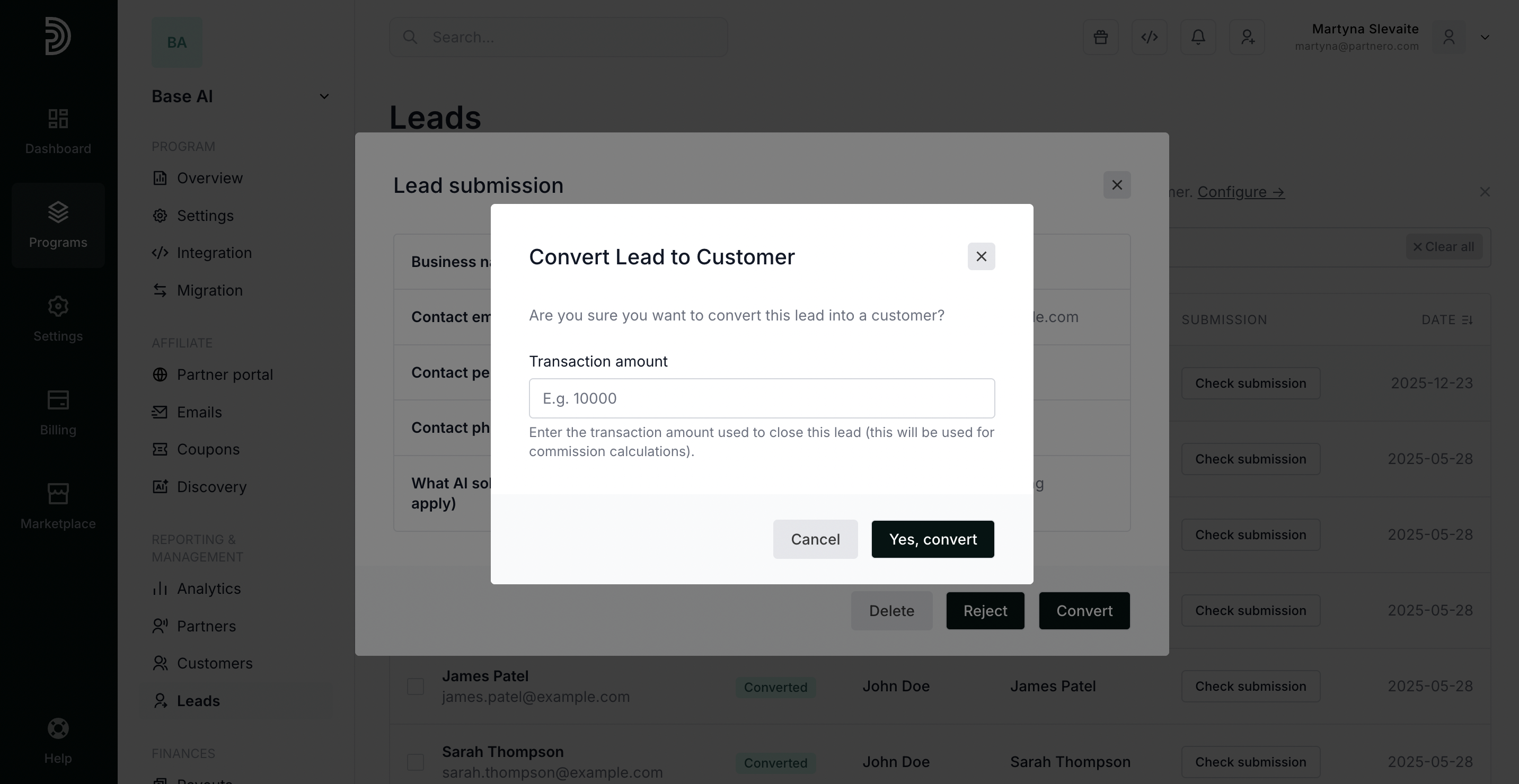
Enter the amount and click Yes, convert.
The lead will then be converted to a customer: 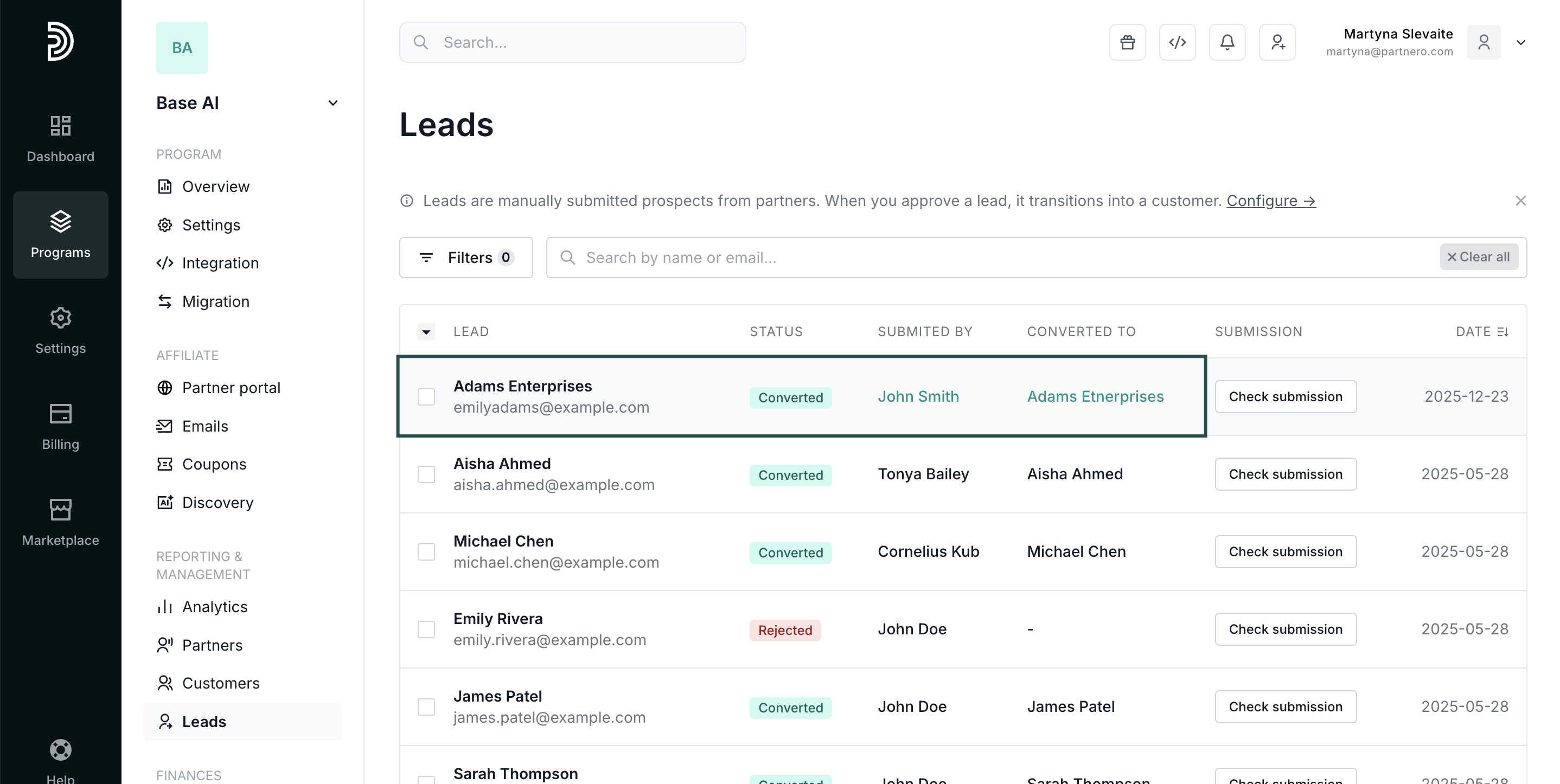
The affiliate will be issued a reward, which will be visible on the affiliate's profile: 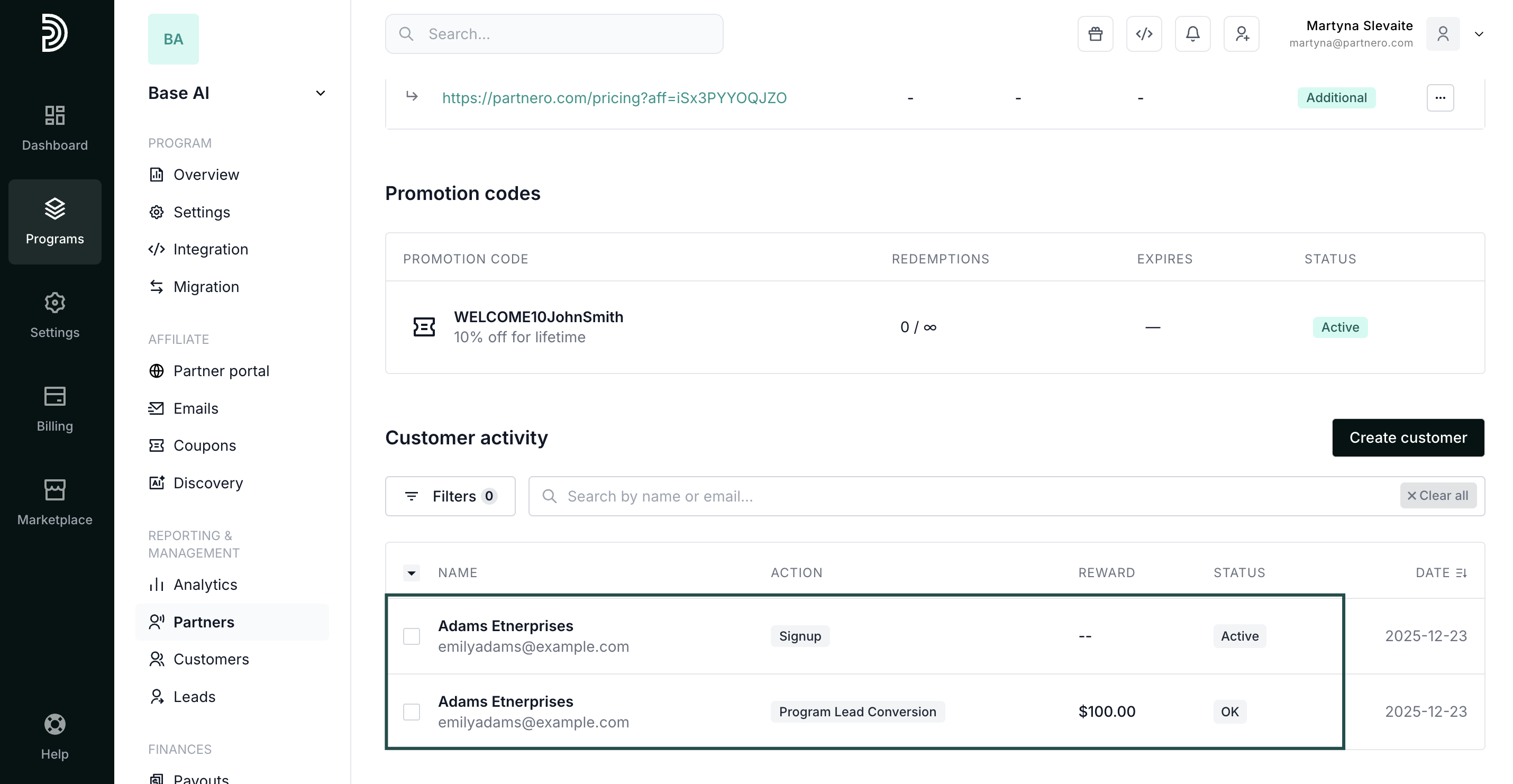
Rejecting leads
If you click to Reject the lead, you will be asked to confirm the action. Click Yes, reject: The lead will have the Rejected status:
  If you need to convert a rejected lead, find it in the Leads list, click Check submission, and click Convert: