
Multi-language support for Affiliate and Referral portals
You can enable multi-language support for your affiliate and referral portals. When this feature is activated, partners can choose from the available language options when accessing the portal.
How to enable multi-language support
To enable multi-language support:
- Open the program you’d like to work with.
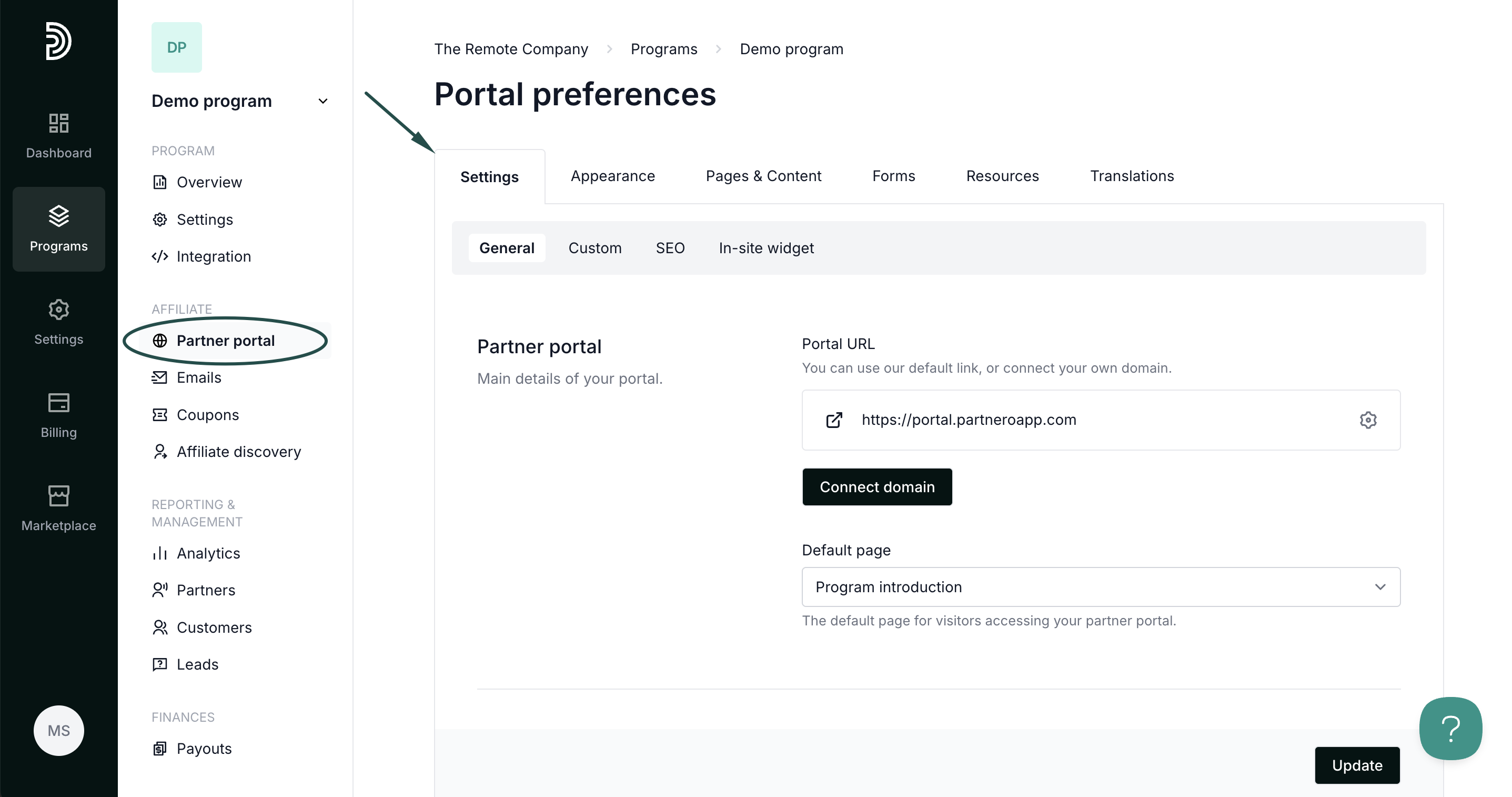
- On the left sidebar, click on Partner Portal under Affiliate.
- You will land on the Settings tab:
- Scroll down to Partner experience and toggle the setting to Enable multi-language support.
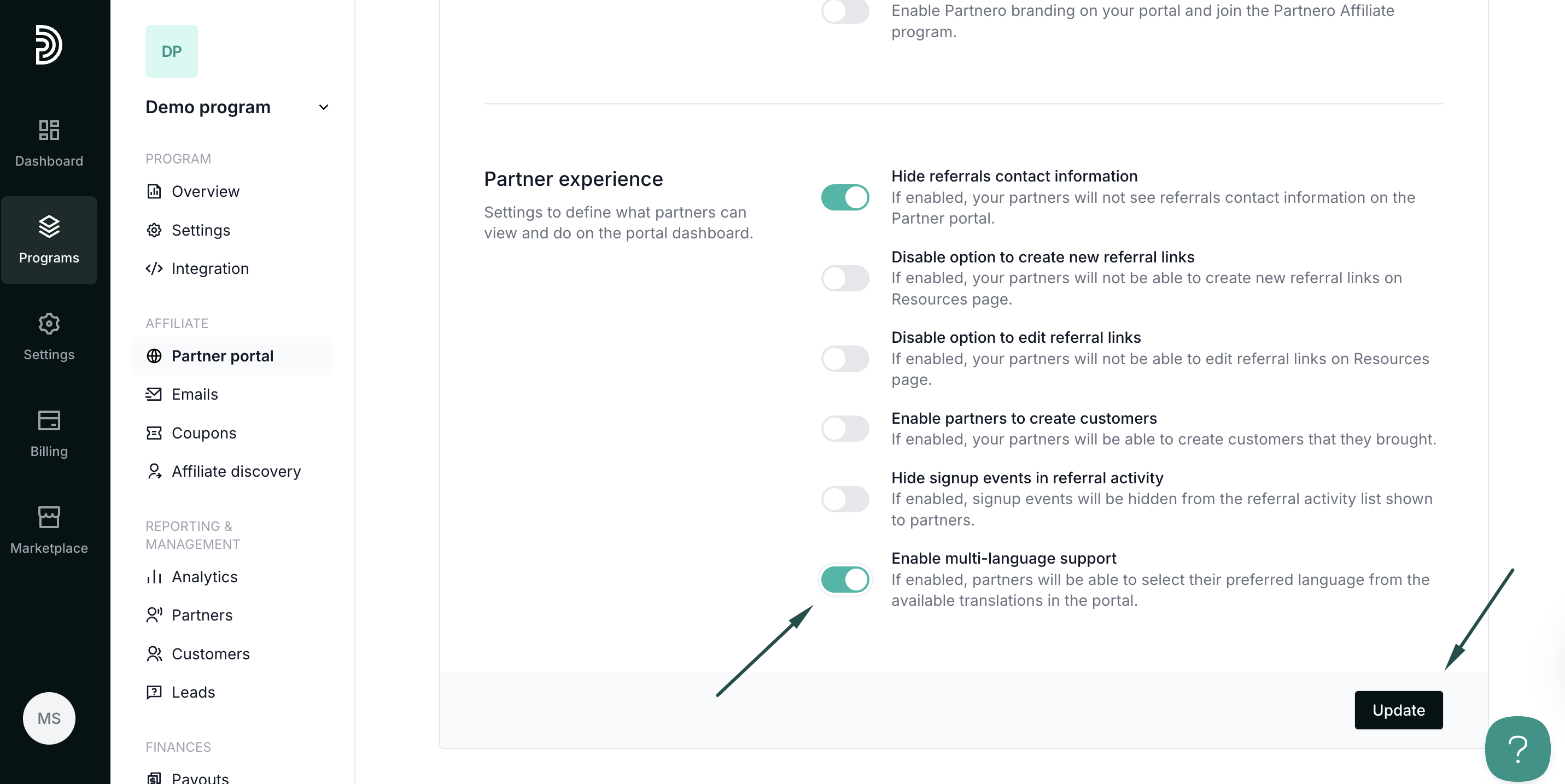
- Click Update to save the changes.
Partner view
Below is an example of how it looks to your partners in the partner portal: they can select their preferred language using the language switcher located in the bottom-right corner of the portal.
