
Send a welcome email to partners
You can send a welcome email to new partners when they join your affiliate program. This email is sent immediately after signup and can be used to share onboarding instructions, important links, and key information to help partners get started.
Customize the welcome email
You can customize the content and design of the welcome email from the Emails section:
- Go to Emails under Affiliate and switch to the Emails tab:
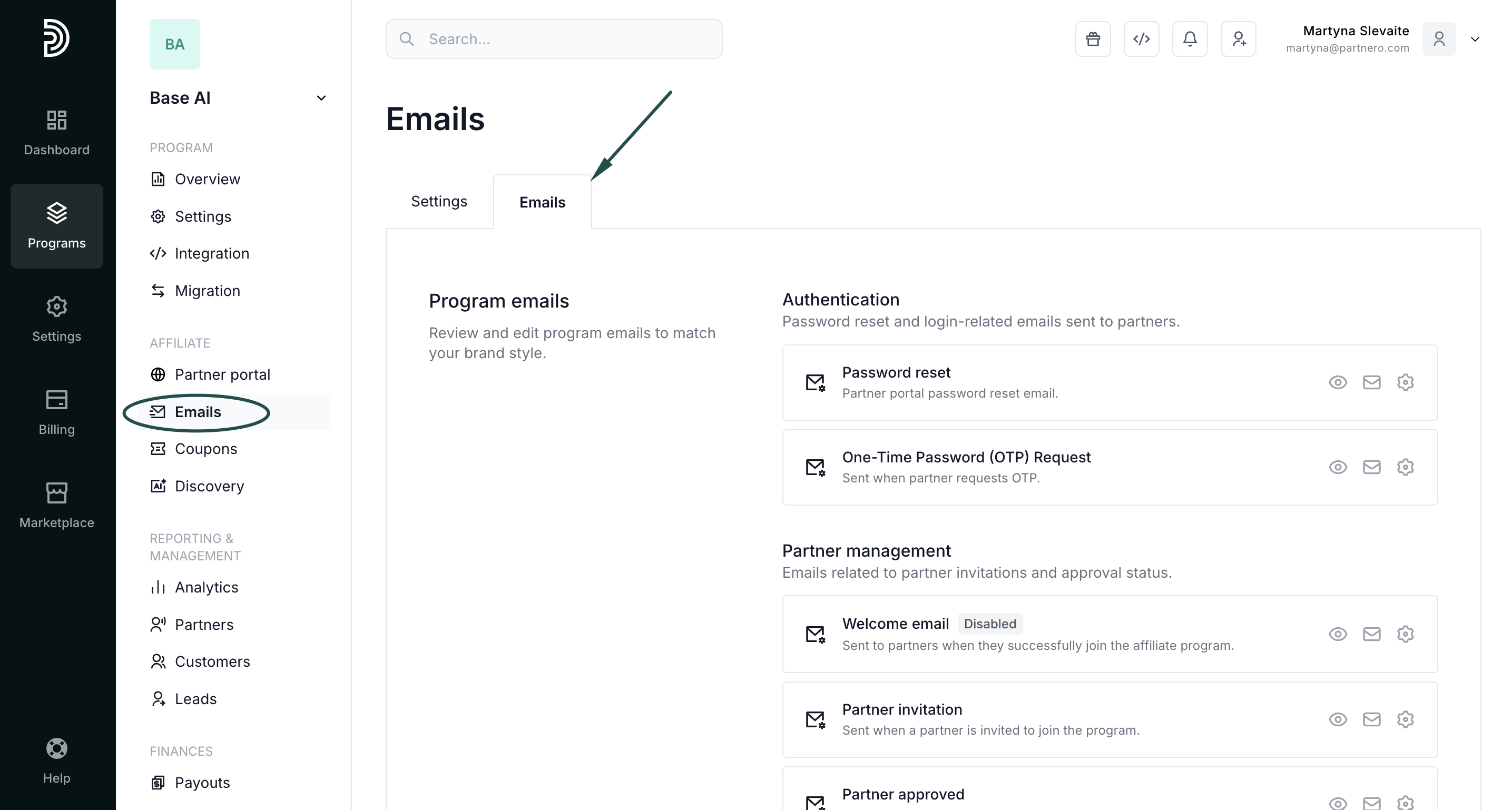
- Locate the Welcome email template.
- Click the gear icon to edit the subject line and email content as needed:
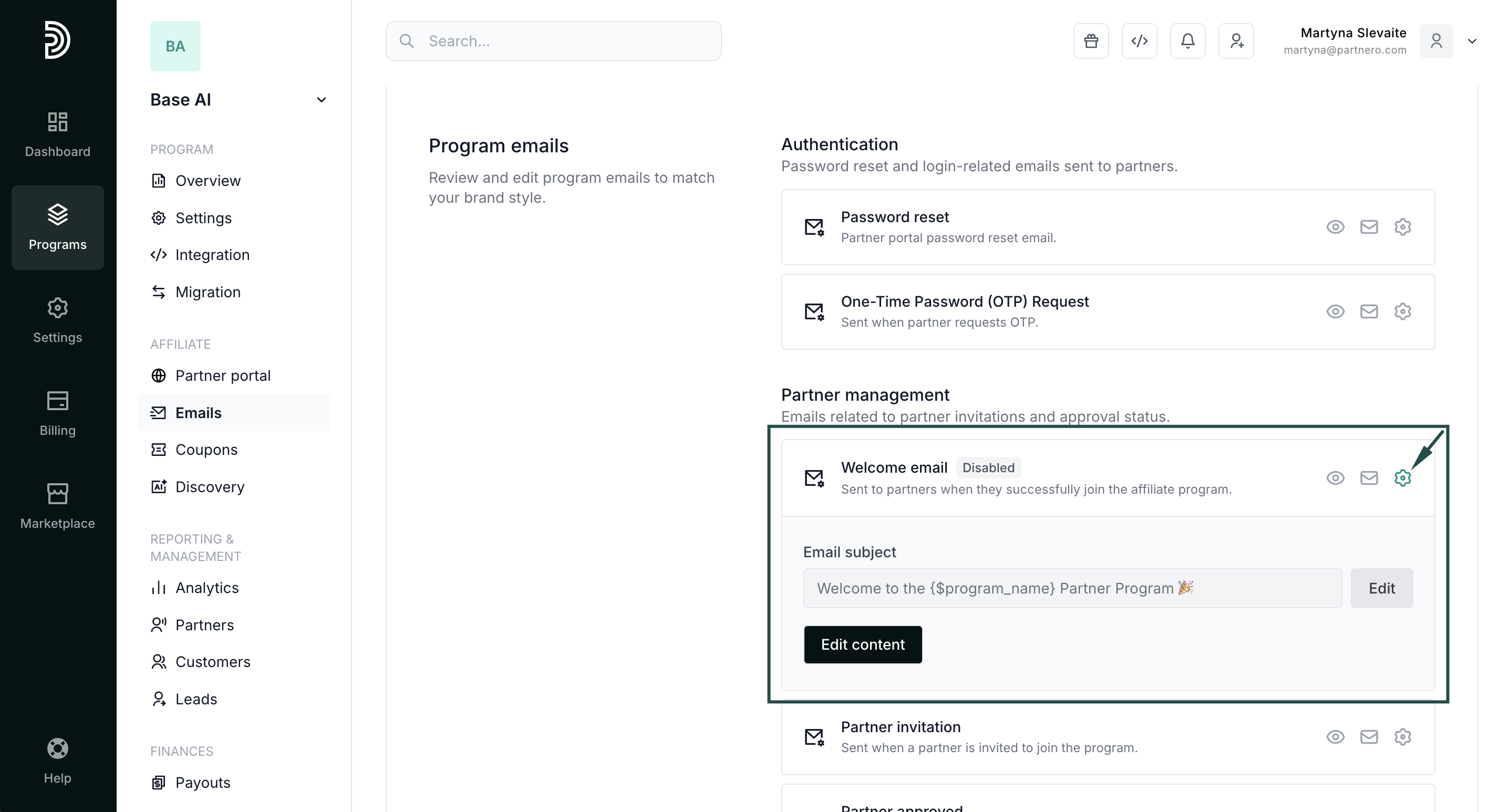
Read more about editing program emails here.
Enable the welcome email
To start sending welcome emails to new partners, you must enable it in the Partner Portal settings:
- Go to Partner Portal under Affiliate:
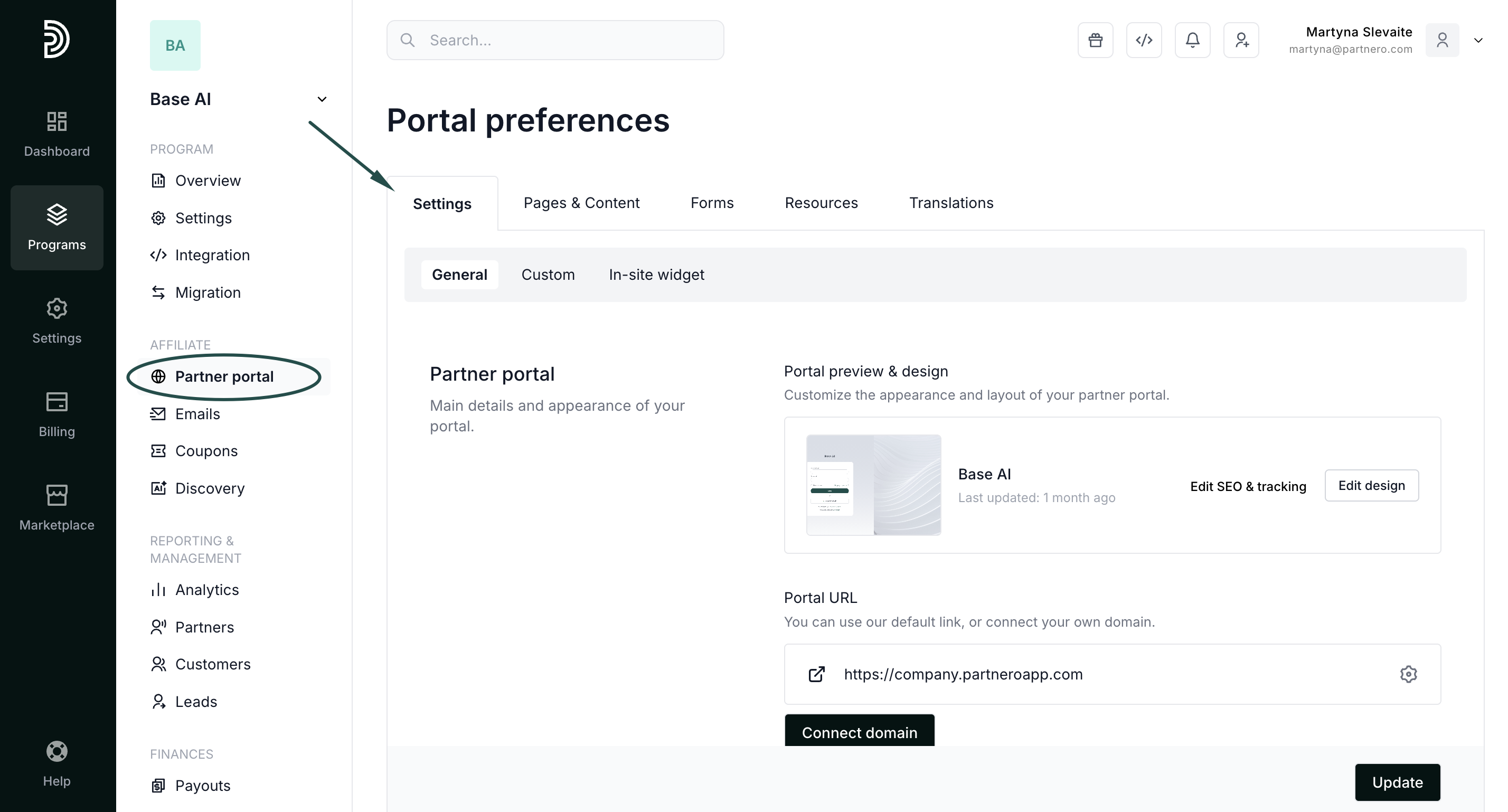
- In the Settings tab, scroll to the Portal features section.
- Enable Send welcome email to new partners and click Update to save changes:
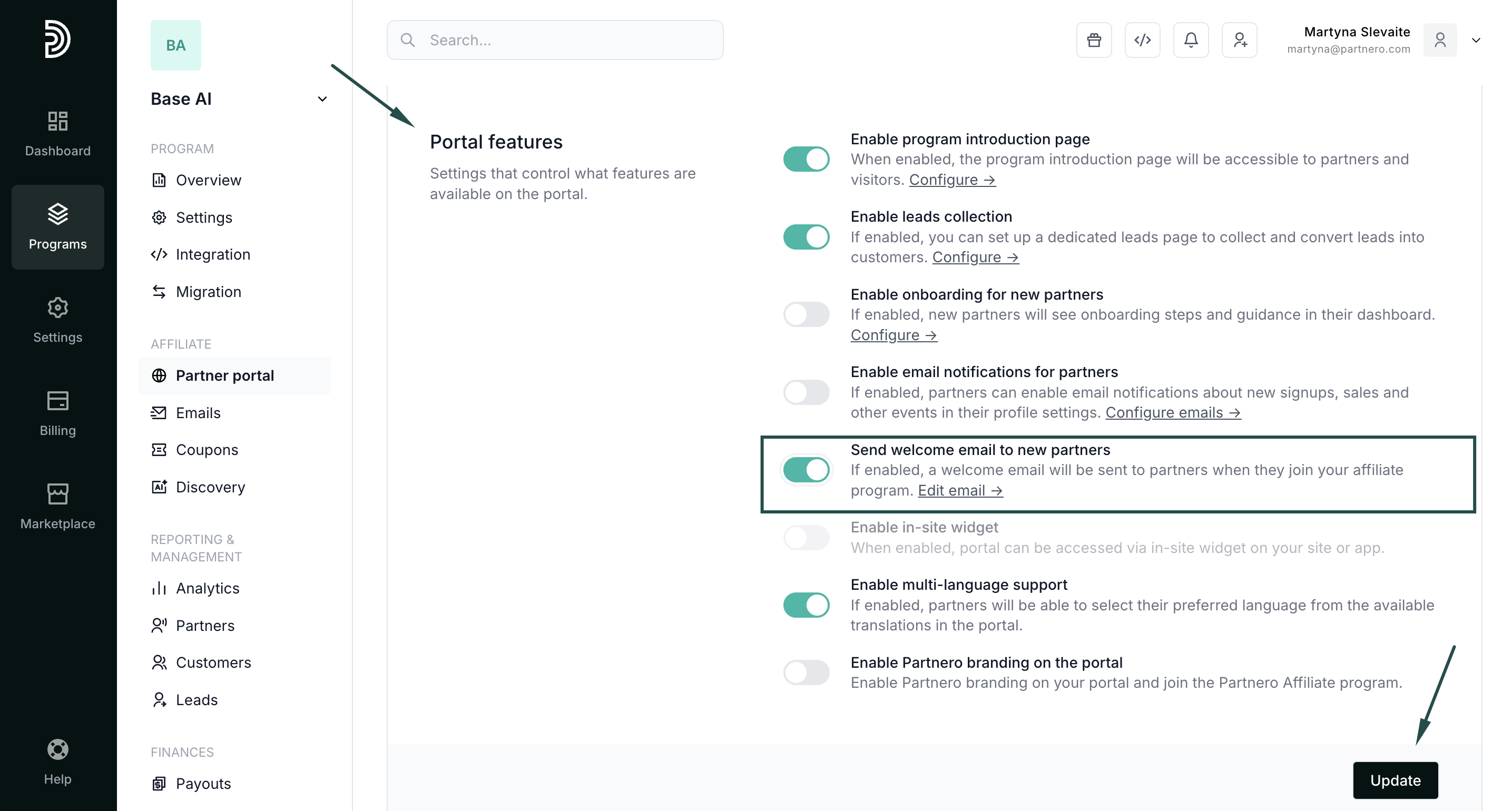
Once enabled, the welcome email will be sent to all newly approved partners.