
Partner segments
Partner segments let you save a set of filters as a named group and return to it anytime without having to reapply the same filters each time you need to view that partner group.
Segments are accessible from the Partners section, under the Segments tab:

Create a segment
To create a segment:
- Go to Partners and apply the filters you want to save:
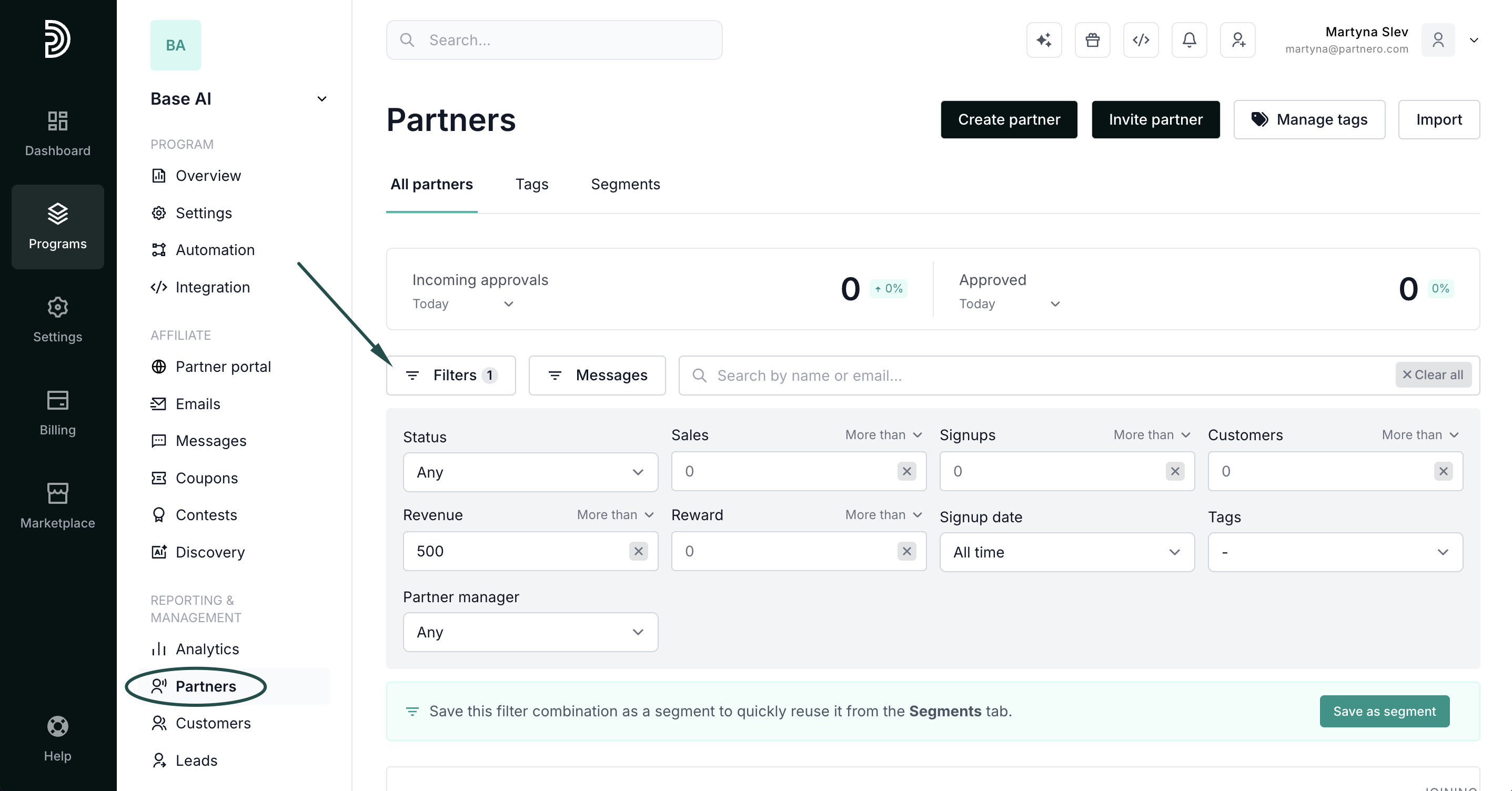
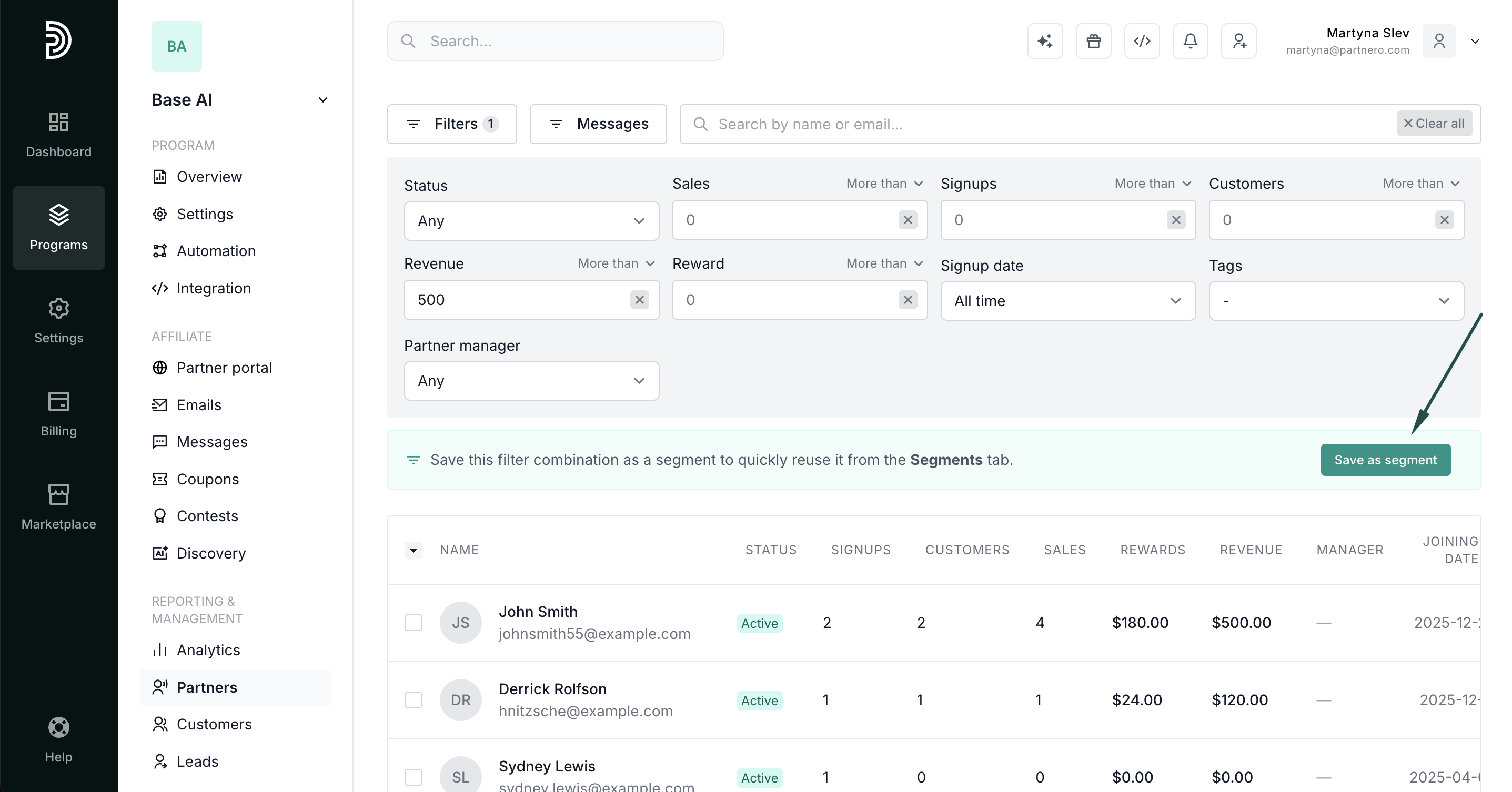
- In the filter panel, click Save as segment.
- Enter a name and click Save segment.
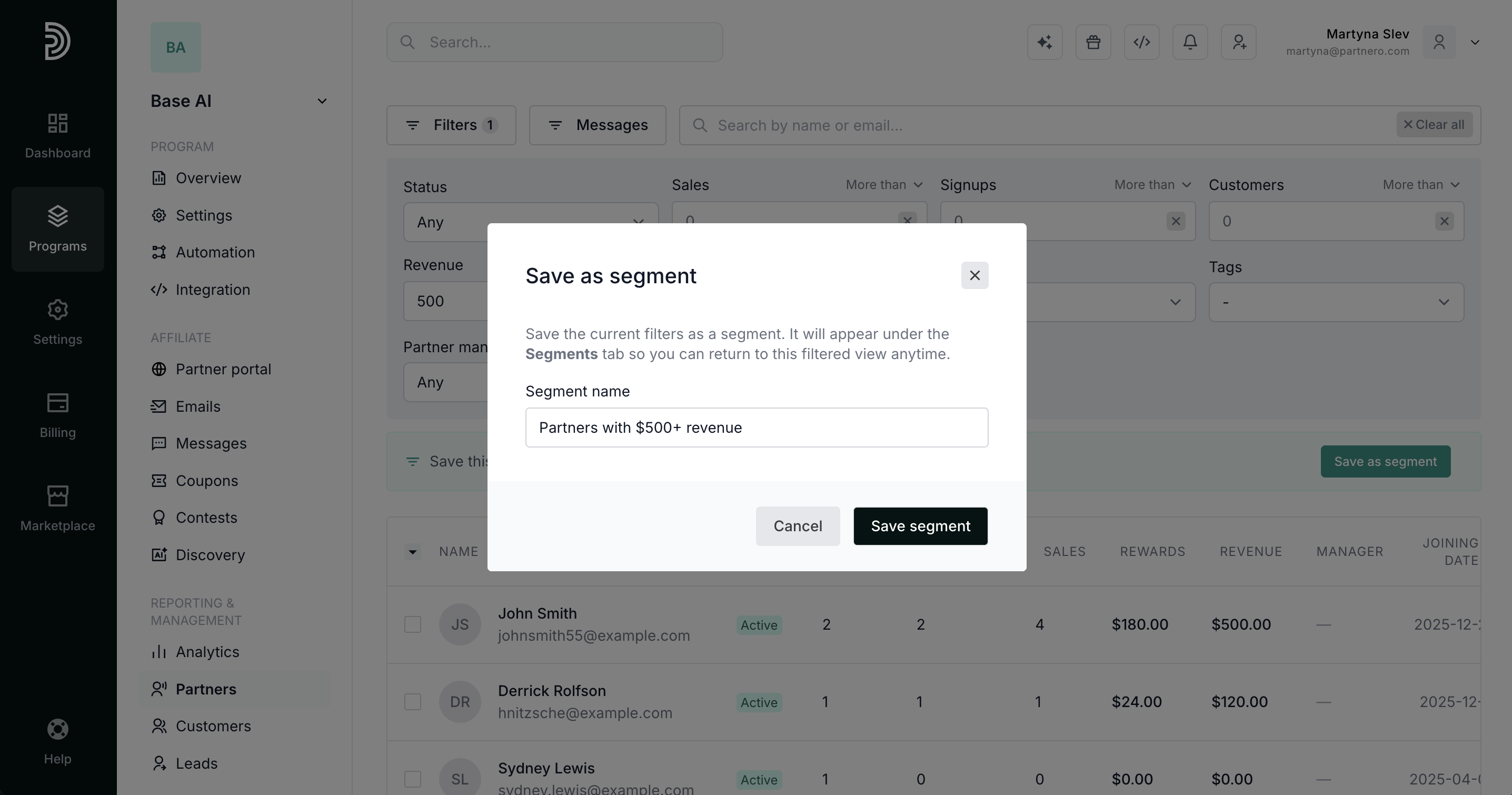
The segment will appear in the Segments tab with a live partner count. 
Using a segment
Click any segment card to open the pre-filtered partner list. The live count on each card always reflects the current number of partners matching that segment's filters. 

Update or save a new segment
When you open a segment and make changes to the filters, you'll see two options in the toolbar:
- Update segment: overwrites the current segment with the new filter combination
- Save as new segment: saves the changed filters as a separate segment, leaving the original intact

Performance overview by segments
The Segments tab shows performance for each saved segment, so you can compare groups of partners without opening each one.
Every segment card displays:
- Partners: the live number of partners matching the segment's filters.
- Clicks: total tracked link clicks.
- Signups: customers referred by the segment's partners.
- Paid customers: referred customers who generated at least one reward.
- Revenue: revenue attributed to the segment's partners, shown per currency.
Click any segment card to open the pre-filtered partner list. The stats on each card always match the sum of the corresponding columns in that list.
Good to know
- Stats respect the segment's own filters, including any date range you saved with it.
- If a segment has a date range, the card reflects activity within that range, while the partner list columns always show lifetime totals — so the two can differ for date-scoped segments.
- Cards load their stats individually. Larger segments may take a moment to populate.
How metrics are calculated
| Metric | Definition |
| Clicks | Tracked pageview/link clicks for the group's partners. |
| Signups | Non-archived referred customers of the group's partners. |
| Paid customers | Non-archived referred customers with at least one qualifying reward (rewardable or rejected, excluding goal rewards). |
| Revenue | Sum of reward-attributed revenue for payable or rejected rewards, excluding goal rewards, grouped by currency. |