
Allow affiliates to invite sub-affiliates via email
With Partnero, affiliates can invite new sub-affiliates to join the program by sending email invitations directly from the partner portal. This feature works alongside multi-level commissions and gives your affiliates an easy way to grow their referral network beyond sharing a signup link.
Program owners and admins can also invite sub-affiliates on behalf of existing affiliates and resend invitations to those who haven't accepted yet.
Prerequisites
Before enabling this feature, make sure:
- Multi-level commissions are enabled and configured for your program.
- Your partner portal has a custom domain connected.
Enable affiliate invitations
To allow affiliates to send email invitations from their portal:
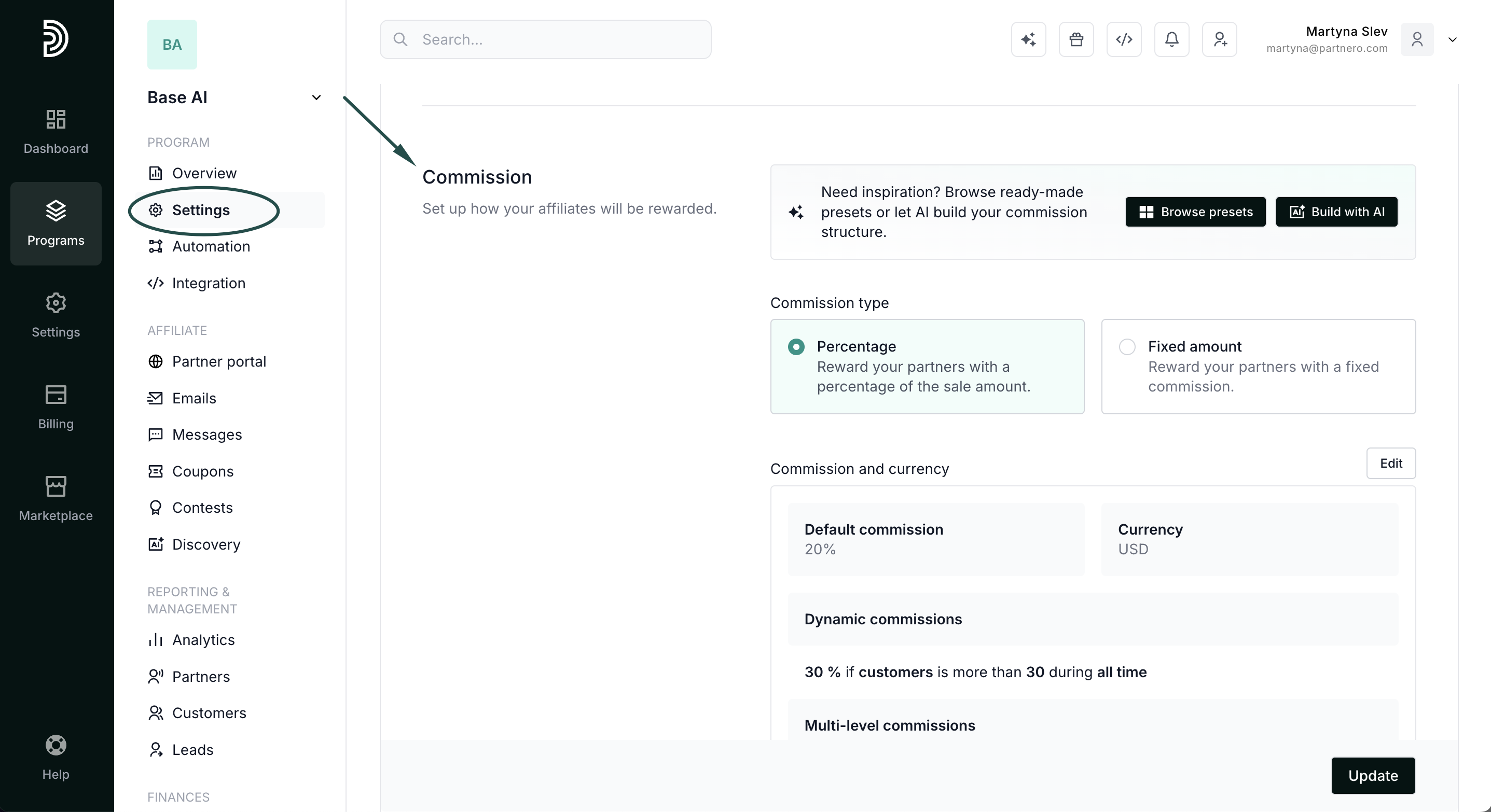
- Open your affiliate program and go to Settings under Program.
- Scroll down to the Commission section where the multi-level commission is configured.
- Toggle Allow affiliates to invite sub-affiliates via email:
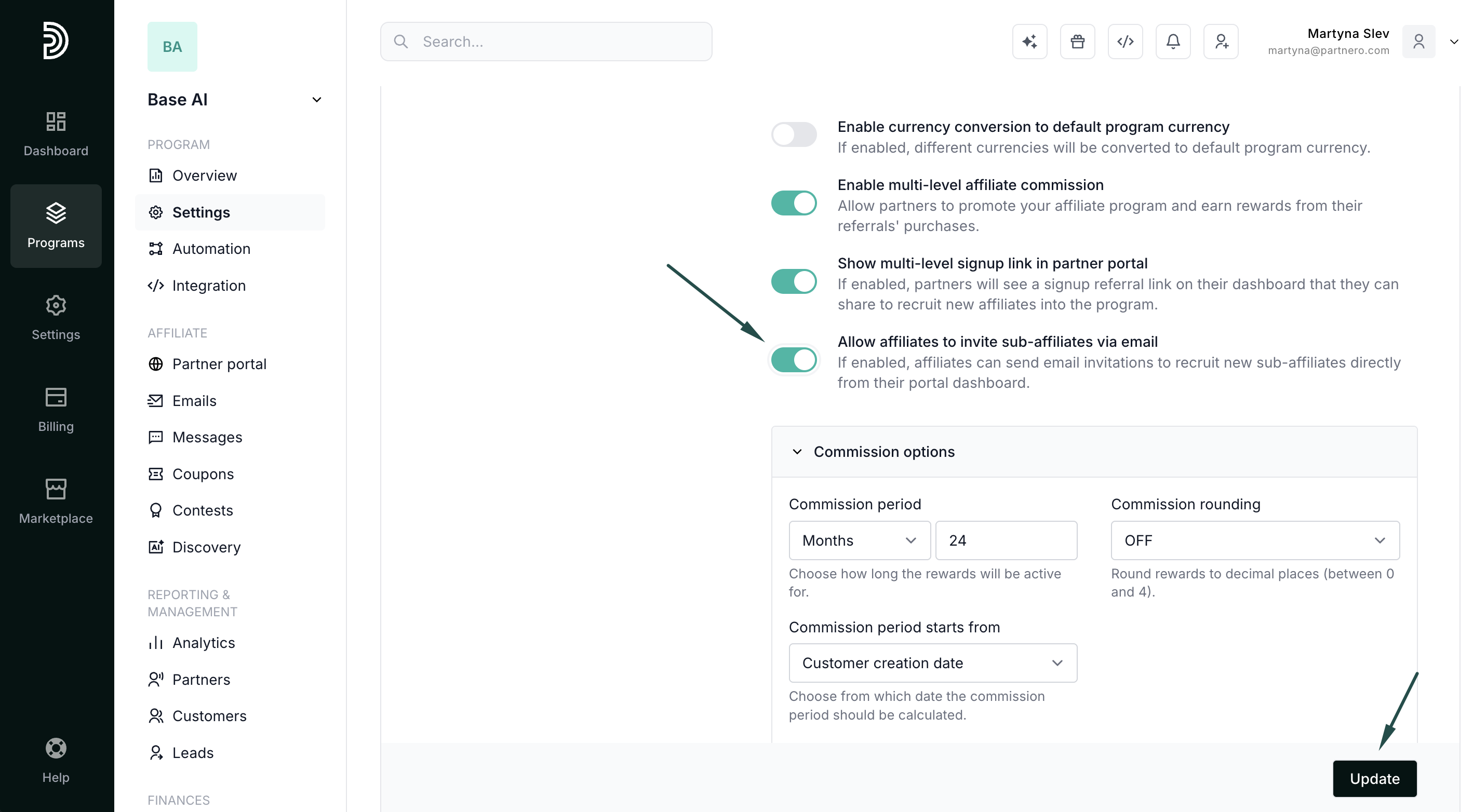
If enabled, affiliates can send email invitations to recruit new sub-affiliates directly from their portal dashboard.
- Click Update to save changes.
How affiliates invite sub-affiliates
Once the setting is enabled, affiliates will see an invitation card on their Dashboard with an Invite affiliate button: 
When clicked, a modal appears where the affiliate can enter the following details:
- Email (required) -- the email address of the person they want to invite.
- Name (optional) -- the first name of the invitee.
- Surname (optional) -- the last name of the invitee.
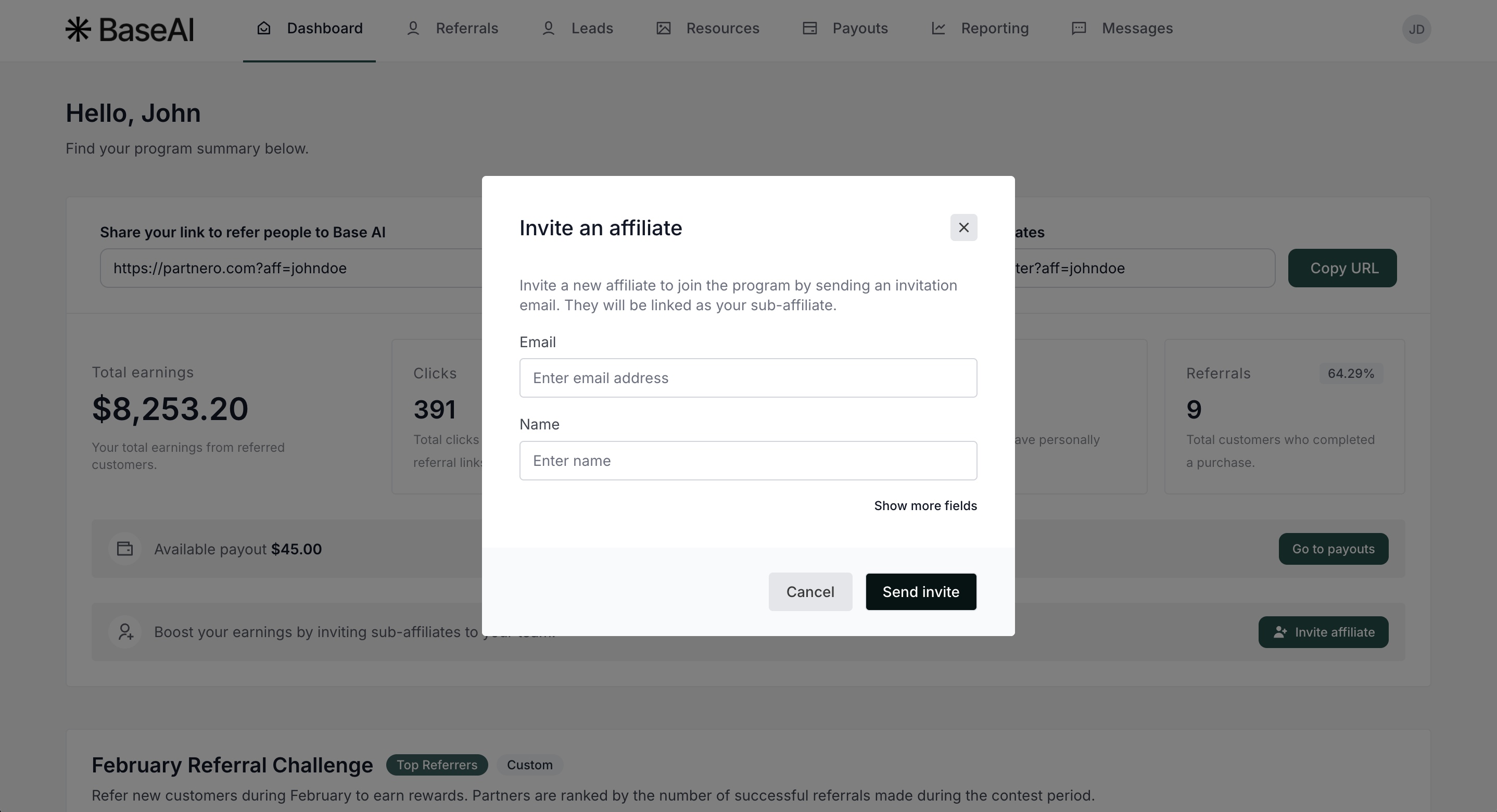
After clicking Send invite, the invitee receives an email with a link to join the program. Once they sign up through the invitation link, they are automatically linked as a sub-affiliate under the inviting partner.
The Invite affiliate button is also available on the Referrals page, next to the Referred partners heading, giving affiliates quick access to send invitations from either location. 
Resend invitations
If an invitee hasn't accepted their invitation, both affiliates and admins can resend the invitation email.
From the admin panel:
- Go to Partners under your affiliate program.
- Find the invited partner in the list (shown with an "Invited" status).
- Click the Resend button on the right side of the invitation row.
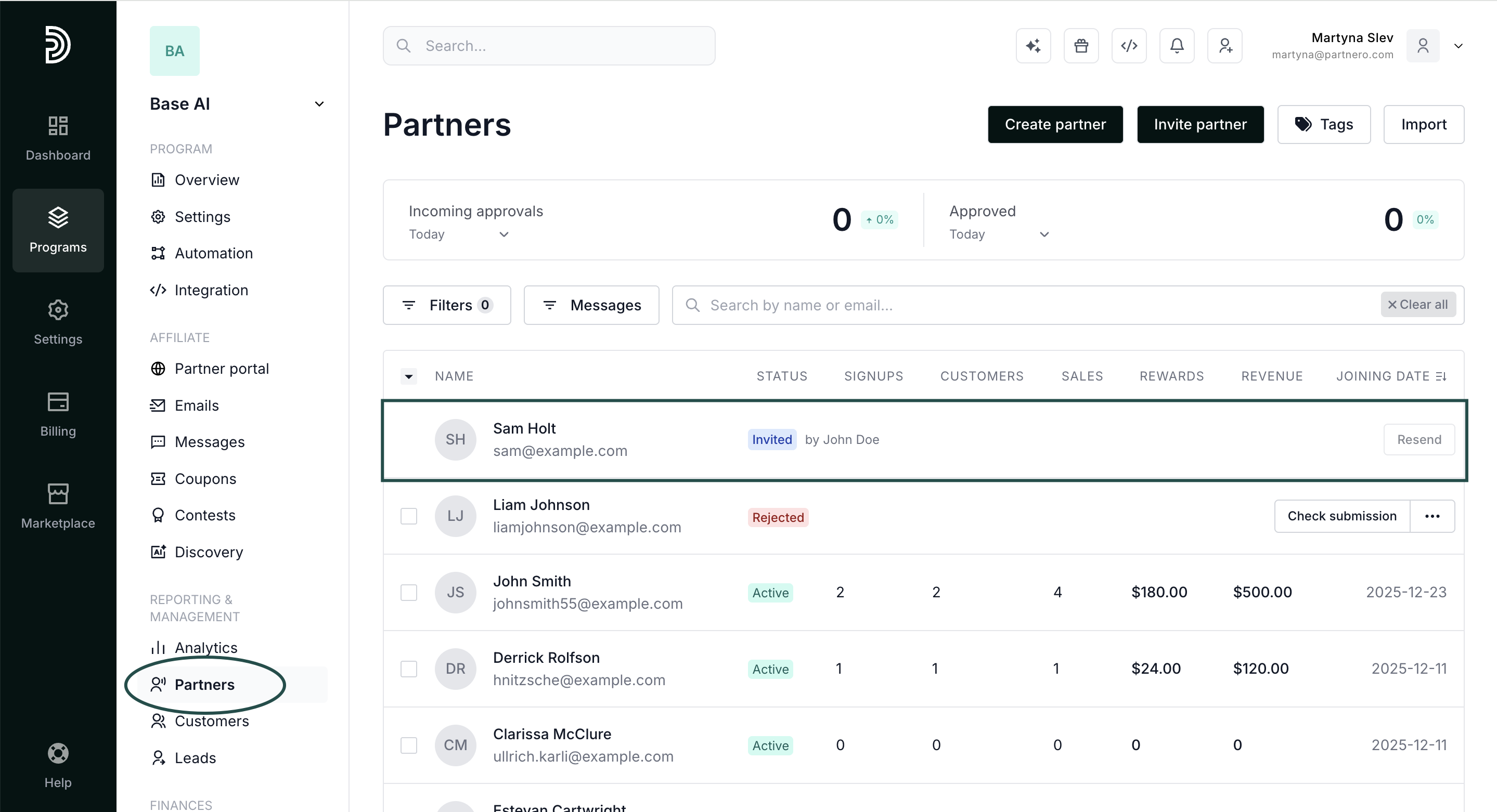
- Confirm by clicking Yes, resend in the confirmation modal.
From the partner portal:
- The affiliate navigates to the Referrals page.
- In the referred partners table, pending invitations show a Resend button next to the "Invited" status.
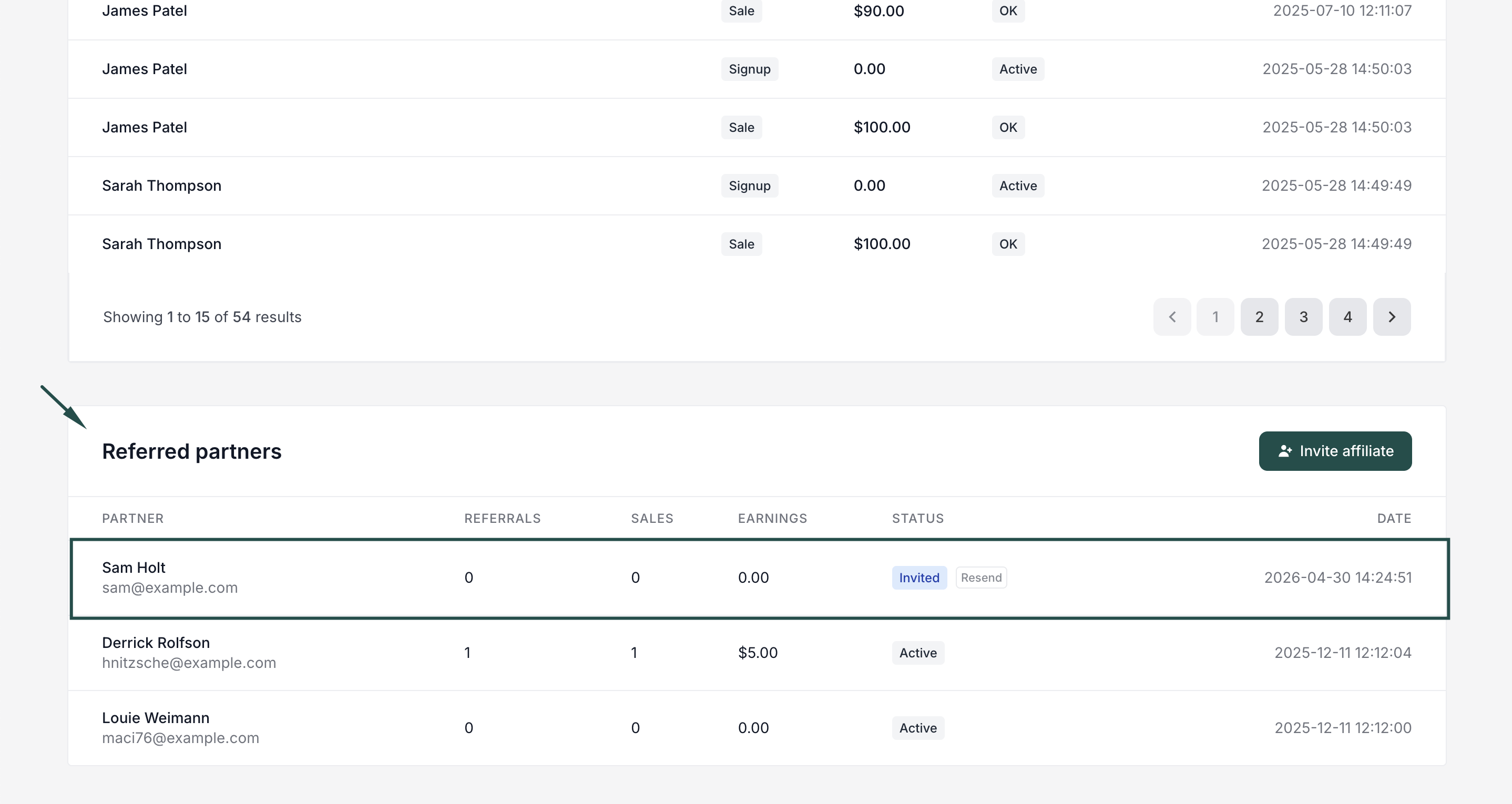
- The affiliate clicks Resend and confirms in the modal.
Note: Invitations can only be resent once every 24 hours. The Resend button will be disabled until 24 hours have passed since the last send. Expired invitations cannot be resent.
Customize the invitation email
You can review and customize the invitation email under the Emails section: 
Read more about program emails here.
How it works with multi-level commissions
When a sub-affiliate joins through an invitation and generates sales, multi-level commissions are distributed automatically:
- The inviting affiliate earns Level 1 commissions from their sub-affiliate's sales.
- If the sub-affiliate recruits further affiliates, the original affiliate earns commissions at deeper levels (up to 5 levels), depending on your multi-level commission configuration.
No additional integration or setup is required; the referral relationship is established automatically when the invitee accepts the invitation.