
Analytics overview
Partnero provides a comprehensive analytics suite to measure every stage of your affiliate program, from partner recruitment and click tracking to revenue attribution and payout management.
In this article, we'll review the Analytics Overview tab. To access, open your program and click on Analytics:
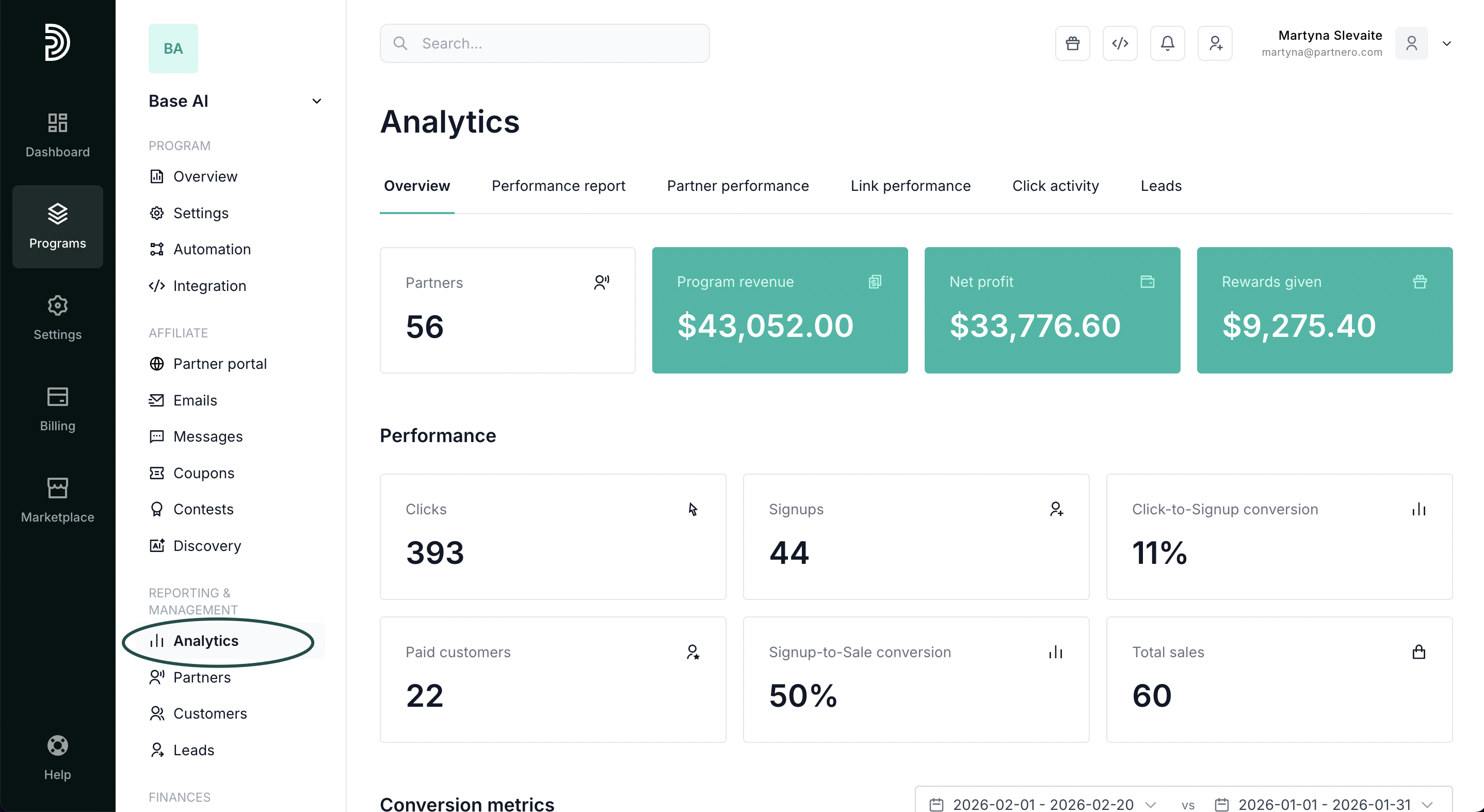
You'll land on the Overview tab. Let's review the available metrics below.
Analytics Overview
The Overview tab shows the metrics that matter most, without requiring you to set a date range or configure filters. Everything reflects your program's all-time performance.
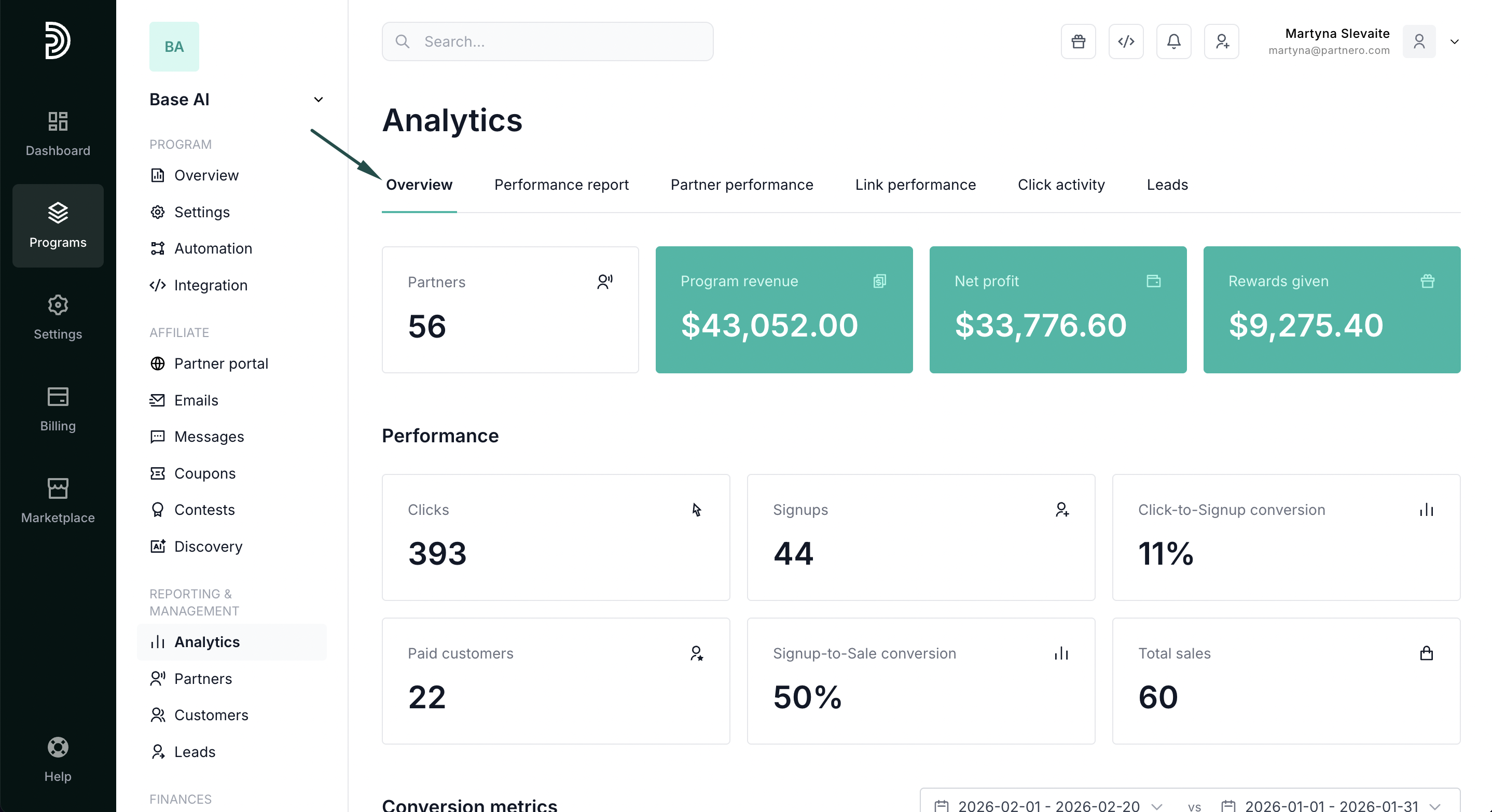
- Partners: How many approved affiliates are in your program. Click through to see the full partner list filtered by status.
- Program revenue: Total revenue attributed to affiliate referrals. Supports multiple currencies.
- Net profit: What you keep after paying partner commissions. Supports multiple currencies.
- Rewards given: Total affiliate commissions given.
Performance
- Clicks: Total number of clicks on affiliate links.
- Signups: How many referred visitors become registered users.
- Paid customers: How many of the signed-up users convert to paying customers.
- Click-to-signup conversion: percentage of users who complete a registration after clicking an affiliate link.
- Signup-to-sale conversion: percentage of users who purchased a plan after signing up.
- Total sales: The number of sales your affiliate program has generated.
Conversion metrics
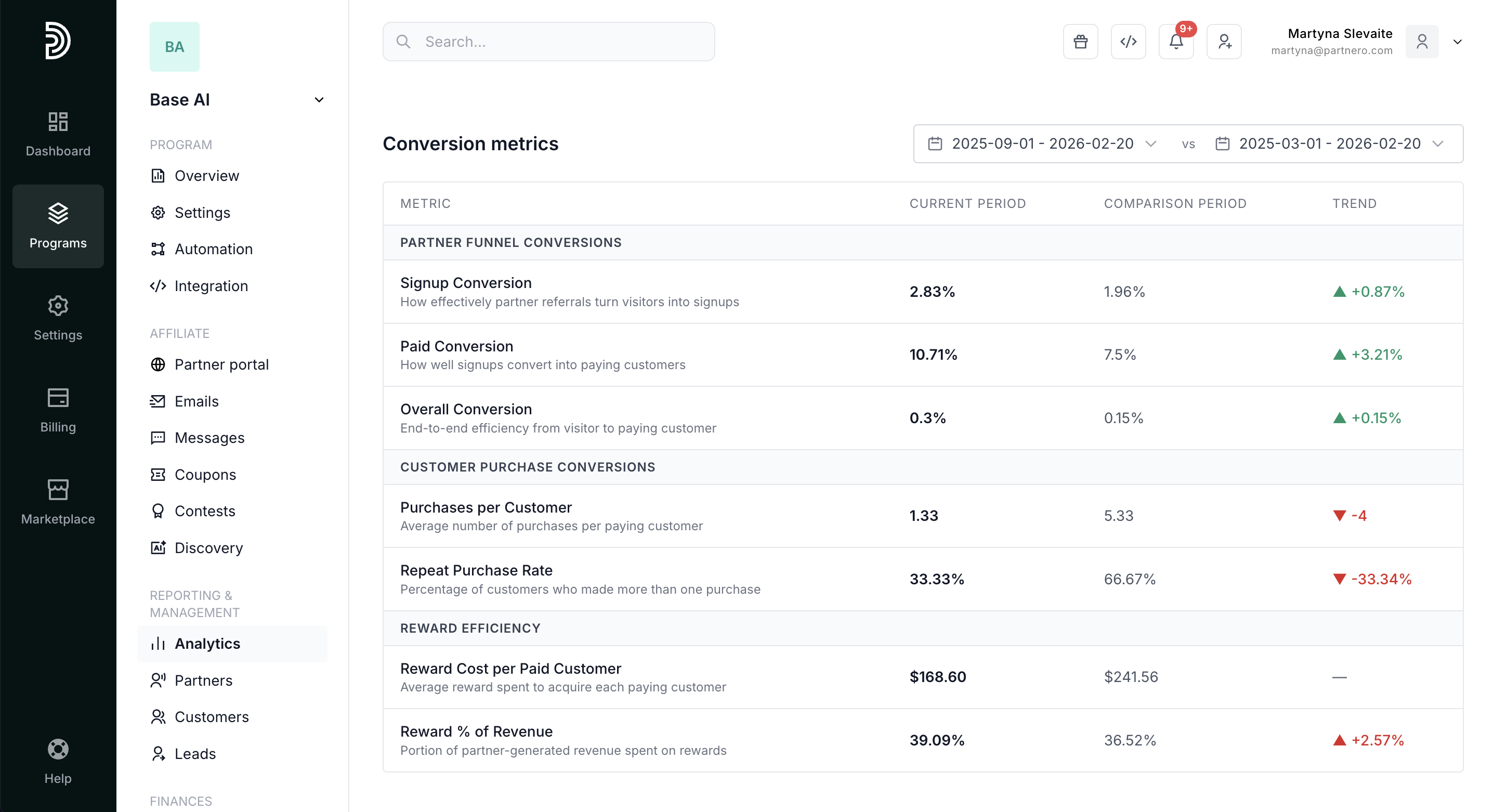
Further down, you'll find conversion metrics. Select current and comparison periods to see trends.
Partner funnel conversions
- Signup Conversion: How effectively partner referrals turn visitors into signups
- Paid Conversion: How well signups convert into paying customers
- Overall Conversion: End-to-end efficiency from visitor to paying customer
Customer purchase conversions
- Purchases per Customer: Average number of purchases per paying customer
- Repeat Purchase Rate: Percentage of customers who made more than one purchase
Reward efficiency
- Reward Cost per Paid Customer: Average reward spent to acquire each paying customer
- Reward % of Revenue: Portion of partner-generated revenue spent on rewards
Rewards breakdown & distribution
The following two sections cover reward breakdown and distribution. 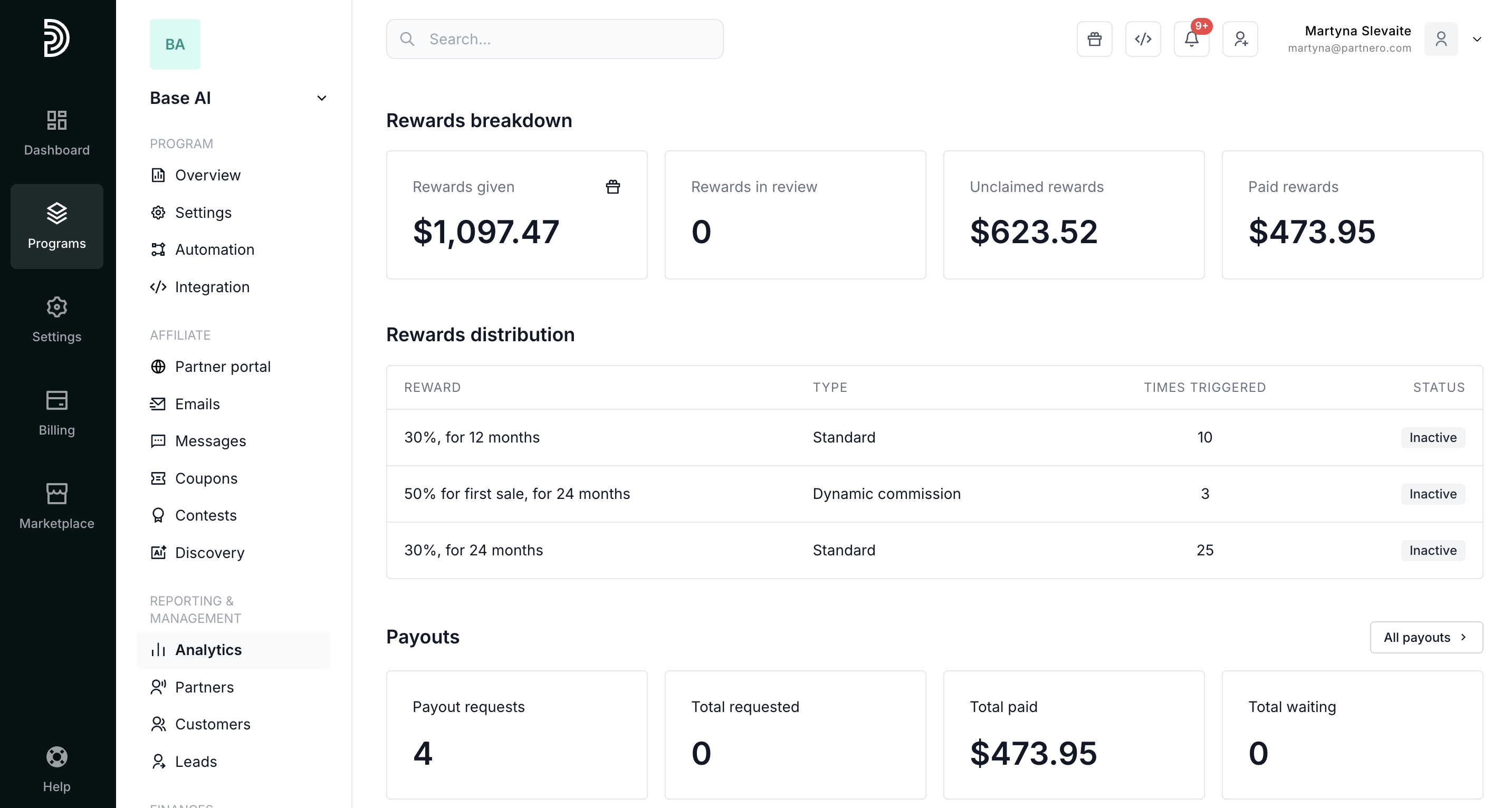
- Rewards breakdown: Track affiliate commissions given, unclaimed, in review, and paid.
- Rewards distribution by commission rule: See which commission types are triggered most often and whether they're currently active.
Payouts
Lastly, review Payout metrics.
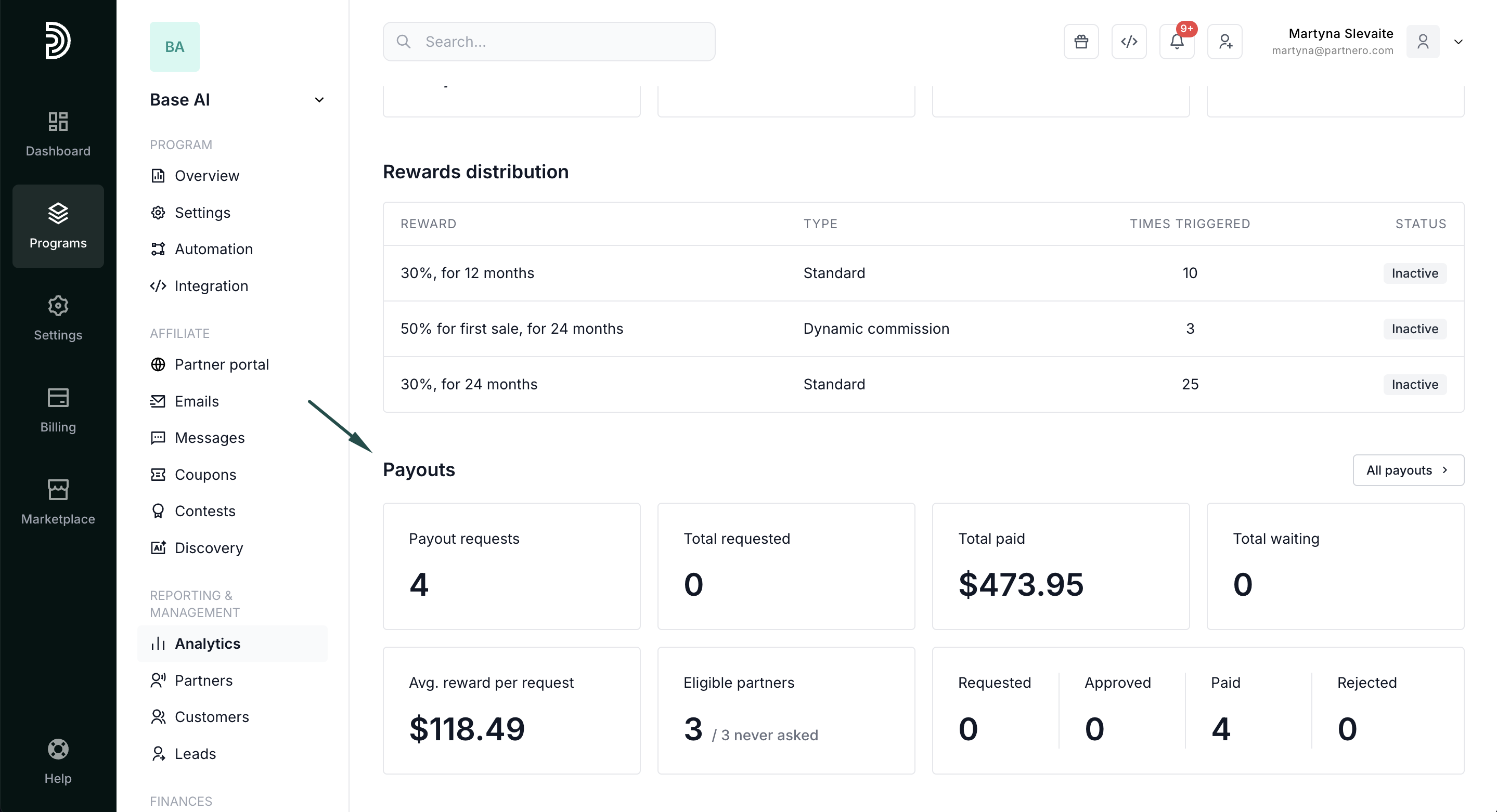
- Payout requests: Total number of payout requests submitted
- Total requested: Total amount requested in payouts
- Total paid: Total amount paid to affiliates.
- Total waiting: the total amount requested to be paid.
- Average reward per request: The average amount requested in a single payout request.
- Eligible partners: The number of partners who have reached the payout threshold but haven't requested a payout.
- The total numbers for requested, approved, paid, and rejected payouts.
Continue reading about analytics
- Performance Report – Detailed breakdown of conversions, revenue, and partner results
- Partner Performance – Compare and evaluate individual partner results
- Reward History – Full ledger of every reward issued in your program
- Link Performance – Analyze how individual tracking links are performing
- Click Activity – Review detailed click-level data and traffic insights
- Lead Analytics – Monitor lead acquisition trends and quality