
Analytics: Partner performance
Understand which affiliates deliver results and why. Partner Performance goes beyond top-line numbers. It provides cohort analysis by sign-up month, segmentation by partner tags, acquisition trends, and a ranked list of your top-performing affiliates.
To access, open your program, click on Analytics, and switch to the Partner performance tab: 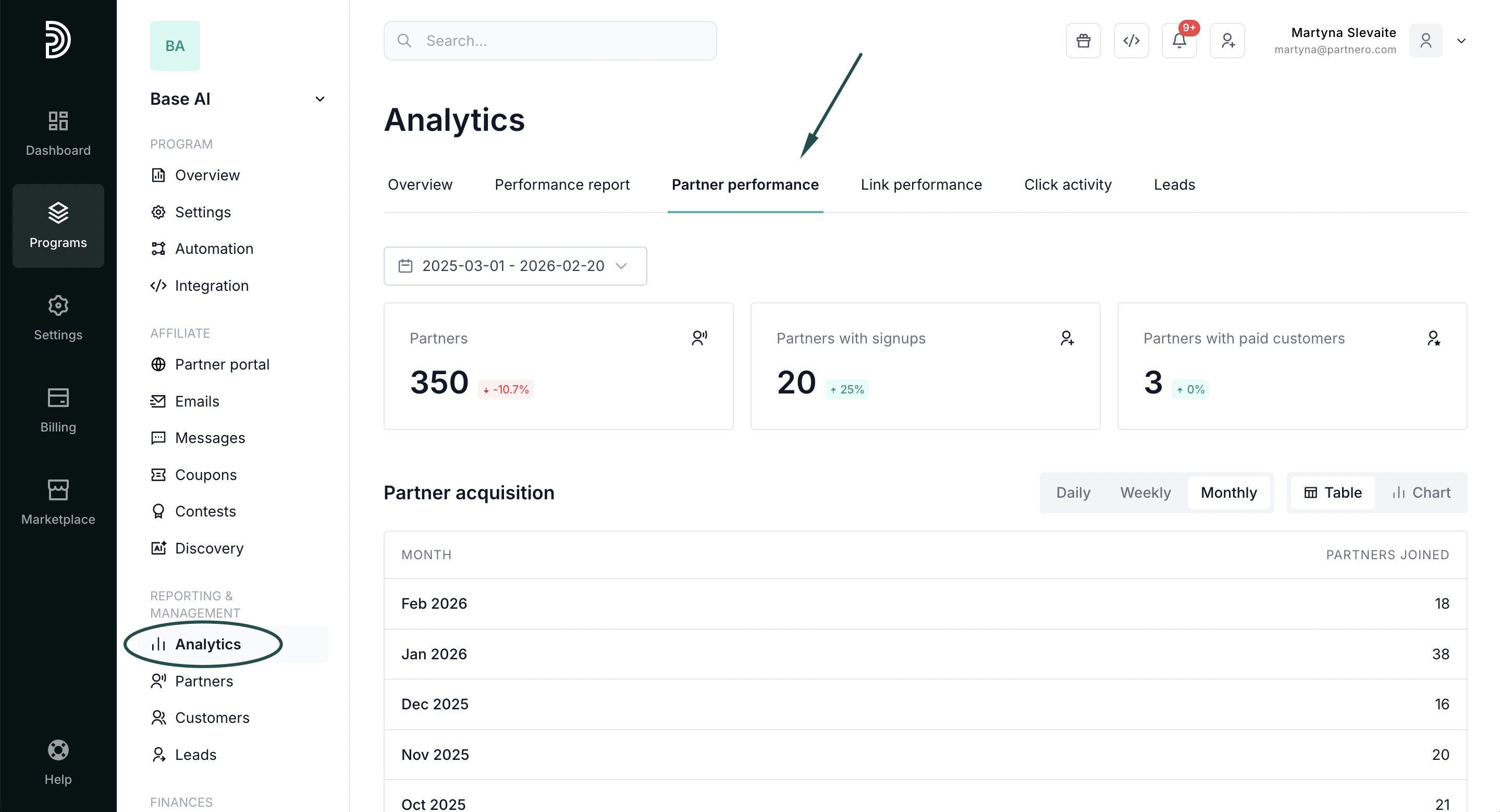
Partner summary cards
Review performance summary. View all time metrics, select pre-defined periods, or enter a custom time period:
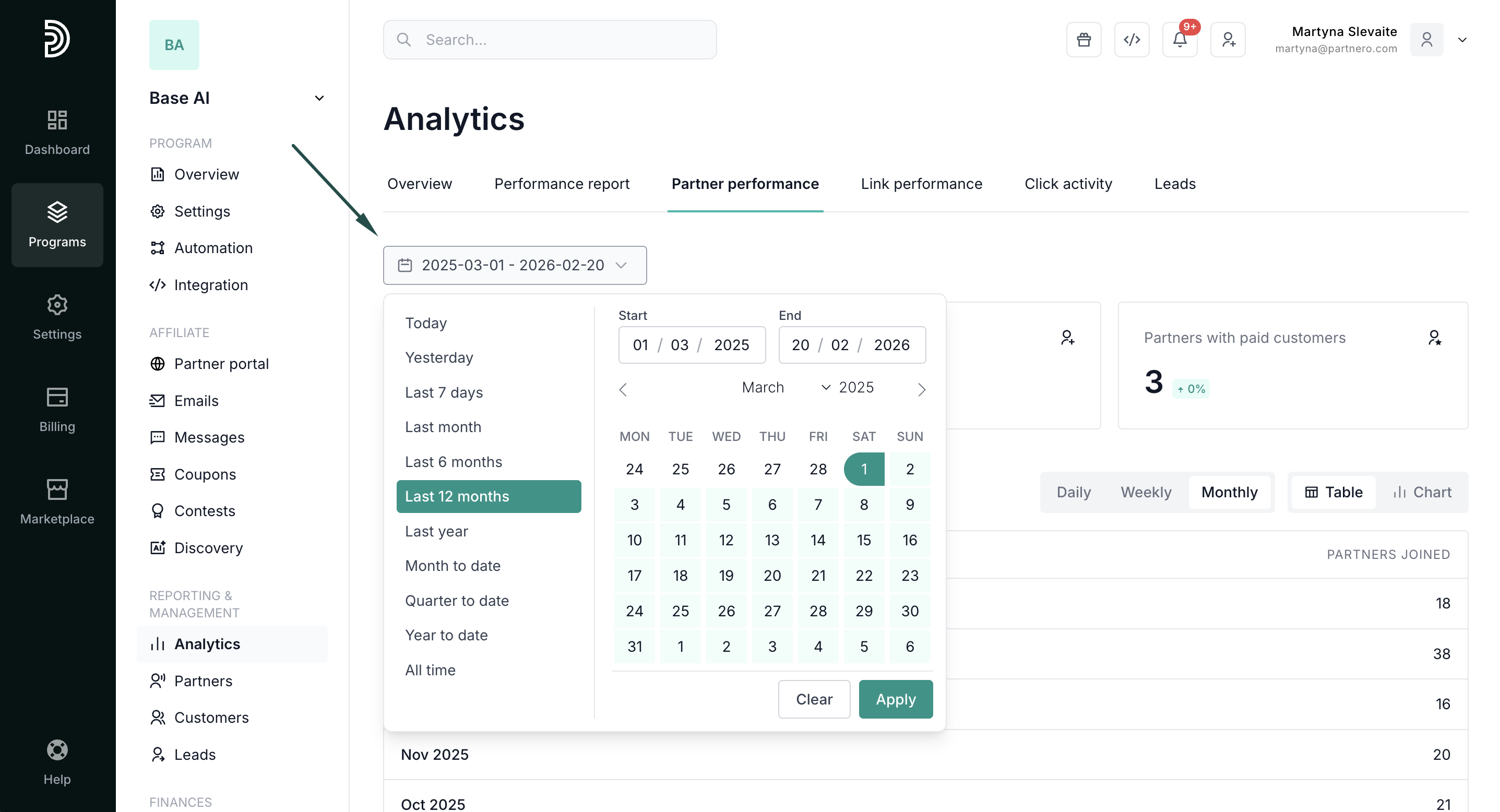
- Partners: Your current affiliate network size.
- Partners with signups: How many affiliates have referred at least one signup. Click to see the filtered list.
- Partners with paid customers: How many affiliates have driven at least one paying customer. Click to see the filtered list.
- % with signups and % with paid customers: Activation and monetization rates per cohort. If newer cohorts underperform, it signals an onboarding problem.
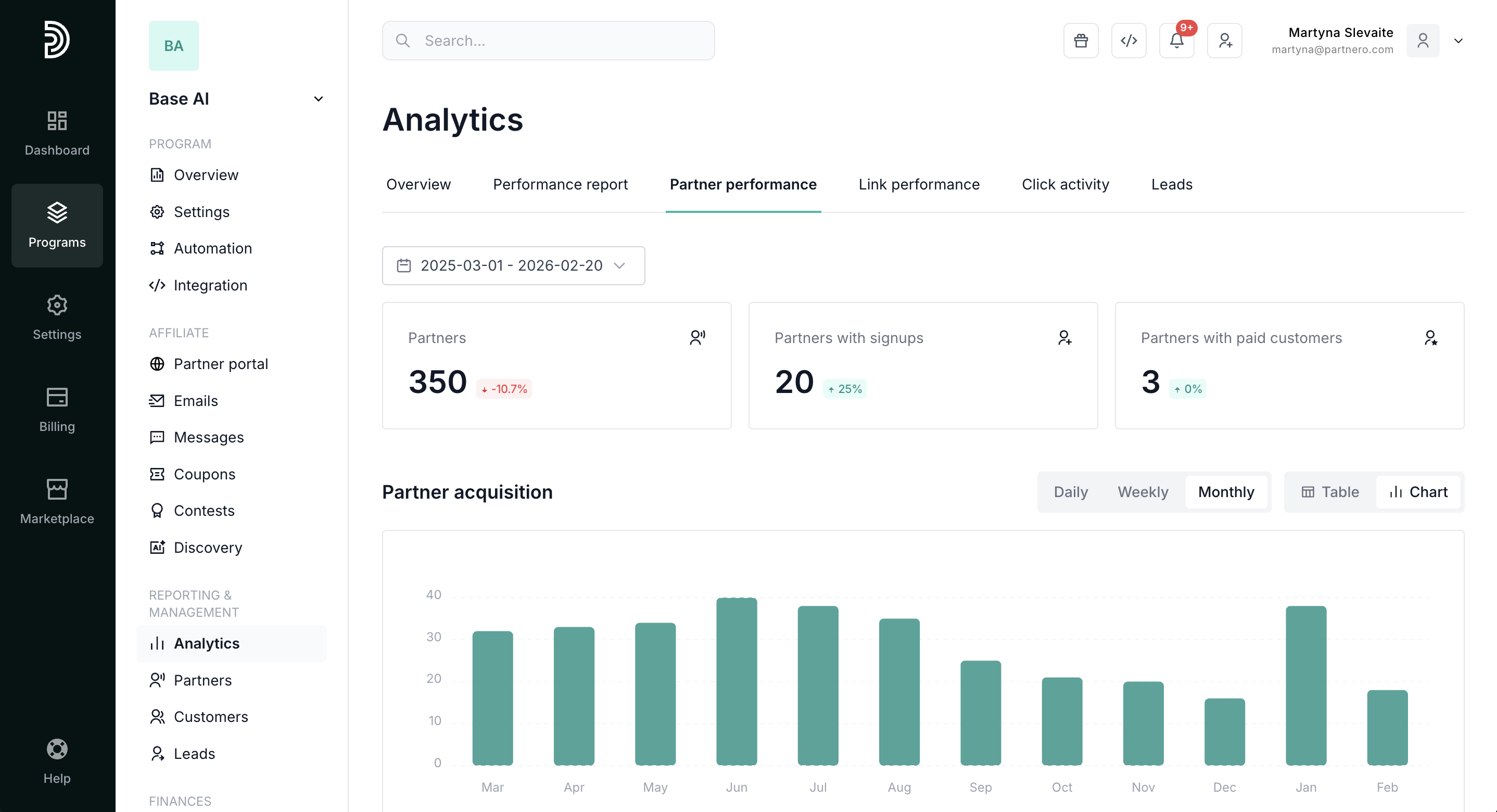
Partner acquisition
Further down, review your partner acquisition metrics. Switch between daily, weekly, or monthly reports. Also, select table or chart view:
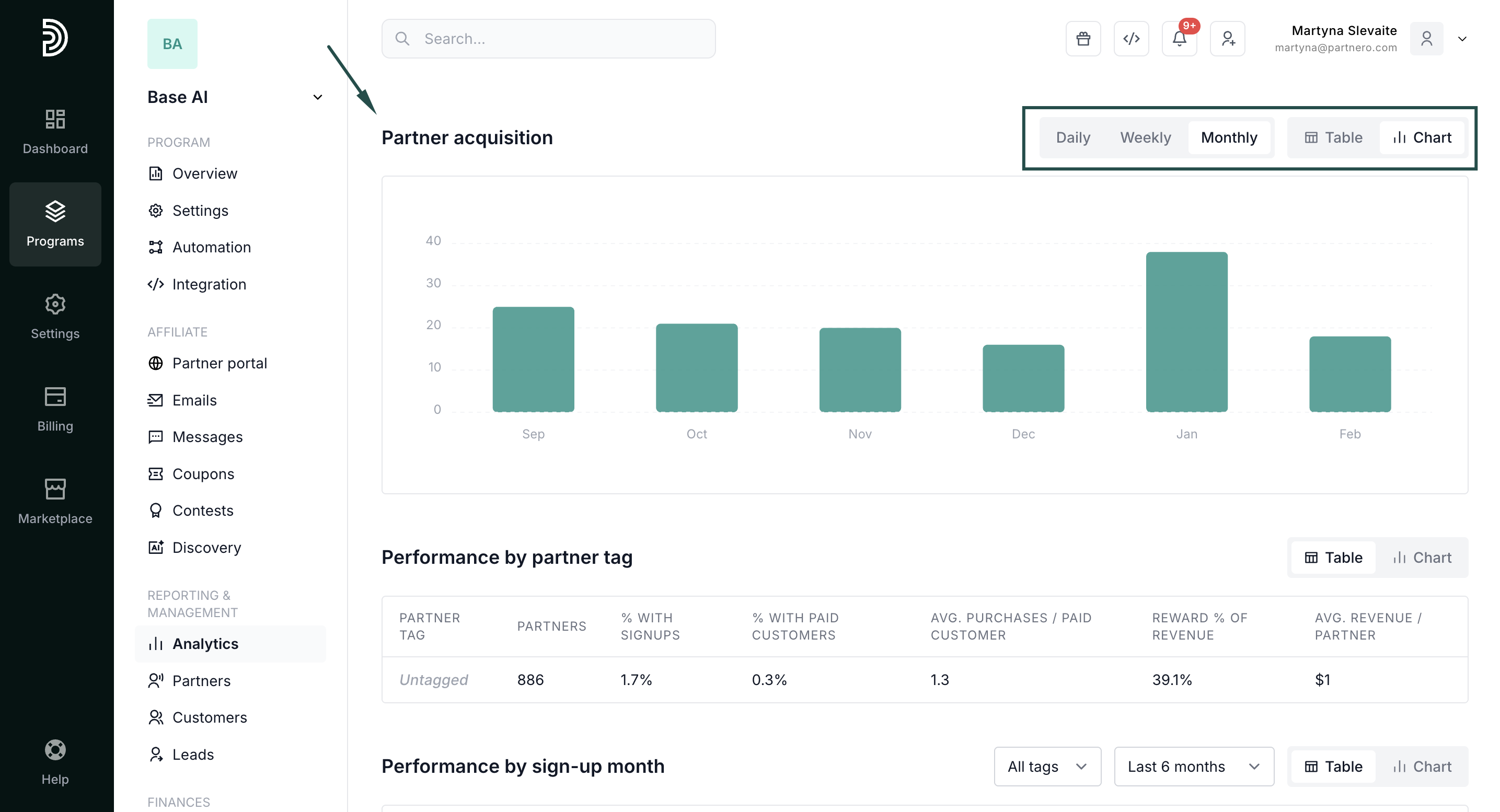
Cohort analysis: Performance by partner tag and sign-up month
Next, analyze partner performance based on their tag and sign-up month:
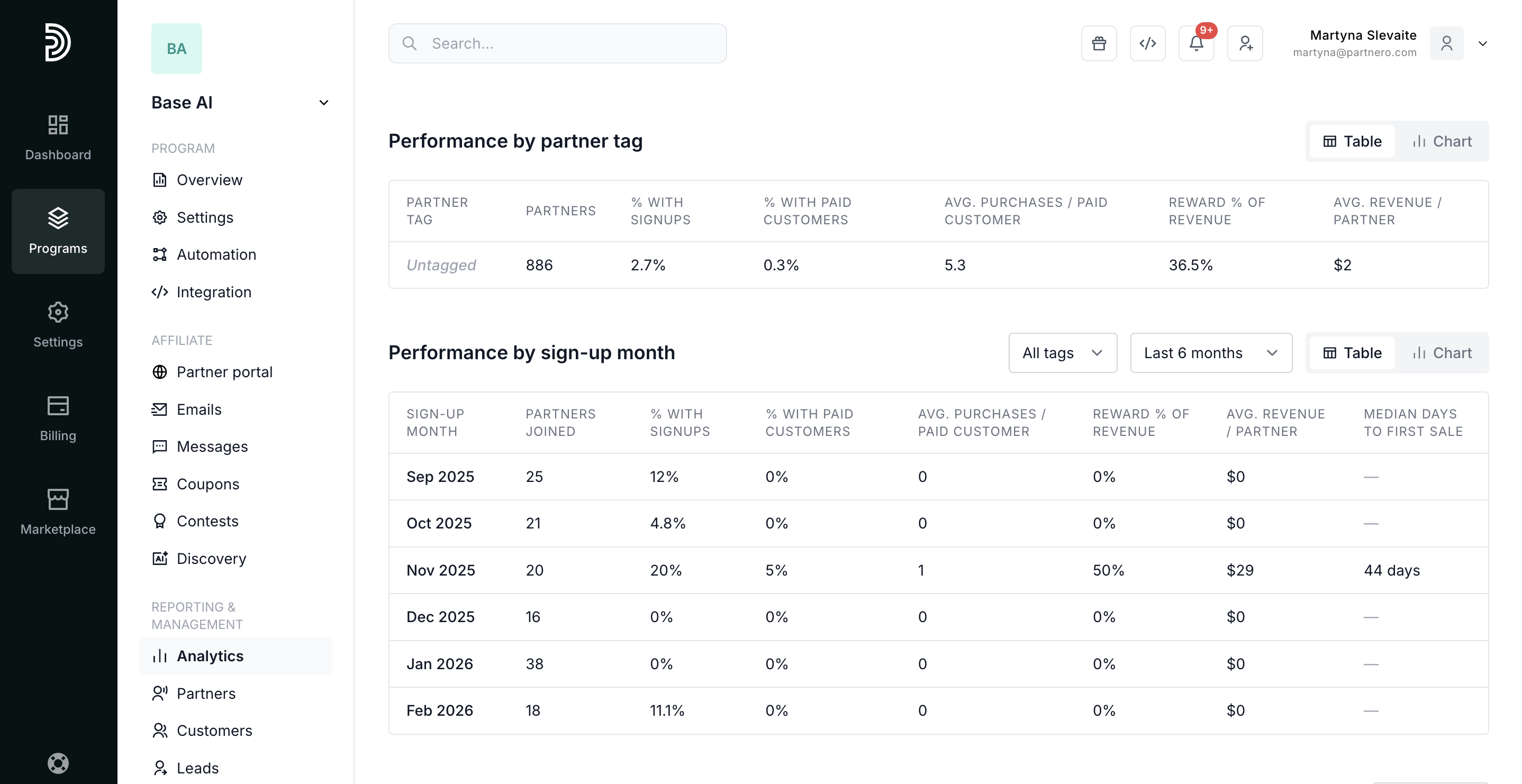
Analyze how each monthly cohort of affiliates performs over time. Identify whether your newer partners are ramping up faster or slower than older ones.
- Partners joined: Recruitment volume per month.
- % with signups / % with paid customers: Activation and monetization rates per cohort. If newer cohorts underperform, it signals an onboarding problem.
- Avg. purchases per paid customer: Measures customer lifetime value driven by each partner cohort.
- Reward % of revenue: What share of affiliate-generated revenue goes back as commissions. Tracks commission sustainability.
- Avg. revenue per partner: The single best metric for affiliate ROI. Compare across monthly cohorts to see if partner quality is improving.
- Median days to first sale: How long new affiliates take to generate their first transaction. A leading indicator of partner activation and program stickiness.
Slice the same metrics by custom partner tags (e.g., "premium", "influencer", "content-creator") to compare performance across partner segments.
Select a time period, and switch between table and chart views. In the table view, select which metric you wish to see:
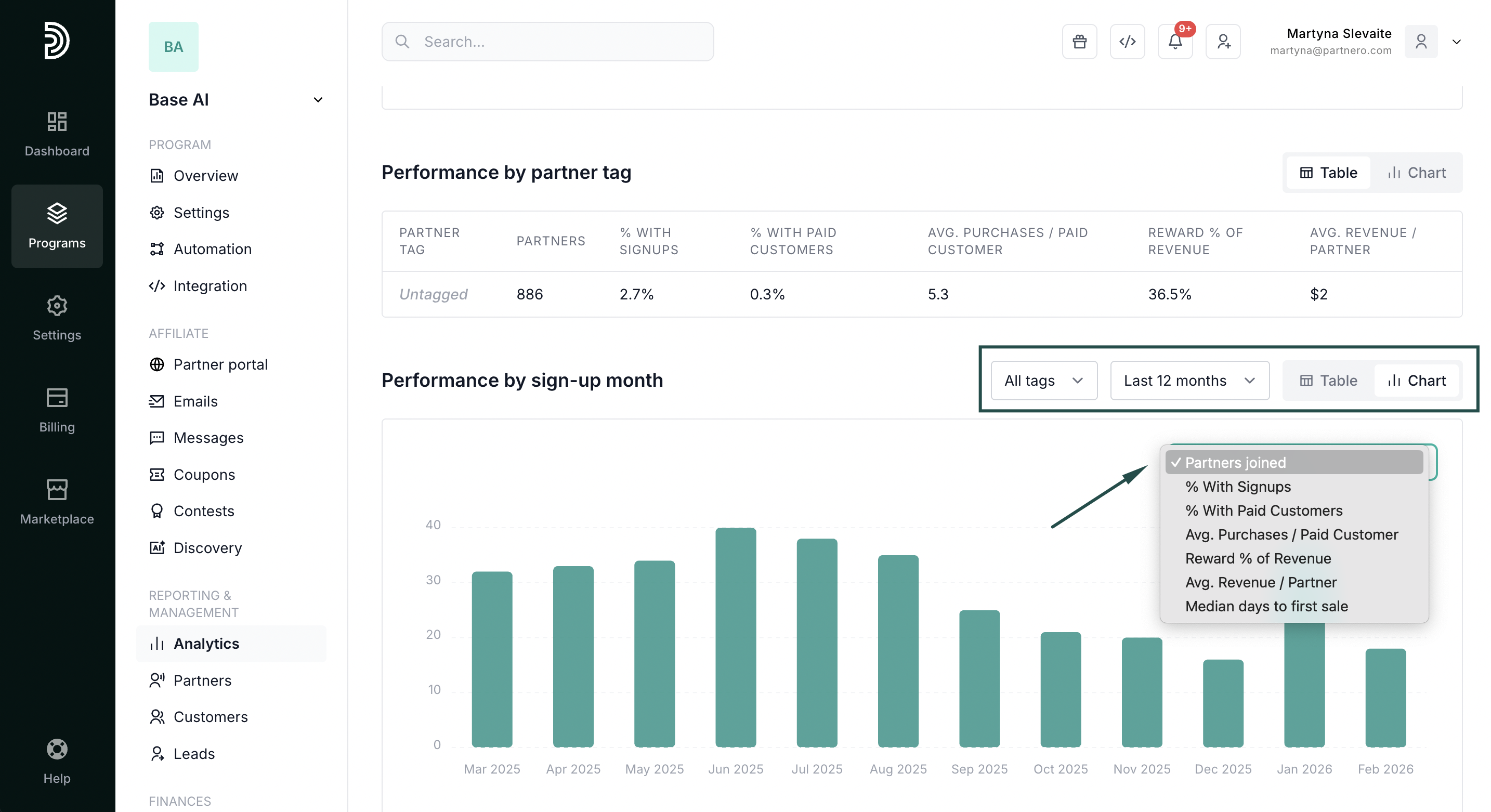
Use these insights to refine your affiliate recruitment strategy and focus on the segments that deliver the highest ROI.
Partner acquisition trend: Visualize how your affiliate network grows over time. Group by day, month, or year to spot seasonal patterns or the impact of specific recruitment efforts.
Top partners table: Lastly, you'll findour highest-performing affiliates ranked by signups, sales, revenue, and rewards. Click through to any partner's profile for a deep dive. 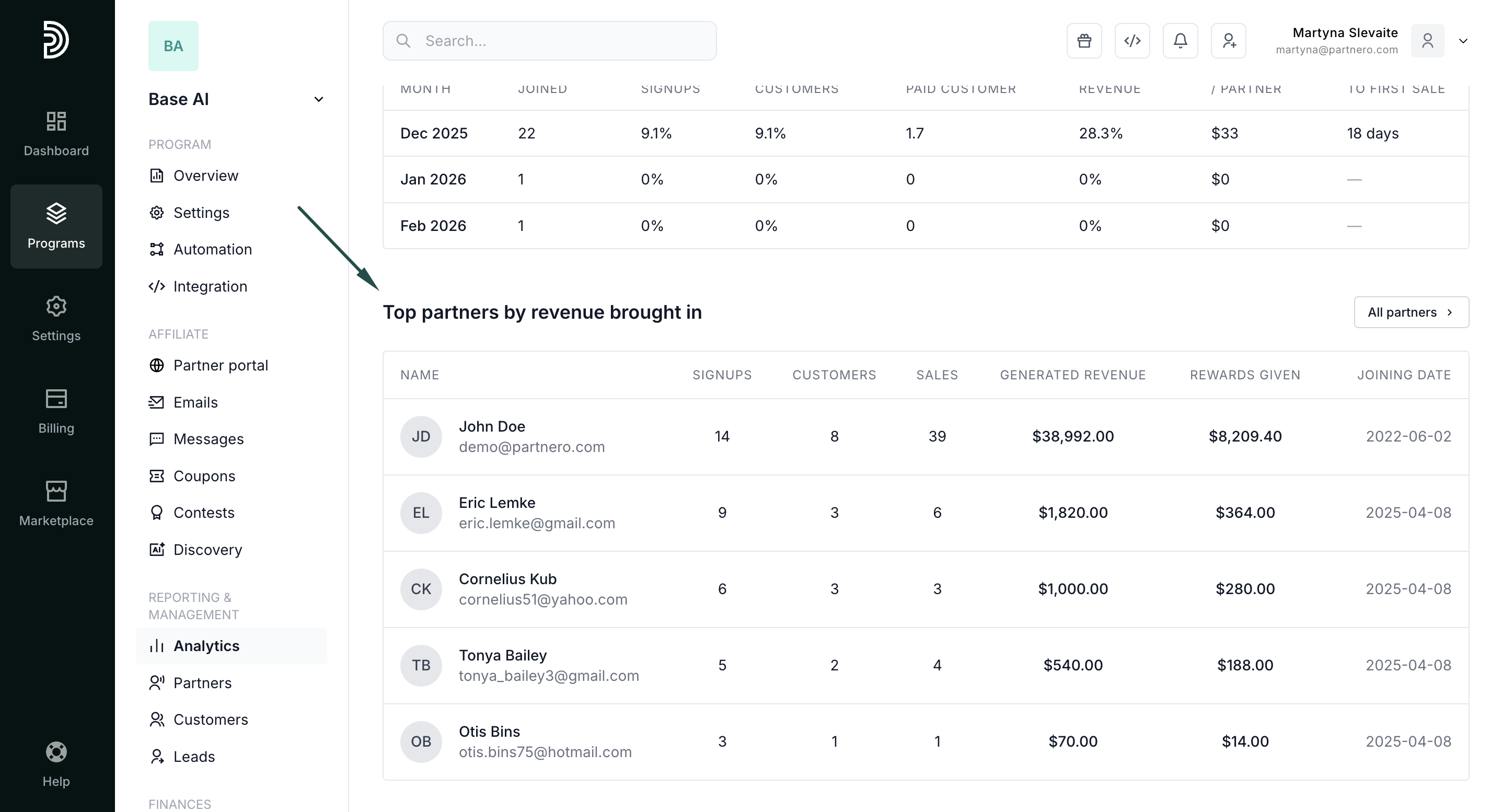
Continue reading about analytics
- Analytics Overview – High-level dashboard summary of your program’s performance
- Performance Report – Detailed breakdown of conversions, revenue, and partner results
- Link Performance – Analyze how individual tracking links are performing
- Click Activity – Review detailed click-level data and traffic insights
- Lead Analytics – Monitor lead acquisition trends and quality