
Analytics: Link performance
See exactly which affiliate links drive traffic and convert visitors. Every referral link is tracked individually, so you can measure click-to-signup conversion per URL, compare link types, and identify which partners' promotional strategies are working.
To access, open your program, click on Analytics, and switch to the Link performance tab:

Summary metrics
Review the link performance summary metrics:
- Total clicks: Aggregate traffic across all affiliate referral links for the selected period.
- Signups: How many of those clicks converted into registered users or leads.
- Conversion rate: Overall click-to-signup percentage across all links. Benchmark against industry averages to evaluate partner and landing page quality.
- Active links: How many unique referral URLs are generating traffic. A low ratio of active links to total partners may indicate partner engagement issues.
Customize the link table:
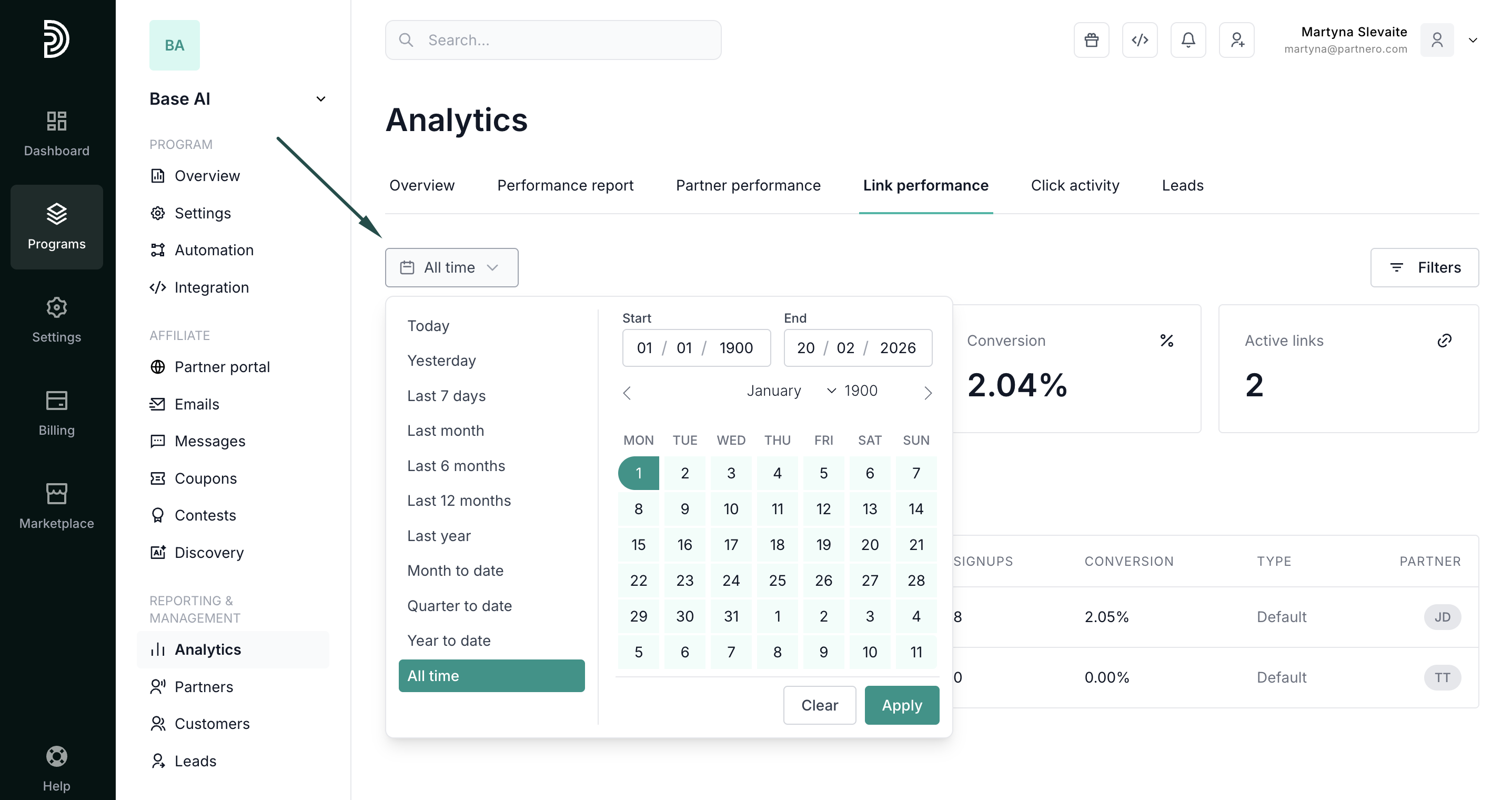
- Define your time period: View all time metrics, select pre-defined periods, or enter a custom time period:
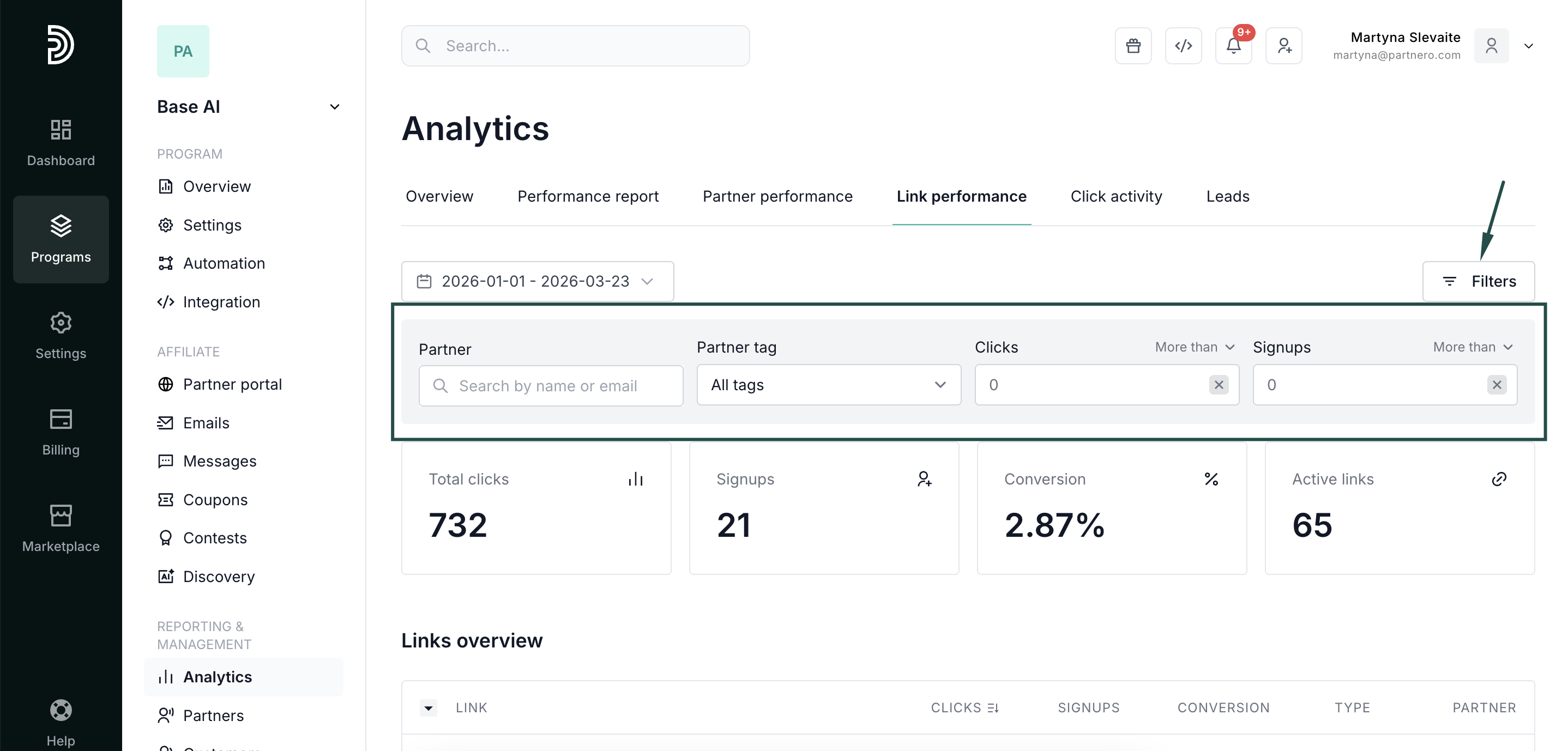
- Filter by partner: Drill into one affiliate's links to evaluate their promotional approach.
- Filter by partner tags: See the performance of a specific group of partners.
- Filter by click or signup threshold: Quickly surface underperforming links (high clicks, zero signups) that may indicate landing page problems, or top performers to replicate.
Links overview table:
- Columns: Link URL, Clicks, Signups, Conversion rate, Link type (default, custom domain, direct tracking), Partner.
- Sortable by clicks, signups, or conversion. Exportable for offline analysis.
Best for: Optimizing landing pages, auditing partner link usage, and identifying which referral URL formats or link types convert best.
Continue reading about analytics
Explore other analytics reports to better understand your performance and optimize your partner program:
- Analytics Overview – High-level dashboard summary of your program’s performance
- Performance Report – Detailed breakdown of conversions, revenue, and partner results
- Partner Performance – Compare and evaluate individual partner results
- Click Activity – Review detailed click-level data and traffic insights
- Lead Analytics – Monitor lead acquisition trends and quality